Cross Country Drive Camera Features: Your 2026 Guide
Cross Country Drive Camera Features: Your 2026 Guide
TL;DR:
- A cross country drive camera should have high resolution, wide-angle lenses, and loop recording to capture and preserve critical footage during long trips. Safety features like lane departure warnings, collision alerts, and GPS tagging support driver awareness and incident documentation. Using a smartphone app like DriveSight offers a hardware-free way to access essential dashcam functions for extended journeys.
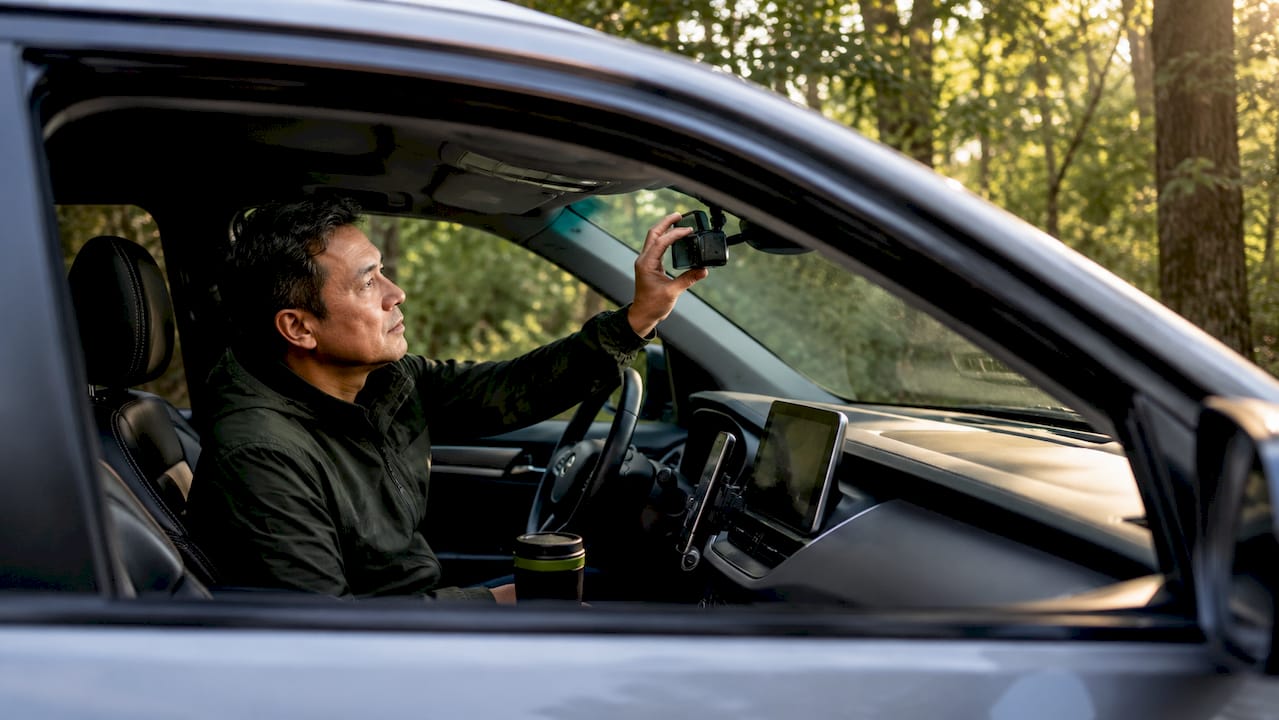
Cross country drive camera features are the set of recording, safety, and connectivity capabilities that determine whether your dashcam actually protects you and preserves your trip on a multi-day road journey. The right features separate a camera that sits idle from one that actively reduces accident risk, captures evidence, and saves your best scenic moments. Drivers planning long routes need to evaluate resolution, loop recording, driver alerts, night vision, and parking security before they leave the driveway. This guide covers every critical feature category so you can make a confident decision.
1. What video quality and recording capabilities are critical for cross country dashcams?
Video resolution is the foundation of every useful dashcam recording. High-resolution footage at 1080p, 2K, or 4K combined with wide-angle lenses captures license plates, road signs, and surrounding vehicles with enough detail to be usable as evidence or a travel memory. Sensors like the Sony STARVIS improve low-light performance significantly, which matters on early morning departures or late evening arrivals.
Wide-angle lenses, typically 140 to 170 degrees, cover multiple lanes on a highway. That coverage becomes critical when a vehicle merges aggressively from the side and a narrow lens would miss it entirely.
Loop recording is equally non-negotiable for long trips. The camera continuously overwrites the oldest footage when storage fills, so you never need to manually delete files mid-drive. Without loop recording, a driver on a three-day trip would fill a 128GB card and lose coverage entirely.
Key video capabilities to prioritize:
- Resolution: 1080p minimum; 2K or 4K for license plate clarity at highway speeds
- Wide-angle lens: 140–170 degrees for full lane coverage
- Loop recording: Automatic overwrite keeps recording continuous without driver input
- Frame rate: 30fps minimum; 60fps reduces motion blur at highway speeds
- Night mode: Sony STARVIS or equivalent sensor for usable low-light footage
Pro Tip: Balance resolution with storage. A 4K camera at 60fps fills a 128GB card faster than a 1080p camera at 30fps. For a five-day trip, either carry multiple cards or use a camera with efficient H.265 compression to extend recording time.
2. How do advanced safety features in dashcams support cross country drivers?
Safety features in dashcams go well beyond recording. Lane departure warnings and forward collision alerts keep drivers alert during the monotonous highway stretches that cause the most fatigue-related incidents. These alerts work by analyzing the live camera feed and triggering an audible or visual warning before the driver drifts or closes in on the vehicle ahead.

Cross country trips typically involve 4–6 hour driving segments to manage fatigue safely. That means a driver covering 2,500 miles will spend multiple consecutive days behind the wheel, and cognitive sharpness degrades well before the body feels tired. A dashcam that actively monitors the road adds a layer of protection that rest stops alone cannot provide.
GPS tagging adds safety context to every recorded clip. When footage is tagged with location and speed data, you can prove exactly where an incident occurred and how fast you were traveling. That data is often the deciding factor in insurance disputes.
“Experienced road-trip planners recommend setting up your dashcam fully before departure so it functions as a passive companion. A camera that requires mid-drive adjustments becomes a distraction at the worst possible moment.”
Speed limit notifications, tied to GPS data, alert you when you exceed the posted limit on unfamiliar roads. Combined with a database like DriveSight’s network of over 336,000 speed cameras and red light cameras worldwide, these alerts give you real-time awareness of enforcement zones you have never driven through before.
Safety features worth prioritizing:
- Lane departure warning
- Forward collision alert
- Speed limit notification with GPS integration
- Real-time speed camera and police trap alerts
- Automatic crash detection with clip save
3. What environmental and hardware features matter for cross country dashcams?
Hardware durability separates a dashcam that survives a summer road trip from one that fails in a hot parking lot. Dashcams with supercapacitors outperform lithium-ion batteries in high-heat conditions because internal car temperatures can reach levels that cause lithium-ion cells to fail or swell. A supercapacitor stores just enough charge to save the current clip and shut down safely, without the thermal risk.
Mounting stability matters more on long drives than short commutes. Vibration from highway expansion joints and rough pavement gradually loosens suction mounts. A camera that shifts angle mid-trip records useless footage. Adhesive mounts or locking bracket systems hold position far more reliably over thousands of miles.
Night vision and infrared lighting extend useful recording into low-light conditions. Tunnels, unlit rural highways, and pre-dawn departures all produce lighting conditions that standard cameras handle poorly. A camera with IR illumination or a high-sensitivity sensor captures readable footage where a basic unit records only darkness.
- Power source: Choose supercapacitor over lithium-ion for heat resistance on summer trips
- Mount type: Use adhesive or locking bracket mounts to prevent vibration drift
- Night vision: IR lighting or high-sensitivity sensor for tunnels and rural roads
- Temperature rating: Confirm the operating range covers your expected climate extremes
- Dust and water resistance: An IP52 or higher rating protects against rain and road spray
Pro Tip: If you are driving through the Southwest in summer, park in shade whenever possible. Even a supercapacitor-based dashcam benefits from lower ambient temperatures. A reflective windshield sunshade can reduce interior temperatures by 20–30 degrees Fahrenheit.
4. What connectivity and storage features optimize dashcam usability on long trips?
Wireless connectivity transforms how you interact with dashcam footage on the road. App integration for reviewing footage on your phone means you can check a clip at a rest stop without removing a memory card or carrying a laptop. Wi-Fi-enabled cameras create a local hotspot that your phone connects to directly, giving you full access to recorded files in seconds.
Cloud backup adds a second layer of protection for important clips. If your camera is stolen or damaged in an accident, locally stored footage is gone. Cloud-synced clips survive the incident and remain accessible from any device. DriveSight supports cloud backup as part of its app-based dashcam system, keeping footage secure without requiring additional hardware.
Storage capacity planning is one of the most overlooked parts of trip preparation. A 128GB card at 1080p and 30fps gives roughly 20–24 hours of continuous footage before loop recording begins overwriting. For a five-day trip with 6 hours of daily driving, that coverage is sufficient. Stepping up to 4K cuts that window significantly.
| Feature | Entry-level option | Mid-range option | Full-featured option |
|---|---|---|---|
| Storage | 32GB microSD | 128GB microSD | 256GB microSD + cloud |
| Connectivity | None | Wi-Fi app pairing | Wi-Fi + cloud sync |
| Footage review | Card removal required | Phone app | Phone app + remote view |
| Backup | Local only | Local only | Cloud + local |
Key connectivity and storage features to evaluate:
- Wi-Fi app pairing for in-field footage review
- Cloud backup for critical clip preservation
- Loop recording with automatic overwrite management
- Minimum 128GB card support for multi-day trips
- Easy card formatting from the app or camera menu
5. When and why should drivers consider extra features like multi-camera systems or parking mode?
Multi-camera systems provide coverage that a single front-facing camera cannot match. Four to five camera setups deliver near 360-degree recording, capturing rear-end collisions, side impacts, and interior events simultaneously. For drivers carrying passengers or valuable cargo, that comprehensive coverage is worth the added cost and installation effort.
Parking mode is a feature that becomes critical the moment you stop for the night. Motion detection parking alerts record any movement near the vehicle while it is parked, capturing hit-and-run incidents, attempted break-ins, and vandalism that would otherwise go unrecorded. On a multi-day trip with overnight stops at motels or campgrounds, parking mode effectively extends your security coverage to every hour you are away from the car.
Audio recording adds context that video alone cannot provide. A recorded conversation after a minor collision, or road noise that helps establish vehicle speed, can support your account of an incident. Most dashcams record audio by default, though some jurisdictions require disclosure or consent.
Features worth adding for longer or more complex trips:
- Dual camera (front and rear): Covers rear-end collisions, the most common highway incident type
- 360-degree system: Full perimeter coverage for high-value vehicles or cargo
- Parking mode with motion detection: Security during rest stops and overnight stays
- Audio recording: Contextual evidence for post-incident documentation
- Impact detection: Automatic clip save triggered by accelerometer-based impact sensing
The cost-benefit calculation is straightforward. A dual-camera setup costs more upfront but covers the rear, where a significant share of highway collisions originate. Parking mode requires a hardwire kit or battery pack but provides security during the hours when your vehicle is most vulnerable. Match the feature set to your specific route and risk profile, not to a generic checklist.
Key takeaways
The most effective cross country drive camera setup combines high-resolution video, active safety alerts, heat-resistant hardware, and cloud-connected storage to protect drivers and preserve footage across every mile.
| Point | Details |
|---|---|
| Resolution and lens angle | Use 1080p minimum with a 140–170 degree wide-angle lens for full highway coverage. |
| Supercapacitor power source | Choose supercapacitor over lithium-ion to prevent heat-related failure on summer trips. |
| Active safety alerts | Lane departure and forward collision alerts reduce fatigue-related incident risk on long drives. |
| Cloud backup and Wi-Fi | App-connected cameras let you review and back up footage without removing a memory card. |
| Parking mode | Motion detection recording protects your vehicle during rest stops and overnight stays. |
What actually matters most when choosing dashcam features for a road trip
Most drivers spend too much time comparing resolution specs and not enough time thinking about what happens when the camera is not actively recording. Parking mode and cloud backup are the two features I see drivers skip most often, and they are the two that matter most the moment something goes wrong at a rest stop or overnight motel.
The “passive companion” principle is the most practical framing I have found. A dashcam that requires you to tap, adjust, or manage it while driving is a liability, not an asset. Set it up completely before you leave. Test the Wi-Fi pairing, confirm loop recording is active, and verify the parking mode threshold. Then forget it exists until you need it.
For remote area travel, the calculus shifts further toward hardware reliability. A camera that fails in the Nevada desert at 110 degrees Fahrenheit provides zero protection. Supercapacitor power and a confirmed operating temperature range are not optional in those conditions. They are the baseline.
The drivers who get the most value from dashcams are not the ones with the most features. They are the ones who set up the right features correctly and never have to think about them again.
— Cyberlab Automation
DriveSight turns your Android phone into a full-featured road trip dashcam
Drivers who want every feature covered in this guide without buying dedicated hardware have a direct option. DriveSight’s free Android app transforms your existing smartphone into a fully functional dashcam with AI-powered crash detection, accelerometer-based impact sensing, and automatic clip save.
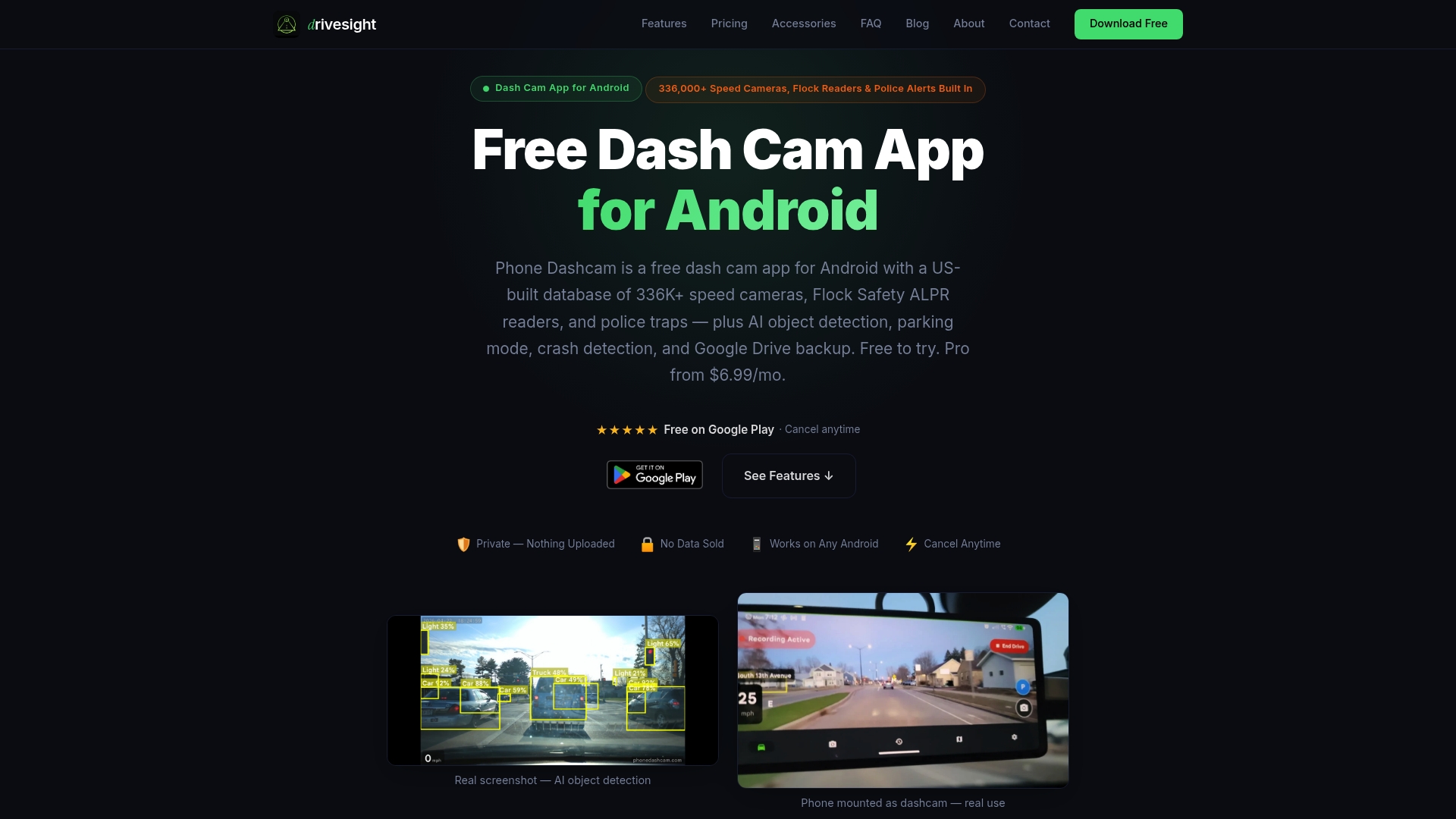
The app includes parking security mode with motion detection, cloud backup for critical footage, and a live database of over 336,000 speed cameras and police traps worldwide. You can review footage remotely through the DriveSight remote viewer without touching the phone. For drivers who want dashcam storage strategies that work across multi-day trips, the app handles loop recording and file management automatically. No hardware investment required.
FAQ
What resolution is best for a cross country dashcam?
1080p is the minimum for readable license plates at highway speeds. 2K or 4K footage provides significantly more detail for evidence use, though it requires more storage capacity.
Do dashcams work in extreme heat?
Dashcams with supercapacitors handle high interior car temperatures far better than lithium-ion models. Lithium-ion batteries can fail or swell when internal vehicle temperatures spike on summer trips.
What is parking mode on a dashcam?
Parking mode uses motion detection to record activity around your vehicle while it is parked. It captures hit-and-run incidents, break-in attempts, and vandalism during rest stops or overnight stays.
How much storage do I need for a five-day road trip?
A 128GB card at 1080p and 30fps provides roughly 20–24 hours of footage before loop recording overwrites older files. Six hours of daily driving over five days fits within that window comfortably.
Can a smartphone app replace a dedicated dashcam for long trips?
Yes. App-based systems like DriveSight deliver core dashcam features including loop recording, crash detection, parking mode, and cloud backup using your existing Android phone, with no additional hardware required.
Recommended
- Road Trip Dashcam Footage Tips for Memorable Drives
- What is road trip dashcam recording explained: your driver’s guide
- Dashcam Role in Solo Road Trip Safety: 2026 Guide
- How Dashcam Captures Hyperlapse Road Footage
Get Phone Dashcam free
Loop recording, crash detection, GPS tracking, and AI object detection — all in your phone. No new hardware required.
Download Phone Dashcam