A 2026 Driver's Guide to Smartphone Dashcam Apps
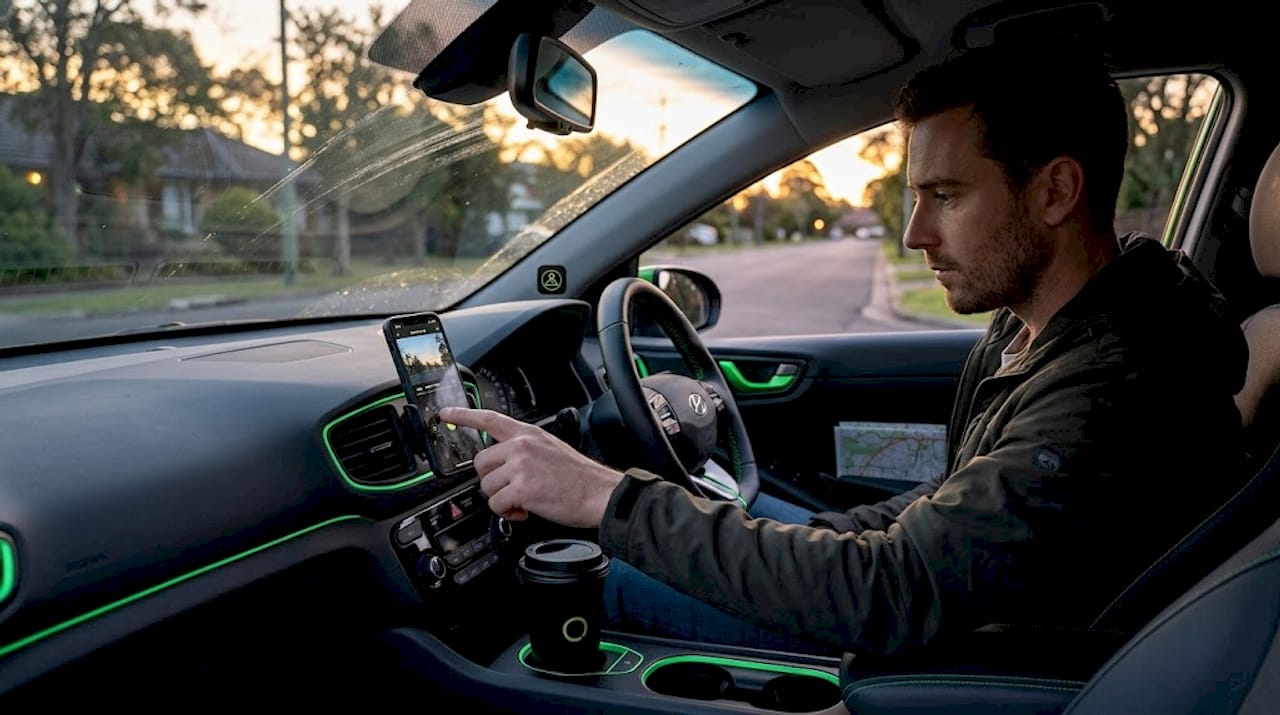
Your phone sitting in a windshield mount can do a lot more than play navigation audio. A smartphone dashcam app turns that device into a continuous video recorder with GPS overlays, impact detection, and automatic clip protection — capabilities that your phone’s native camera simply cannot provide. If you’ve ever tried using the built-in camera app as a dashcam and ended up with a storage-full error and no footage of the fender bender that just happened, you already understand why dedicated software matters.
Table of Contents
- Key takeaways
- What a smartphone dashcam app actually is
- Core features of a smartphone dashcam
- Popular dashcam apps compared
- Setting up an old phone as a dashcam
- Smartphone apps vs. dedicated dashcam hardware
- My take on repurposing old phones for dashcam use
- Try Phonedashcam free on your Android device
- FAQ
Key takeaways
| Point | Details |
|---|---|
| Native camera apps fall short | Built-in camera apps lack loop recording, so storage fills up and recording stops mid-drive. |
| Core features make the difference | Dedicated dashcam apps add GPS overlays, impact detection, and automatic clip locking. |
| Old phones work well | A repurposed Android phone with a dashcam app gives you a functional recorder at zero hardware cost. |
| Apps vs. hardware | Smartphone apps cover most everyday needs; dedicated dashcams still lead on parking mode and reliability. |
| Setup details matter | Continuous power, correct mount angle, and enabled event detection prevent the most common recording failures. |
What a smartphone dashcam app actually is
A smartphone dashcam app is dedicated software that uses your phone’s camera, GPS, and sensors to replicate the core functions of a standalone dashcam device. It runs continuously in the background, manages its own storage, and reacts automatically to events like sudden braking or a collision. That is a fundamentally different category from a smartphone video recording app like your built-in camera.
Many users mistakenly try to use the native camera app as a dashcam, then discover there is no loop recording, no event protection, and no GPS data embedded in the file. Once storage fills, recording stops entirely. A dedicated dashcam app eliminates that problem by continuously overwriting old footage and protecting the clips that matter.
The benefits of dashcam apps extend well beyond just recording video. They can timestamp your location, log your speed at the moment of an incident, detect impacts through accelerometer-based sensing, and even alert you to speed cameras or police traps. For insurance purposes, that combination of data can be the difference between a settled claim and a disputed one.
Core features of a smartphone dashcam
Not every dashcam app is built the same, but the best ones share a set of features that define the category.
- Loop recording. Loop recording overwrites the oldest footage once storage reaches your set limit, so recording never stops due to a full card. This is the single most important distinction from a native camera app.
- Event lock and impact detection. Event lock protects footage tied to collisions or sudden braking from being overwritten. The app uses the phone’s accelerometer to detect the impact and immediately locks that clip.
- GPS, speed, and timestamp overlays. These are burned or embedded into the recording so that location and speed data travel with the video file. For an insurance claim or a legal dispute, that metadata is concrete evidence.
- Background and auto-start recording. Quality apps can auto-start on receiving power through the USB port, so you never have to manually launch anything when you get in the car.
- Clip management and playback. You can review, export, or share specific clips directly from the app without connecting to a computer.
- Power and heat management. Extended recording generates heat, and some apps include screen-dimming modes and battery optimization to keep the phone from throttling. On AMOLED screens, dimming to near-zero significantly reduces power draw.
Pro Tip: Enable your app’s auto-start-on-power feature and connect your phone to your car’s USB outlet. When the car turns off and cuts power, recording stops automatically. No manual action needed, ever.
Managing storage through loop recording and clip protection is the operational backbone of any functional dashcam setup. Get these two settings right before you configure anything else.
Popular dashcam apps compared
Choosing among the available apps comes down to your priorities. Here is how the most commonly used options stack up.
| App | Platform | Best for | Free tier | Standout feature |
|---|---|---|---|---|
| Phonedashcam | Android | Full-featured, AI alerts | Yes | 336,000+ camera database, AI detection |
| Droid Dashcam | Android | Advanced users | Limited | Dual-camera, granular controls |
| Smart Dash Cam | Android/iOS | Casual drivers | Yes | Simple UI, reliable loop recording |
| Drive Recorder | Android/iOS | Budget setups | Yes | Minimal setup, clean playback |
Drive Recorder and Smart Dash Cam focus on simplicity and strong free versions. If you are a casual driver who wants basic continuous recording without digging into settings, either of those works well. They handle loop recording cleanly and require minimal configuration.
Droid Dashcam sits at the opposite end. It offers dual-camera recording, granular manual controls, and advanced overlays. That depth comes with a tradeoff. Droid Dashcam uses more battery and produces more heat than simpler alternatives, which matters if you are running it on an older device.
For drivers who want evidence capture combined with real-time safety awareness, Phonedashcam adds a layer that pure recording apps do not offer. It draws on a live database of over 336,000 US speed cameras, red light cameras, and ALPR readers to provide alerts while recording. That is particularly useful for delivery drivers and ride-share operators who are on the road for long stretches.
Pro Tip: If you are researching a dashcam app for iOS specifically, check whether the app offers background recording without interruption from iOS battery optimization settings. Some dashcam apps for iOS lose their background state and stop recording silently. Test this before relying on any app for evidence.
You can find a detailed breakdown of your options in our Android dashcam app guide if you want to go deeper on feature comparisons for 2026.
Setting up an old phone as a dashcam
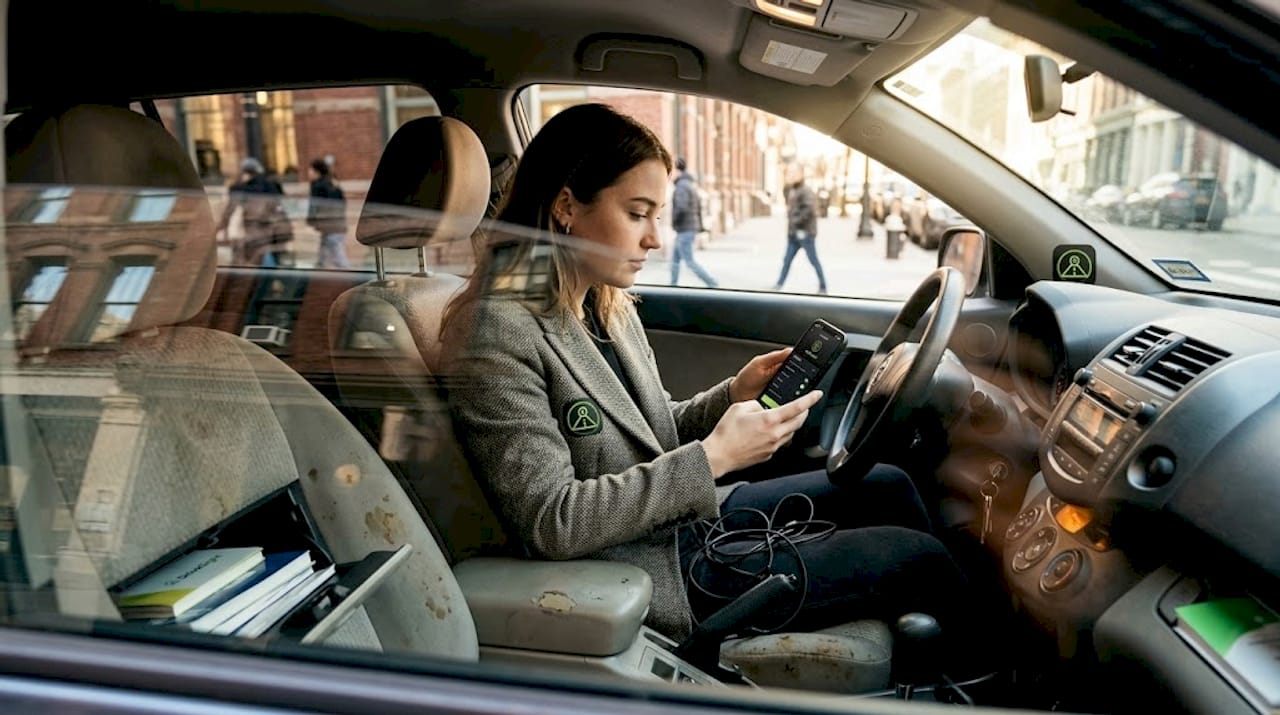
Repurposing a spare Android phone is one of the most cost-effective vehicle security moves you can make. The setup process is straightforward, but the details determine whether you get reliable footage or frustrating gaps.
- Choose your mount location carefully. Center your phone behind the rearview mirror to maximize field of view and minimize driver distraction. The lens should be unobstructed and angled at the horizon, not the hood.
- Connect continuous power. Plug into a 12V USB adapter that stays powered while the car is running. Continuous power supply and proper event detection are the two most common setup failures that leave people without footage when they need it most.
- Configure loop recording and set a storage limit. Leave at least 4 GB free on the device at all times. Set your loop clip length to 1 or 3 minutes. Shorter clips mean more precise event locking.
- Enable impact and event detection. Go into your app’s sensitivity settings and set the accelerometer threshold. Too sensitive and every speed bump locks a clip. Too loose and a real collision might not trigger a save.
- Do a test run before you rely on it. Drive for 10 minutes, park, then review the footage in-app. Confirm GPS data is showing, overlays are correct, and loop recording cycled at least once.
- Address heat proactively. Extended recording in direct sunlight can overheat older phones and trigger thermal throttling or shutdowns. A windshield mount that positions the phone away from direct sun makes a real difference.
Pro Tip: Before your first long drive, check your app’s battery usage in Android settings. If it does not appear under “unrestricted” battery optimization, the OS may kill it in the background. Set it to unrestricted manually.
Also worth noting: cell phone use restrictions while driving vary by state. A mounted phone running a dashcam app is generally treated differently from handheld use, but confirming local laws before touching the screen while moving is always worth the minute it takes.
Smartphone apps vs. dedicated dashcam hardware
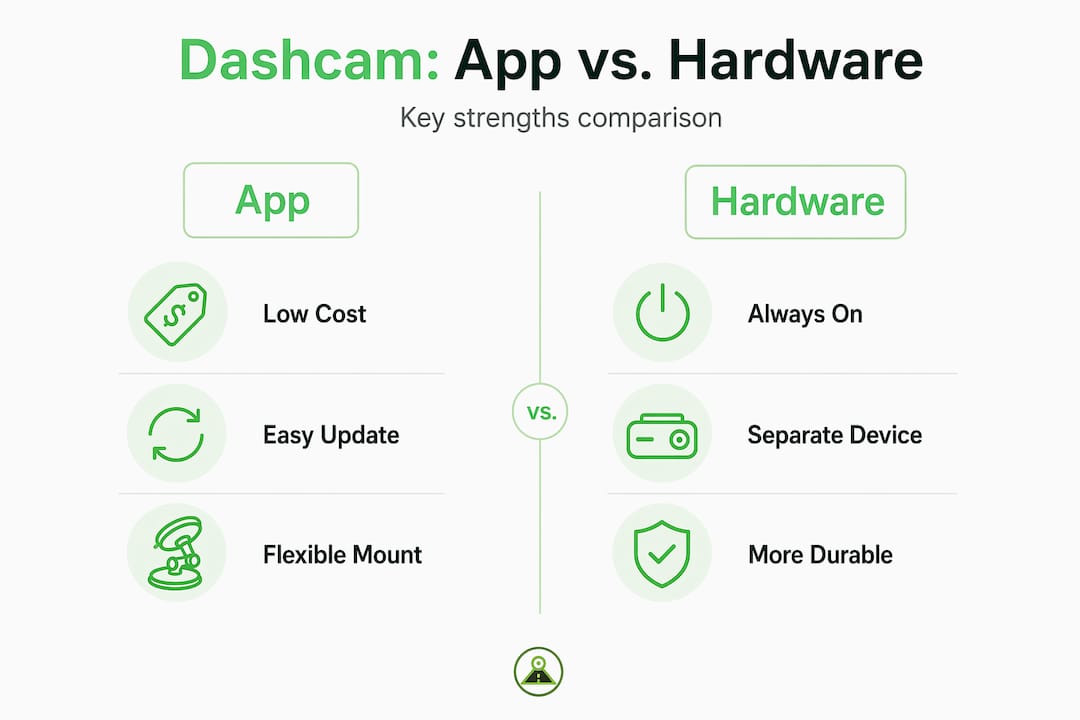
This is a genuine comparison, not a clear winner. Both options have real strengths.
Where smartphone apps win:
- Zero hardware cost, especially when repurposing an existing device
- GPS, speed data, and AI features that many entry-level dashcams lack
- Regular software updates that add features without buying new hardware
- Remote viewing capability through apps like the Phonedashcam remote viewer
- No installation required beyond a windshield mount and USB cable
Where dedicated dashcams still lead:
- Dedicated dashcams include features like built-in parking mode that monitors your car while it is off without draining a phone battery
- Purpose-built hardware handles heat better over long continuous sessions
- No notifications, calls, or other apps competing for resources
- Some hardware units support direct LTE upload without depending on your carrier plan
For most everyday drivers, commuters, and ride-share operators, a smartphone dashcam app covers the recording and evidence needs without any hardware spend. If you park in high-risk locations regularly or need 24/7 unattended monitoring, dedicated hardware has a real advantage. The full picture on this tradeoff is covered in our phone vs. real dashcam comparison.
My take on repurposing old phones for dashcam use
I’ve been running smartphone dashcam setups across several vehicles for a few years now, and the most consistent lesson I’ve learned is that the app matters far more than the phone hardware. I started with a mid-range Android from 2020 and it outperformed a $150 dedicated unit on GPS accuracy and overlay detail from day one.
The challenges I ran into were almost never about recording quality. They were about setup discipline. The one time I lost footage I actually needed, it was because I had not set battery optimization to unrestricted and the OS quietly killed the app after 20 minutes. That single configuration step is more important than any feature the app offers.
What genuinely surprised me was how useful the real-time alert layer turned out to be. I originally thought of it as a bonus feature. After a few weeks of route-specific alerts for speed cameras and police trap locations, it changed how I drive. That combination of evidence recording and live safety awareness in one app is something no entry-level hardware dashcam provides.
My advice: start simple. Pick one app, configure loop recording and event detection properly, do a test drive, and build from there. The technology works. The failures come from skipping setup steps.
— Cyberlab
Try Phonedashcam free on your Android device
If you are ready to put a smartphone dashcam app to work, Phonedashcam gives you a full-featured starting point without a hardware purchase. The app is free to download and includes loop recording, accelerometer-based impact detection, GPS and speed overlays, and access to a live database of over 336,000 US-based speed cameras and red light cameras.

The premium tier adds AI-powered object detection, cloud backup, parking security mode, and remote viewing through the companion viewer. Whether you are setting up a dedicated old device or adding dashcam capability to your daily driver, Phonedashcam is built for exactly that use case. Download the app and see what your phone can do as a full dashcam. You can also compare it directly with other popular Android options in our Phonedashcam vs. Droid Dashcam breakdown.
FAQ
What is a smartphone dashcam app?
A smartphone dashcam app is dedicated software that uses your phone’s camera, GPS, and accelerometer to provide continuous loop recording, impact detection, and GPS-stamped video footage, functions that a native camera app cannot perform.
Can I use my iPhone as a dashcam?
Yes, a dashcam app for iOS can turn an iPhone into a functional dashcam, but you need to verify that the app supports uninterrupted background recording, since iOS battery management can terminate background apps silently.
What features should a dashcam app have?
The most important features of a smartphone dashcam are loop recording, event lock on impact, GPS and speed overlays, and auto-start when power is connected. These four functions cover the core evidence and security needs.
Is a smartphone dashcam app as good as a dedicated dashcam?
For everyday recording and evidence capture, smartphone apps match or exceed budget-to-mid-range hardware dashcams. Dedicated devices hold an advantage for unattended parking monitoring and heat management during long sessions.
How do I start recording with a dashcam app?
Mount your phone, connect USB power, and configure the app to auto-start on power connection. With that setting enabled, recording begins the moment the car turns on and stops when power cuts at shutdown.
Recommended
- Best Free Dash Cam App for Android Phone 2026: Turn Your Smartphone into a Dashcam
- Phone Dashcam Blog — Dashcam Guides, App Comparisons & Driving Tips
- Best Dash Cam App for Android in 2026: Why Your Phone Beats a $300 Dashcam
- Phone Dashcam — Free Dash Cam App for Android
Get Phone Dashcam free
Loop recording, crash detection, GPS tracking, and AI object detection — all in your phone. No new hardware required.
Download Phone Dashcam