Capturing and Saving Your Best Drives With a Dashcam App
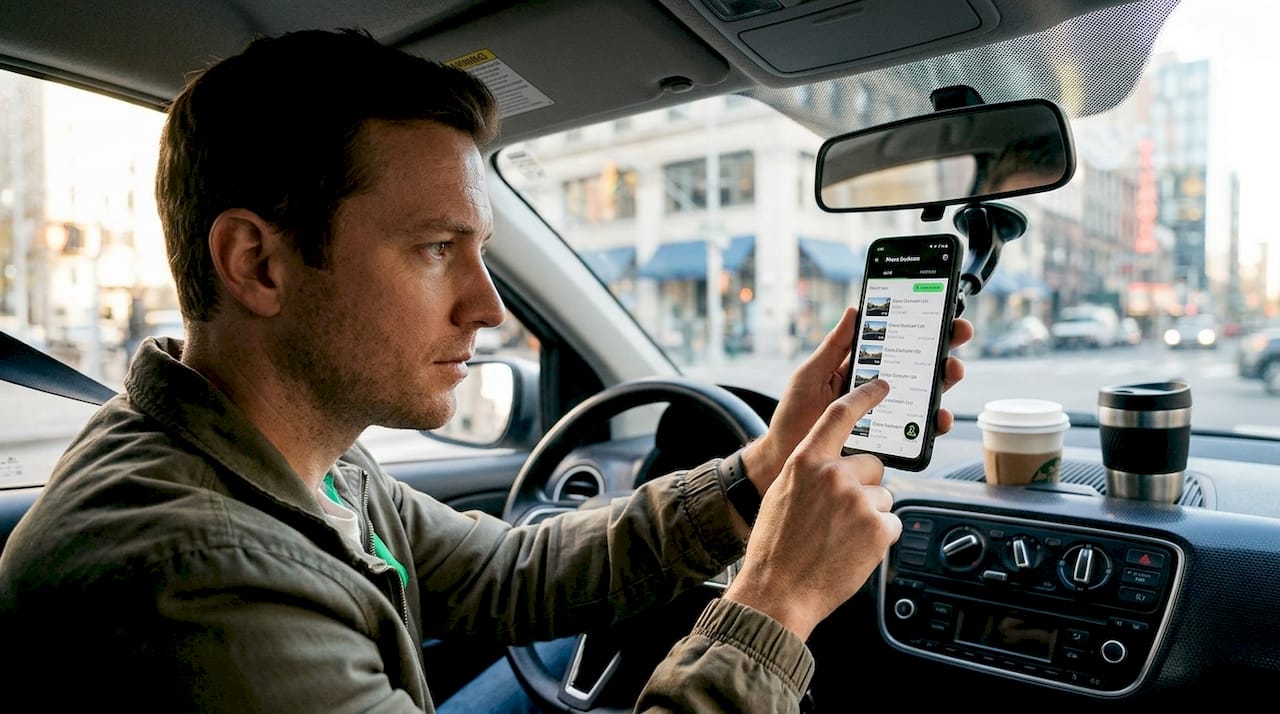
Your phone is already sitting on your dashboard, and somewhere along that last road trip, you passed a stunning canyon view, witnessed a reckless near-miss, or spotted a deer frozen in your headlights. That moment was gone in seconds. The good news is that a dashcam app running in the background would have saved every frame of it, automatically, without costing you a single cent in hardware. This guide breaks down exactly how modern Android dashcam apps capture, protect, and organize your most important and memorable driving moments, including the features most users never bother to configure.
Table of Contents
- Why your Android phone makes a powerful dashcam
- How dashcam features preserve unforgettable moments
- Real-world scenarios: What gets preserved and why it matters
- What most users miss: Practical advice and common pitfalls
- The hidden value of preserving your drive moments
- Transform your Android phone into a smart dashcam today
- Frequently asked questions
Key Takeaways
| Point | Details |
|---|---|
| App-based dashcams are affordable | Your Android phone can double as a full-featured dashcam with no extra hardware required. |
| Events are auto-protected | Dashcam apps use sensors and manual saves to automatically safeguard unforgettable moments from being deleted. |
| Background recording maximizes coverage | With background and auto-start features, your road moments are captured seamlessly even with the screen off. |
| Tech pitfalls can delete footage | Checking your phone settings and picking well-reviewed apps prevents lost videos due to battery or optimization quirks. |
| It’s about more than security | Preserving drive moments means reliving your adventures and sharing memories, not just protecting yourself in accidents. |
Why your Android phone makes a powerful dashcam
Most people assume a real dashcam requires a real device. The truth is that a dedicated dashcam unit costs anywhere from $100 to $300, while your Android phone already has a higher-resolution sensor, onboard GPS, cellular connectivity, and more processing power than most standalone units on the market. The gap between hardware and software has effectively closed.
Modern dashcam apps use continuous loop recording to preserve your driving moments by automatically overwriting old footage while allowing manual or automatic locking of important clips. This means your phone records constantly without filling up storage, and only the moments that matter get saved permanently.
The numbers back this up. Phone dashcams vs dedicated hardware shows the comparison clearly: $0 upfront versus $100 to $300 for hardware, with apps offering free cloud backup and real-time traffic alerts that most standalone units simply do not include. The trade-off involves slightly higher battery and heat drain on older phones, though modern apps address this with foreground services that run reliably in the background.
“Over 2,000,000 videos recorded by a single dashcam app since 2016 demonstrates just how widely people have adopted phone-based recording for capturing real driving moments.”
The practical advantages go further when you factor in repurposing an old device. That spare Android sitting in your drawer becomes a fully functional dashcam without risking your daily driver phone.
Key reasons Android phones excel as dashcams:
- Higher camera resolution than most budget dedicated units
- Built-in GPS for location and speed overlays
- Cellular connection for cloud backup and remote viewing
- Continuous software updates from app developers
- Familiar interface you already know how to use
Pro Tip: Mount an older Android phone permanently in your car and leave your main phone free. This setup gives you dedicated recording without battery drain concerns on your primary device, and you can compare phone dashcam vs real dashcam performance side by side before committing to any hardware purchase.
Choosing the right app matters just as much as the hardware setup. We recommend starting with our best dash cam app for Android guide for a practical comparison of what each option delivers in real-world conditions. Our dashcam guides also cover mounting, storage, and battery management in depth.
How dashcam features preserve unforgettable moments
Having grasped the unique advantages of app-based dashcams, let’s break down how their smartest features work to save your best driving moments while filtering the everyday commute.
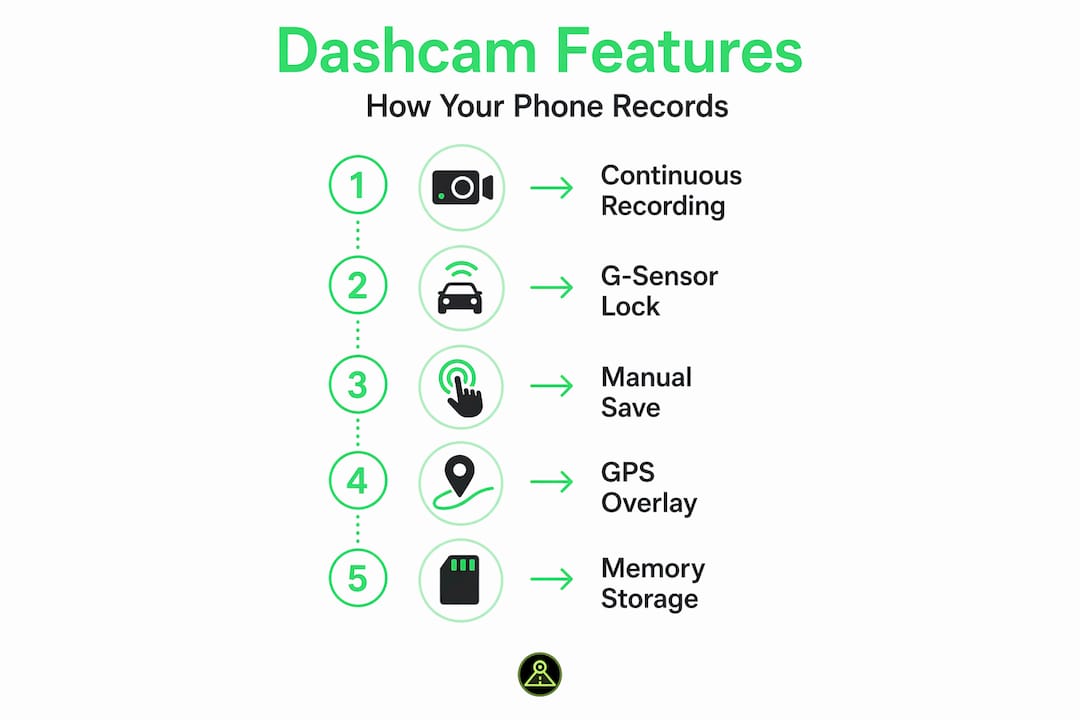
The single most important feature is the G-sensor, which is the accelerometer built into your phone. When the app detects a sudden impact, hard brake, or sharp swerve, it immediately locks the current video file to prevent it from being overwritten during the next recording loop. This happens automatically, even before you have time to react. The result is that the footage of an accident or a dramatic near-miss is protected the instant it occurs.
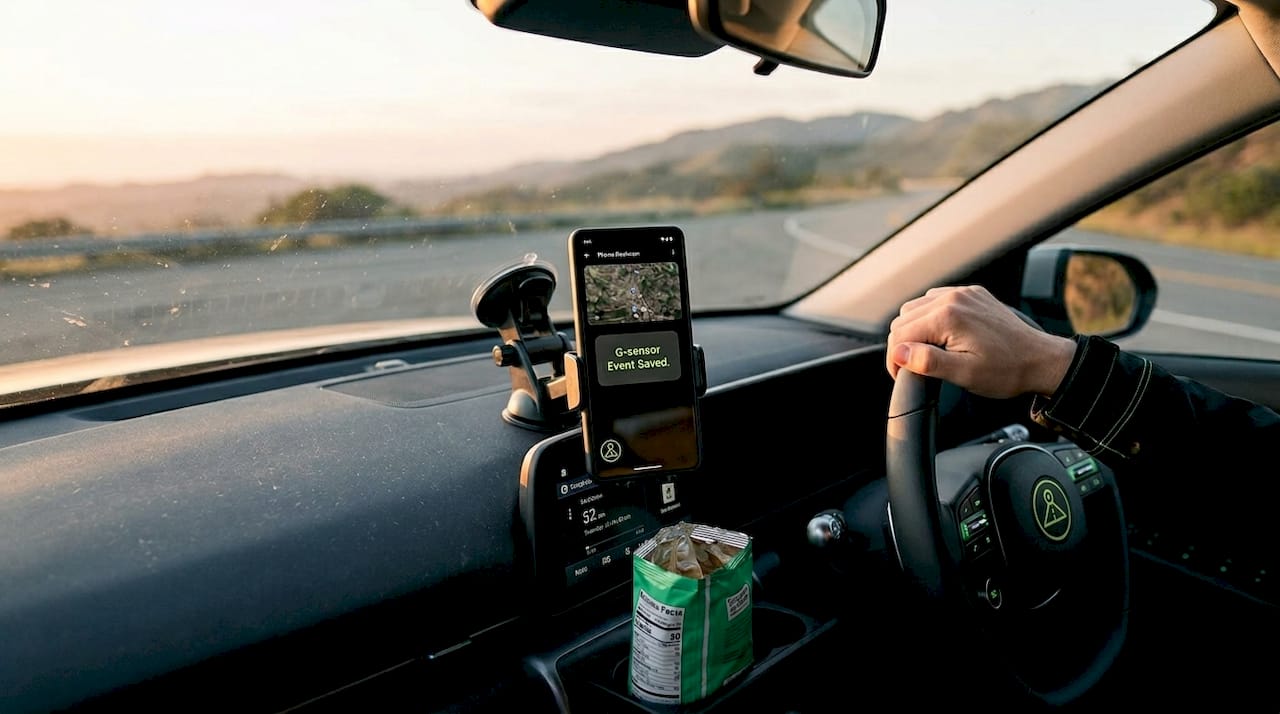
Manual saving works alongside automatic detection. Most quality apps include a one-tap save button on the main interface. If you spot a breathtaking mountain pass, drive through a historic town, or catch something unexpected on the road, a single tap locks that clip permanently. This is how scenic drives and milestone moments get preserved just as easily as accident evidence.
GPS overlays add a layer of context that makes saved footage far more useful. Every frame is stamped with your speed, location, and route, which is critical for insurance claims and equally valuable when you want to retrace a memorable drive or share it with someone who wasn’t there.
How key dashcam features compare:
| Feature | What it does | When it saves footage |
|---|---|---|
| G-sensor / accelerometer | Detects impacts and sudden movements | Automatically on impact |
| Manual save / event lock | User-triggered clip protection | Whenever you tap the button |
| GPS overlay | Stamps speed, location, and route | On every recorded frame |
| Loop recording | Overwrites oldest unprotected clips | Continuously |
| Background recording | Records with screen off | Always, if properly configured |
Four steps to make sure your best moments are never lost:
- Enable G-sensor sensitivity in your app settings and set it to medium, which catches real events without triggering on every speed bump.
- Familiarize yourself with the manual save button placement before you start driving, so tapping it becomes second nature.
- Turn on GPS overlay from the start so every saved clip carries location and speed data automatically.
- Set your loop length to three to five minutes so that protected clips represent a manageable, focused segment rather than a sprawling recording.
Understanding these key dashcam features before your first drive means you are already ahead of most users who simply hit record and hope for the best. Setting up your Android dash cam correctly from day one is what separates a reliable system from a frustrating one.
Real-world scenarios: What gets preserved and why it matters
After dissecting core app features, it’s crucial to show real-life benefits and cases, highlighting how these tools go beyond just recording for safety and actually help you relive and protect your driving stories.
Parking situations represent one of the most overlooked use cases. Research from Navman found that 47% of drivers experienced vehicle damage when parked, with 1 in 10 having no evidence to support their insurance claim. A dashcam app running in parking mode with motion detection closes that evidence gap completely. The moment another car clips your bumper in a lot, the app captures it on video with a timestamp.
Beyond damage and accidents, background recording opens up a different category of preserved moments. Continuous capture with screen off means the app keeps recording even when you switch to navigation, music, or any other app, with auto-start triggered by a power connection, Bluetooth pairing, or device boot. You never have to remember to press record.
Consider these real-world scenarios where dashcam apps make a measurable difference:
- Insurance disputes: Footage with GPS-verified speed and location resolves fault quickly without lengthy back-and-forth.
- Wildlife encounters: A deer crossing, a bear at the roadside, or a hawk landing on your hood gets captured without fumbling for your camera app.
- Road trip milestones: Crossing a state line, driving over a famous bridge, or reaching a summit road are all moments that loop recording would otherwise erase by morning.
- Delivery and rideshare protection: Drivers have timestamped video of every pickup and drop-off, protecting against false complaints.
- Near-miss documentation: Aggressive drivers, sudden lane cuts, and red light runners are captured without any action on your part.
“The difference between losing a memory and keeping it permanently is often just whether your background recording was properly configured before you left the driveway.”
For anyone curious about extending monitoring beyond driving, the Android Auto dashcam apps page covers how these tools integrate with in-car systems for a seamless experience. And if you want to explore how smart crash-detection technology works at a fundamental level, the principles behind accelerometer-based sensing apply directly to how dashcam apps identify and lock critical footage.
What most users miss: Practical advice and common pitfalls
Knowing the positives, it’s just as vital to be aware of the common snags and simple tactics for getting the absolute most from your dashcam app.
The most common failure point is Android battery optimization. Most Android phones are designed to kill background apps that consume power, and dashcam apps are particularly vulnerable to this. Apps can be paused or terminated by Android battery optimization, which causes recording to stop mid-drive without any warning. Some devices, particularly certain Samsung models, also struggle with GPS overlay functionality, which means your speed and location data may simply not appear in saved footage.
Other issues are less obvious but equally frustrating. Apps may briefly pause at long traffic stops, which creates gaps in otherwise continuous recordings. Storage limits, if not managed proactively, cause apps to stop recording entirely rather than gracefully delete older unprotected clips.
Step-by-step guide to securing crucial footage:
- Go to your phone’s battery settings and add your dashcam app to the list of apps exempt from optimization. This single step prevents most unexpected recording failures.
- Grant the app all requested permissions on first install, especially storage, location, and microphone access. Partial permissions cause silent failures.
- Test your setup before relying on it. Start a recording, switch to another app, lock your screen, and then check after five minutes that the recording is still active.
- Set a storage alert or auto-manage threshold so the app never runs out of space mid-drive.
- After any phone software update, recheck battery exemption settings because system updates frequently reset these permissions without notification.
Pro Tip: Once a week, open your dashcam app and confirm it is still recording and that protected clips are intact. It takes thirty seconds and confirms your entire setup is functioning before you need it in an emergency.
“Most drivers discover their dashcam app stopped recording only after the moment they needed footage has already passed. Testing regularly is the only reliable prevention.”
Revisiting the maximizing dashcam features page after any Android system update is a habit worth building. Settings that worked perfectly last month may need a quick reset after a software change.
The hidden value of preserving your drive moments
We notice that most articles about dashcam apps focus almost entirely on accidents and insurance claims. That framing misses something genuinely important. The footage you capture on a long drive is a personal record of your life in motion, not just a legal safeguard.
Road trips carry moments that are impossible to recreate. The first time you drive through a mountain pass, the view from a coastal highway at sunset, or a spontaneous detour through a small town you have never visited before. Without a running dashcam, these memories exist only in your imperfect recollection. With one, they are stored with GPS coordinates, accurate speed data, and a timestamp that places you exactly where you were.
We have heard from users who rewatched footage of drives they took with people who are no longer around. That is not a safety use case. That is something closer to preservation of lived experience, and it is only possible because the app was running in the background doing its job quietly.
Phone-based dashcams lower the barrier enough that anyone can participate in this kind of recording. You do not need to be a car enthusiast, a safety researcher, or someone with technical knowledge. You need an Android phone and five minutes of setup. That accessibility is what makes the technology genuinely democratic in a way that dedicated hardware never was.
When you compare top dashcam apps side by side, the differences in safety features are relatively small. The bigger differentiator is which app makes it easiest to find, review, and share the moments that actually meant something to you. That is where the real value conversation should start.
Transform your Android phone into a smart dashcam today
If this article showed you anything, it is that you already have everything you need to start capturing and protecting your drive moments right now.

Our free Android dashcam app gives you continuous loop recording, G-sensor event locking, GPS overlays, and background recording with no hardware purchase required. For drivers who want the full feature set, including AI-powered alerts from our database of over 336,000 speed cameras, red light cameras, and police traps, the premium tier delivers real-time awareness that no standalone dashcam can match. Check out the latest dashcam features to see exactly what the current version offers. You can also set up the Remote Viewer feature to monitor your parked vehicle from anywhere, turning your phone into a full parking security system as well.
Frequently asked questions
How does a dashcam app prevent important videos from being overwritten?
Apps use event detection and manual save buttons to lock clips, so they are excluded from the loop deletion cycle. Continuous loop recording only overwrites unprotected footage, leaving locked clips permanently stored until you manually delete them.
Can my phone really record the entire drive with the screen off?
Yes. Background recording allows dashcam apps to capture continuously even with the screen off or while other apps are running, and auto-start features triggered by power connection or Bluetooth mean recording begins the moment you get in the car.
What happens if my dashcam app is closed accidentally or killed by my phone?
Battery optimization can terminate background apps mid-drive, silently stopping your recording without warning. The fix is to add your dashcam app to your phone’s battery exemption list and verify the setting is still active after any system update.
How does GPS help preserve memories on dashcam footage?
GPS overlays stamp every frame with your speed, location, and route, giving saved clips accurate context that makes them more useful for insurance purposes and more meaningful as personal records of where you were and when.
Recommended
- DriveSight — Free Dash Cam App for Android
- DriveSight vs Dash Cam Travel — Which Android Dashcam App Is Better in 2026?
- Best Dashcam App for Android in 2026: A Review for People Who Actually Care — DriveSight
- DriveSight Features in 2026: AI Detection, Parking Mode, Cloud Backup and More
Get DriveSight free
Loop recording, crash detection, GPS tracking, and AI object detection — all in your phone. No new hardware required.
Download DriveSight