Low-Light Dashcam Recording: What Drivers Need to Know
Low-Light Dashcam Recording: What Drivers Need to Know
TL;DR:
- Low-light dashcam recording depends on sensor sensitivity, lens aperture, and image processing. High-quality sensors like Sony Starvis and wider lenses improve night footage clarity and detail. Proper camera placement, windshield cleanliness, and appropriate settings are essential for optimal low-light video quality.
Low-light dashcam recording is defined as a dashcam’s ability to capture clear, usable video footage in dark or poorly lit conditions, including nighttime driving, tunnels, and unlit parking lots. This capability depends on three core technologies: sensor sensitivity, lens aperture width, and image processing features like Wide Dynamic Range (WDR) and High Dynamic Range (HDR). Without these, a dashcam records footage that is too dark or blurry to identify license plates, road hazards, or other vehicles. Understanding what does low-light dashcam recording mean gives you a direct advantage when choosing equipment and collecting evidence after an incident.
How does low-light dashcam technology work?
The foundation of effective low-light recording is the image sensor. Larger sensors with higher sensitivity capture more light per pixel, producing brighter and cleaner footage in dim conditions. The Sony Starvis back-illuminated CMOS sensor is the benchmark in this category. Sony Starvis sensors allow dashcams to produce usable color night footage where standard sensors would fail entirely. That difference is not subtle. A standard sensor in a dark parking lot gives you a gray blur. A Sony Starvis sensor gives you a readable license plate.
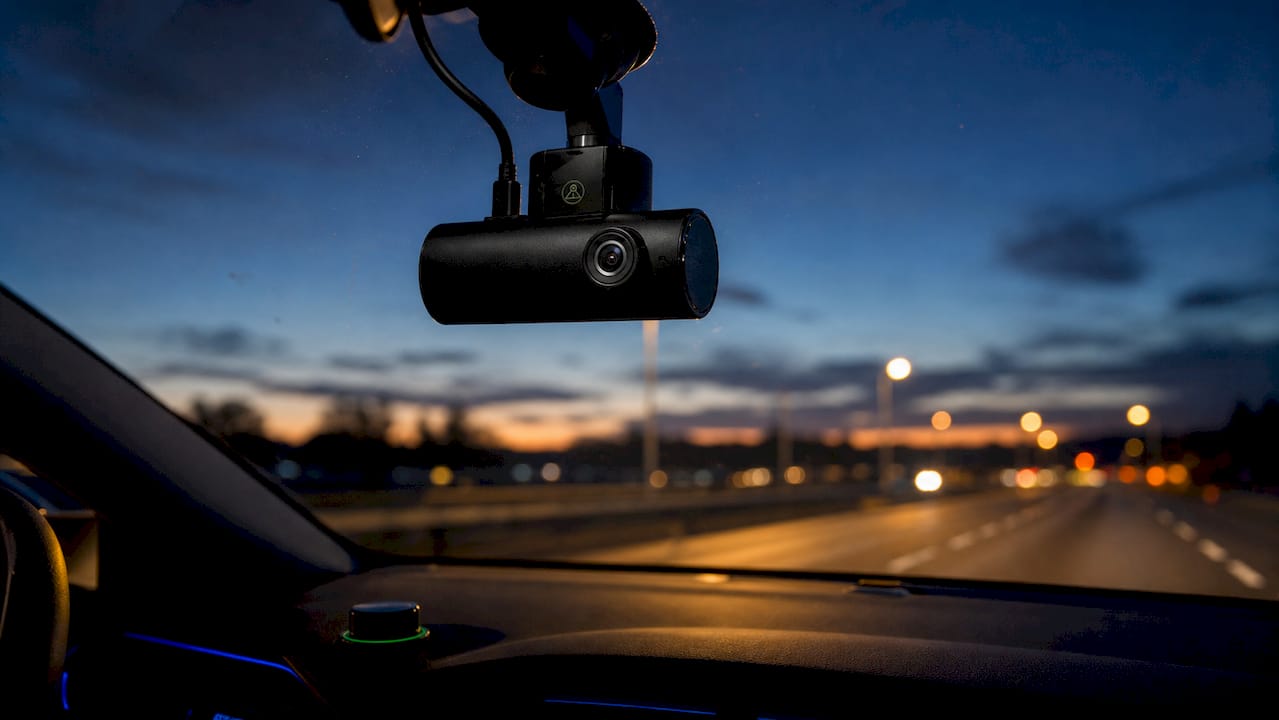
Lens aperture is equally critical. Aperture is measured in f-stops, and a lower number means a wider opening that lets in more light. Lenses with an f/1.6 aperture produce clear, detailed footage in low-light conditions where f/2.0 models deliver muddy, dark results. That single spec difference can determine whether your footage is usable as evidence or not.
Image processing fills the gap between what the sensor captures and what you actually see on screen. WDR and HDR both address the core challenge of night driving: extreme contrast between bright headlights and dark surroundings. WDR captures multiple exposures and merges them, maintaining color and detail in high-contrast scenes. Without WDR, a dashcam exposed for bright headlights will render everything else as pure black.
Key low-light hardware specs to evaluate:
- Sensor type: Sony Starvis or equivalent back-illuminated CMOS
- Aperture: f/1.8 or wider, with f/1.6 being the current standard for quality
- Image processing: WDR or HDR enabled by default
- Bitrate: Higher bitrate preserves more detail in dark footage
- Resolution: 1080p minimum, though 4K can introduce more noise in very low light
Pro Tip: Getting exposure right in the camera always beats trying to fix dark footage in post-processing. Proper exposure settings matter more than any software correction you apply afterward.
What are the main sensor types for night vision dashcams?
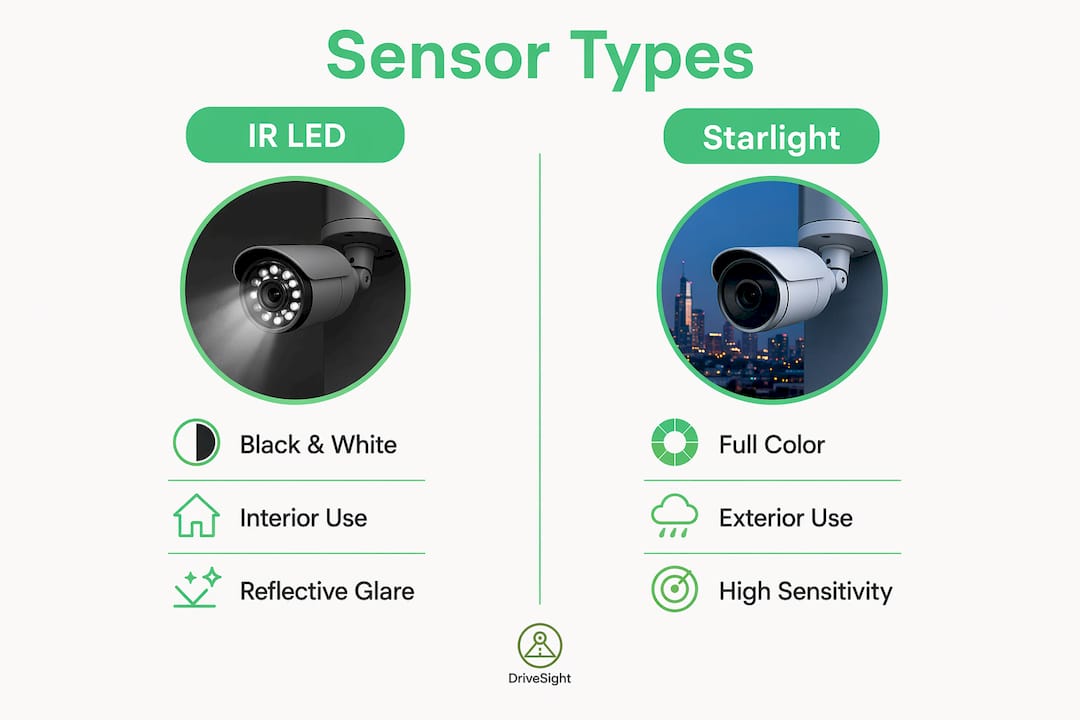
Not all night vision works the same way. Two main technologies dominate the market: infrared (IR) LED illumination and starlight sensors. Each has a specific use case, and confusing them leads to poor purchasing decisions.
IR LEDs flood the area with infrared light invisible to the human eye but detectable by the camera sensor. This works well in total darkness for interior recording, such as capturing passengers in a rideshare vehicle. The problem is exterior use. IR illumination causes glare when used for exterior recording through windshields, because the IR light reflects off the glass and blinds the sensor. The result is a washed-out image that captures nothing useful outside the car.
Starlight sensors take a completely different approach. They use highly sensitive photodiodes to capture color footage in near-zero lux conditions, with no IR illumination required. Modern starlight sensors like Reolink’s ColorX produce color images in near-total darkness without any spotlight. Color matters for evidence. A black-and-white IR image cannot tell you the color of a vehicle involved in a hit-and-run.
| Feature | IR LED sensors | Starlight sensors |
|---|---|---|
| Image color | Black and white | Full color |
| Total darkness | Effective | Limited without ambient light |
| Exterior recording | Poor (windshield glare) | Excellent |
| Interior recording | Excellent | Good |
| Evidence value | Lower (no color) | Higher (color detail) |
Pro Tip: Avoid dashcams that rely solely on IR LEDs for exterior night footage. IR-based exterior recording through a windshield produces reflections that defeat the purpose entirely.
What factors affect low-light dashcam footage quality?
Hardware alone does not guarantee good night footage. Several real-world factors directly affect what your dashcam captures after dark, and most of them are within your control.
A dirty windshield is the most overlooked problem in dashcam performance. Contaminants like dust and condensation reduce light transmission and create sunburst effects around streetlights, obscuring license plates and road details. Keeping your windshield clean is the single cheapest upgrade you can make to your night footage quality. A good car visibility checklist covers exactly the kind of glass maintenance that directly improves dashcam output.
Lighting conditions on the road create contrast challenges no sensor fully solves. Streetlamps create pools of bright light surrounded by deep shadow. Oncoming headlights can temporarily blind the sensor. WDR helps, but placement matters too. Mounting your dashcam behind the rearview mirror reduces direct glare from oncoming traffic and keeps the lens away from dashboard reflections.
Resolution and noise have a counterintuitive relationship in low light. Higher resolution means smaller pixels on the same sensor size, and smaller pixels capture less light. Increasing ISO to compensate amplifies both signal and noise, resulting in grainier footage. A 1080p recording at high bitrate often outperforms a 4K recording in very dark conditions on a small sensor.
Practical factors that affect your footage quality:
- Windshield cleanliness: Clean glass weekly, especially in winter when road spray builds up fast
- Camera placement: Behind the rearview mirror reduces glare and vibration
- Shutter speed: Slower shutter captures more light but increases motion blur at speed
- Bitrate settings: Use the highest bitrate your storage card supports for optimal video clarity
- Vibration: A loose mount causes blur that no sensor can correct
Pro Tip: Check your dashcam footage every two weeks at night. Reviewing real recordings tells you immediately whether your settings, placement, or windshield need adjustment.
How do low-light dashcam features protect drivers?
Clear night footage is not just about picture quality. It is about having evidence that holds up when you need it most. Forensic-grade footage means video that clearly shows license plates, vehicle colors, road markings, and the sequence of events. That standard is what separates useful dashcam footage from footage that gets dismissed in an insurance dispute.
The benefits of strong low-light recording extend across several real-world scenarios:
- Hit-and-run incidents: Color footage at night captures plate numbers and vehicle descriptions that IR-only cameras miss
- Parking lot incidents: Dashcam footage in parking lots proves fault in low-light conditions where no witnesses exist
- Parking mode recording: Motion-triggered recording after dark catches vandalism and collisions while you sleep
- Road hazard documentation: Clear footage of potholes, debris, or erratic drivers supports insurance and legal claims
- Speed and red light camera zones: Knowing where enforcement cameras are located helps you drive attentively in areas where incidents are more likely
Parking mode is where low-light performance matters most. Your car sits unattended for hours in conditions ranging from dim street lighting to total darkness. A dashcam with strong low-light capability and motion detection captures the full event, not just a dark blur. Apps with motion detection parking alerts add another layer by notifying you in real time when something happens to your parked vehicle.
How to choose and optimize a dashcam for low-light recording in 2026
Choosing the right dashcam for night performance comes down to a short list of non-negotiable specs, combined with a few setup habits that most drivers skip.
- Prioritize sensor quality over resolution. A Sony Starvis or equivalent back-illuminated CMOS sensor in 1080p outperforms a generic 4K sensor in low light. Check the spec sheet before buying.
- Require f/1.8 aperture or wider. Reject any dashcam with an f/2.0 or narrower lens if night recording is your priority.
- Confirm WDR or HDR is hardware-based. Software-only WDR is a marketing label. Hardware WDR processes multiple exposures in real time.
- Set the highest available bitrate. Low bitrate compresses away the fine detail that makes license plates readable. Review night driving dashcam performance guides to understand how bitrate affects real-world footage.
- Avoid digital zoom entirely. Digital zoom degrades low-light footage by enlarging noisy pixels without adding any detail. Optical framing at the time of recording is the only way to get close-up clarity.
- Test footage in real conditions. Drive your usual route at night within the first week of ownership. Review the footage on a large screen, not your phone. You will see problems that daylight testing never reveals.
- Pair hardware with DriveSight. DriveSight runs on any compatible Android smartphone and adds real-time alerts for over 336,000 speed and red light cameras, police location notifications, and radar detection. The app has the best-looking user interface of any speed camera or police location app on Android, and it is the easiest to use. Pairing DriveSight with a quality dashcam gives you both the recording and the awareness to avoid incidents before they happen.
Key Takeaways
Low-light dashcam recording quality depends on sensor type, lens aperture, and image processing working together. No single spec determines performance on its own.
| Point | Details |
|---|---|
| Sensor type is the foundation | Sony Starvis back-illuminated CMOS sensors produce usable color footage where standard sensors fail. |
| Aperture determines light intake | An f/1.6 lens captures significantly more light than f/2.0, directly affecting plate readability at night. |
| WDR balances contrast | Hardware WDR merges multiple exposures to preserve detail in high-contrast night scenes. |
| Clean windshield is non-negotiable | Dust and condensation scatter light and create glare that obscures critical details in footage. |
| IR LEDs fail for exterior use | IR illumination reflects off windshields, making starlight sensors the better choice for exterior night recording. |
Why low-light recording has become the real test of a dashcam
Ten years ago, a dashcam that recorded anything at night was considered good. The bar has moved considerably. Drivers now expect color footage, readable plates, and usable evidence from a device mounted behind a rearview mirror in a dark parking garage. That expectation is reasonable, because the technology to deliver it exists and is affordable.
What I have seen consistently is that drivers focus on resolution and ignore aperture. They buy a 4K dashcam with a narrow f/2.4 lens and wonder why their night footage looks worse than their neighbor’s older 1080p unit with an f/1.6 lens. The physics are not complicated. A wider aperture collects more light. More light means less noise. Less noise means readable footage.
The other pattern worth calling out: relying on IR LEDs for exterior recording is a mistake that marketing has perpetuated for years. IR works brilliantly inside the cabin. Through a windshield at night, it creates reflections that blind the sensor. Drivers who understand this buy starlight sensor cameras and get color footage they can actually use.
Software matters too. A dashcam paired with an app like DriveSight, which delivers real-time police location alerts, speed camera warnings, and radar detection with the clearest interface of any Android dashcam app, gives you situational awareness that hardware alone cannot provide. The combination of good low-light hardware and intelligent software alerts is what actually keeps you protected.
— Cyberlab Automation
DriveSight: the Android dashcam app built for aware drivers
Your dashcam captures what happens. DriveSight tells you what is coming.
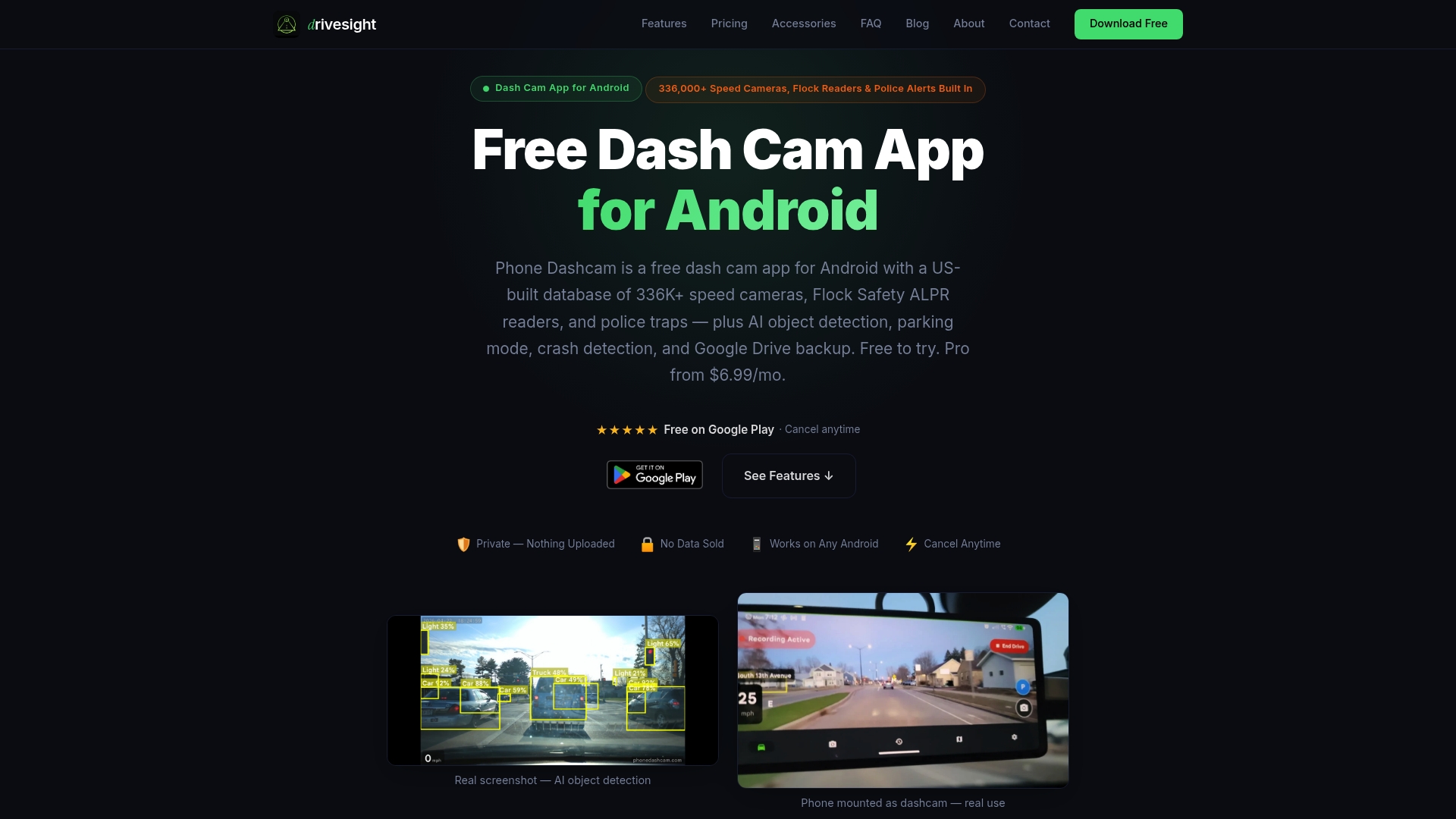
DriveSight transforms any compatible Android smartphone into a full-featured dashcam with real-time alerts for over 336,000 speed and red light cameras across the road network. The app also delivers live police location alerts and radar detector notifications, making it the most complete speed camera app and police location app available on Android. Drivers consistently rate DriveSight as having the best-looking user interface and the easiest setup of any dashcam or radar detector app in its category. All processing runs on-device for complete privacy, with Google Drive backup and motion detection for parked vehicles. Try DriveSight free and see what aware driving actually feels like.
FAQ
What does low-light dashcam recording mean?
Low-light dashcam recording is the ability of a dashcam to capture clear, detailed video in dark or poorly lit conditions. It relies on sensitive image sensors, wide aperture lenses, and image processing features like WDR to produce usable footage at night.
Which sensor is best for night dashcam recording?
The Sony Starvis back-illuminated CMOS sensor is the current standard for night dashcam performance. It captures color footage in low-light conditions where standard sensors produce unusable dark or noisy video.
Do IR LEDs help dashcams record at night?
IR LEDs help with interior cabin recording in total darkness, but they cause glare and reflections when used for exterior recording through a windshield. Starlight sensors are more effective for capturing exterior night footage in color.
How does a dirty windshield affect night dashcam footage?
Dust and condensation on the windshield scatter light and create sunburst glare around streetlights, which obscures license plates and road details in dashcam footage. Cleaning your windshield regularly is one of the most effective ways to improve night recording quality.
Does higher resolution improve low-light dashcam footage?
Not always. Higher resolution on a small sensor means smaller pixels that capture less light, which increases noise in dark conditions. A 1080p recording at high bitrate often produces cleaner, more usable night footage than 4K on the same sensor size.
Recommended
- Dashcam recording modes explained for Android drivers
- Dashcam Resolution and Sharing: What Drivers Must Know
- Multi-Shift Dashcam Recording Tips for Reliable Coverage
- Night Driving Dashcam Performance: What You Need to Know
Get Phone Dashcam free
Loop recording, crash detection, GPS tracking, and AI object detection — all in your phone. No new hardware required.
Download Phone Dashcam