Dashcam Setup for Long-Haul Truck Cabs: 2026 Guide
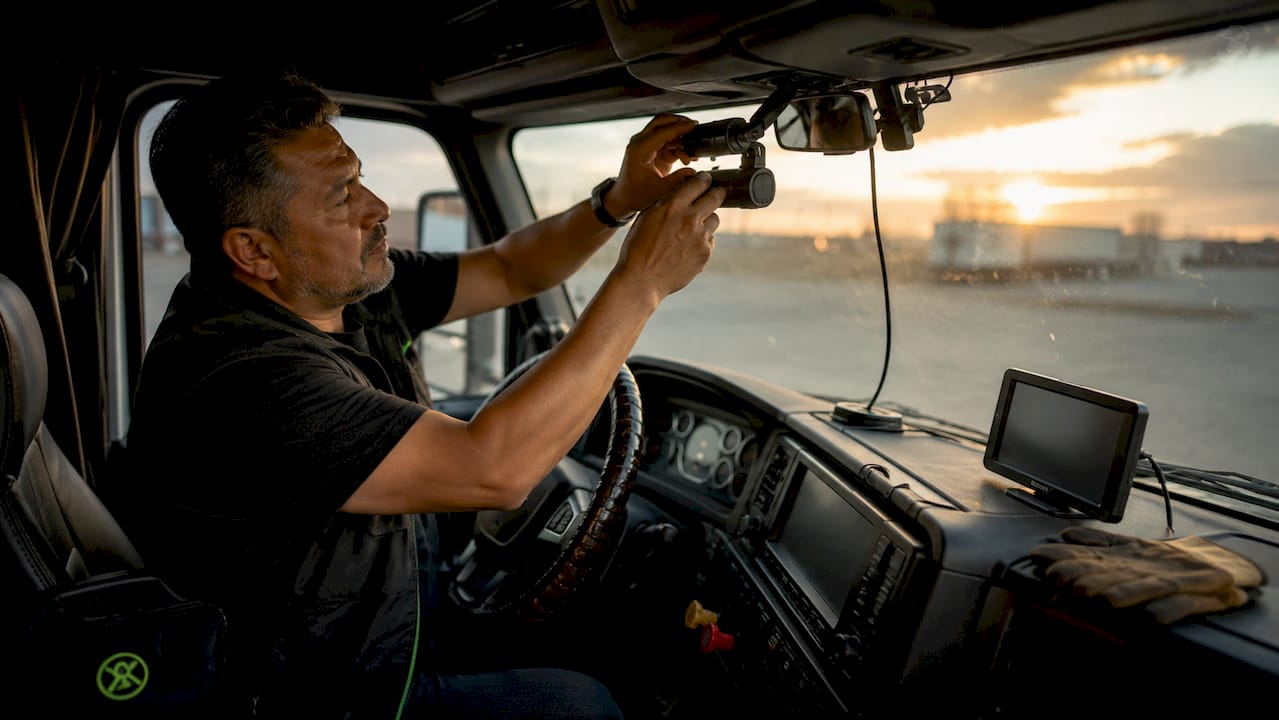
A dashcam setup in a long-haul truck cab is defined as a multi-camera recording system with hardwired power, precise mounting positions, and software configured to commercial vehicle standards. Done right, it gives you timestamped, GPS-tagged video evidence that resolves insurance disputes, protects your CDL, and documents every mile. Done wrong, it falls off the windshield at mile 200 or drains your battery overnight. This guide covers every step of a professional-grade long-haul truck camera setup, from sensor selection to software configuration.
What dashcam features are essential for long-haul truck drivers
The single most important spec in any dashcam for trucks is sensor quality, not resolution. 63% of truck accidents occur in low-light conditions, which means a 4K camera with a weak sensor produces blurry, unusable footage at 2 a.m. on an unlit highway. Sony STARVIS sensors are the industry benchmark for night vision performance, and any dashcam you consider for serious long-haul use should list one explicitly.
Beyond the sensor, a professional truck cab video recording system requires multi-channel coverage. Driver-facing cameras are now expected by most commercial insurance carriers because they prove driver innocence during disputes. A three-channel system covering the front windshield, cabin interior, and rear of the trailer gives you complete incident documentation. For night driving performance, this combination is non-negotiable.
Key hardware features to prioritize:
- Sony STARVIS or equivalent sensor for low-light clarity
- GPS integration for speed and location tagging on every clip
- Accelerometer-based impact detection calibrated for heavy vehicle dynamics
- Operating temperature range of at least -4°F to 158°F for cab heat tolerance
- High-endurance storage: Samsung PRO Endurance or SanDisk High Endurance microSD cards last 12 to 18 months under constant recording. Standard consumer cards fail within months.
Pro Tip: Owner-operators spending $250 to $400 on a quality dashcam system recover that cost in 6 to 12 months through reduced insurance premiums and faster dispute resolution, compared to $35 to $50 per month for fleet subscription services.
How to position and mount dashcams in a long-haul truck cab
Camera placement determines whether your footage is admissible evidence or a blurry, obstructed mess. Mounting the front camera behind the rearview mirror, centered on the windshield, gives you an unobstructed forward view that captures three lanes and sidewalks simultaneously. This position also keeps the camera out of your sightlines and away from wiper blind spots.
Positioning guidelines for each channel:
- Front camera: Centered behind the rearview mirror, as high on the windshield as possible without entering the defrost grid
- Cabin camera: Mount on the A-pillar or upper dashboard, angled to cover the driver seat and passenger area without pointing directly at the sun visor
- Rear camera: Inside the rear window works for most setups; exterior mounting on the trailer requires weatherproof housings rated IP67 or higher
Mount type matters as much as position. Adhesive mounts outperform suction cups in commercial truck environments because road vibration and temperature swings loosen suction seals within weeks. 3M VHB adhesive pads hold through highway vibration and cab heat. Before committing to any position, test the field of view by recording a short clip and reviewing the footage on a laptop. Adjust the angle until lane markings appear in the lower third of the frame and the horizon sits near the upper third.
Pro Tip: For a dual front and rear setup, run a test drive of at least 10 miles before finalizing mount positions. Vibration patterns at highway speed reveal blind spots that static testing misses.
Wiring and power management for a professional dashcam setup
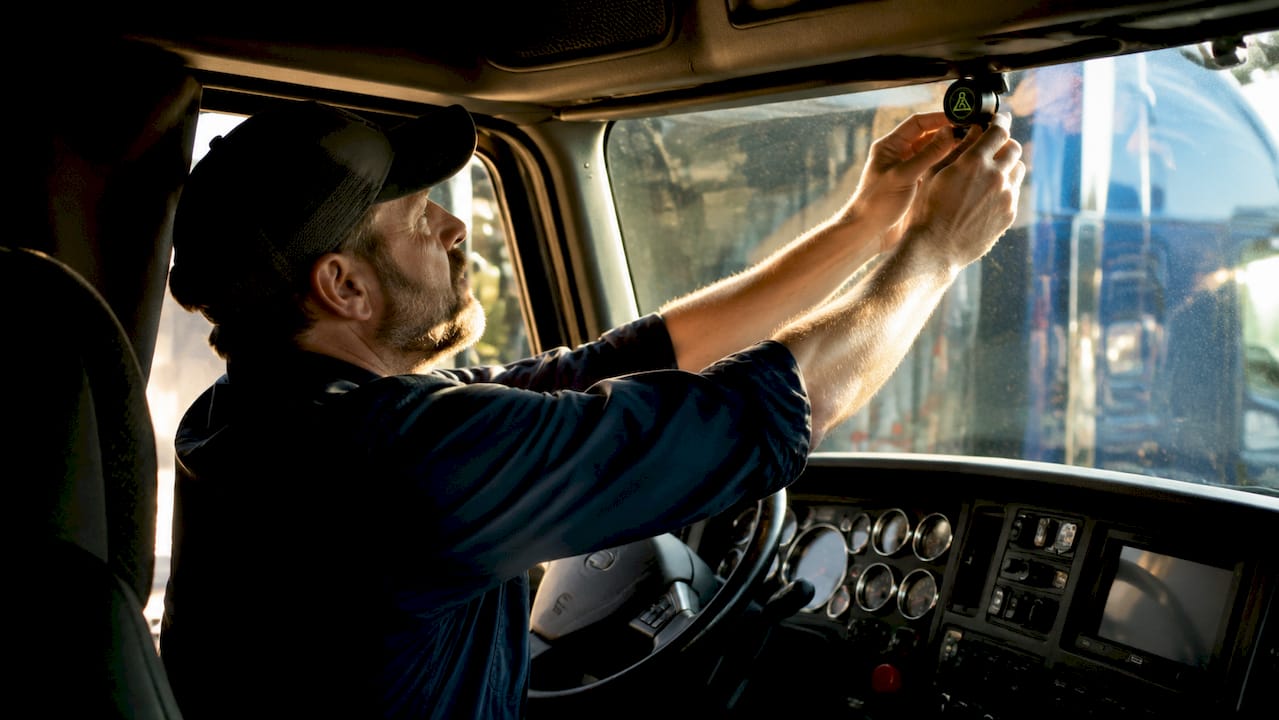
Hardwiring is the standard for any serious dashcam installation in a commercial truck. A cigarette lighter plug works for testing, but it creates a loose connection that fails under vibration and leaves a cable dangling across your cab. Professional hardwired installation runs $150 to $300 at a shop, but produces a clean result with no exposed wiring and full warranty compliance.
For DIY hardwiring, follow this sequence:
- Identify a 12V switched fuse circuit in the fuse box. A switched circuit only receives power when the ignition is on, which prevents battery drain during rest stops.
- Install an add-a-fuse adapter on the chosen circuit. Match the amperage to the original fuse, typically 10A or 15A.
- Route the power cable along the A-pillar and headliner using trim removal tools to tuck the wire behind plastic panels without forcing or cutting.
- Add a voltage cutoff module if you plan to use parking mode. Set the cutoff at 12.2V to protect the truck battery.
- Ground the negative wire to a clean metal bolt on the chassis, not a painted surface.
Critical safety note: Cable routing must avoid airbag deployment zones along the A-pillar and door frame. Wires routed through these areas can interfere with side-curtain airbag deployment, creating a serious safety and compliance risk. When in doubt, consult your truck’s service manual or a certified installer.
Dashcam insurance savings are directly tied to installation quality. A dashcam that loses power mid-incident because of a loose cigarette lighter connection provides zero evidence value.
How should you configure dashcam settings for trucking?
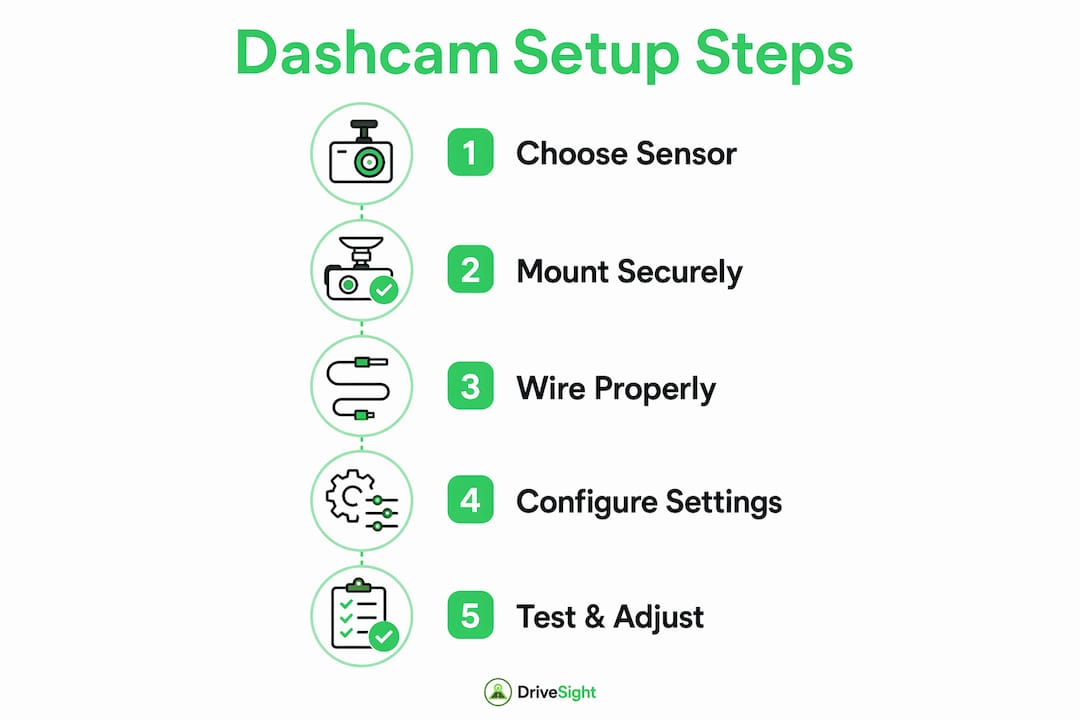
Software configuration separates a dashcam that records everything from one that records what matters. Start with resolution. The front camera should record at a minimum of 1080p at 30fps. If your unit supports 1440p or 2.7K, use it for the forward channel. Higher resolution makes license plates readable at distance, which is critical for hit-and-run documentation.
| Setting | Recommended Value | Reason |
|---|---|---|
| Front resolution | 1440p or 2.7K | License plate legibility at distance |
| G-sensor threshold | Medium-low for trucks | Reduces false triggers from normal heavy vehicle dynamics |
| Loop recording interval | 3 minutes | Balances file size with event granularity |
| GPS tagging | Always on | Timestamps and speed data for every clip |
| Parking mode | Only with voltage cutoff | Prevents battery drain during overnight stops |
G-sensor calibration is the most overlooked setting in truck dashcam setups. Default sensitivity levels are tuned for passenger cars. A loaded semi hitting a highway expansion joint will trigger event recording dozens of times per shift at default settings, filling your storage with irrelevant clips. Calibrating the threshold to truck-specific dynamics means the camera saves clips for actual impacts, hard braking, and sudden swerves. For GPS-enhanced evidence quality, make sure speed and location data are embedded directly in the video file, not stored as a separate log.
For fleet operators, cloud storage integration allows remote access to footage without requiring the driver to physically hand over an SD card. This is particularly valuable when a driver is involved in an incident 800 miles from the terminal.
Key takeaways
A properly executed dashcam setup in a long-haul truck cab requires Sony STARVIS sensors, adhesive-mounted multi-channel cameras, hardwired ignition-switched power, and G-sensor thresholds calibrated to commercial vehicle dynamics.
| Point | Details |
|---|---|
| Sensor quality over resolution | Sony STARVIS sensors deliver usable night footage where high-resolution weak sensors fail. |
| Multi-channel coverage | Front, cabin, and rear cameras together provide complete incident documentation for insurance claims. |
| Hardwired power is mandatory | Tap a switched 12V fuse circuit to prevent battery drain and maintain recording reliability. |
| Calibrate G-sensor for trucks | Lower sensitivity thresholds reduce false event triggers caused by normal heavy vehicle road dynamics. |
| Use high-endurance storage | Samsung PRO Endurance or SanDisk High Endurance cards handle constant recording without premature failure. |
Why most truck dashcam setups fail within the first year
We have seen this pattern repeatedly: a driver buys a capable dashcam, mounts it with a suction cup, plugs it into the cigarette lighter, and leaves every setting at default. Six months later, the camera has fallen twice, the storage card has failed, and the G-sensor has filled the card with clips of every pothole between Memphis and Denver.
The cameras are not the problem. The installation and configuration are. Treating a dashcam as a plug-and-play gadget instead of a precision evidence tool is the single most common mistake we see from both owner-operators and smaller fleets. Professional drivers who rely on multi-channel GPS systems resolve insurance disputes faster and with less out-of-pocket exposure precisely because their footage is clean, timestamped, and continuously recorded.
For owner-operators, the investment calculus is straightforward. One prevented false liability claim pays for years of hardware. For fleet operators, the calculus includes driver behavior monitoring, which reduces at-fault incidents over time. Either way, the dashcam is insurance infrastructure, not an accessory. Firmware updates matter too. Manufacturers push G-sensor refinements and storage management improvements regularly, and a camera running 18-month-old firmware is not performing at its rated capability.
— Cyberlab Automation
How DriveSight supports your truck dashcam setup
DriveSight’s free Android dashcam app at phonedashcam.com gives long-haul drivers and fleet operators a practical complement to dedicated hardware. Mount an old Android phone as a secondary cabin camera, use the app’s cloud backup to preserve footage remotely, or activate parking security mode to monitor your rig during overnight stops. The app includes GPS tagging, accelerometer-based crash detection, and real-time alerts from a database of over 336,000 speed cameras and police traps worldwide.

For fleet managers who need remote footage access without waiting for a driver to return, the remote viewer platform lets you pull clips from any connected device. It is a cost-effective layer on top of your existing hardware setup, not a replacement for it.
FAQ
What is the best camera position in a long-haul truck cab?
Mount the front camera centered behind the rearview mirror, as high on the windshield as possible. This position captures three lanes of forward view and avoids wiper blind spots.
How do I prevent my dashcam from draining the truck battery?
Wire the dashcam to a switched 12V fuse circuit so it only receives power when the ignition is on. If you use parking mode, add a voltage cutoff module set to 12.2V.
What storage card should I use for continuous truck dashcam recording?
Use Samsung PRO Endurance or SanDisk High Endurance microSD cards. Standard consumer cards fail within months under the constant write cycles of dashcam recording.
Why does my dashcam trigger too many event recordings?
Default G-sensor sensitivity is calibrated for passenger cars. Reduce the threshold in your dashcam settings to account for the heavier dynamics of a loaded commercial truck.
Can a smartphone app replace a dedicated dashcam in a truck?
A smartphone app like DriveSight works well as a secondary cabin camera or a cost-effective backup system. For primary front-facing evidence recording, a dedicated unit with a Sony STARVIS sensor and hardwired power remains the more reliable choice.
Recommended
- Dashcam Cloud Storage for Fleet Management in 2026
- Why Every Trucker Needs a Dashcam at Weigh Stations
- Dashcam timelapse recording: Real examples and smart setups
- Set up a dual front and rear Android dashcam
Get Phone Dashcam free
Loop recording, crash detection, GPS tracking, and AI object detection — all in your phone. No new hardware required.
Download Phone Dashcam