Why Dashcam Records Loading Dock Incidents: 2026 Guide
Why Dashcam Records Loading Dock Incidents: 2026 Guide

TL;DR:
- Dashcam systems record loading dock incidents to provide unbiased, time-stamped video evidence that supports safety, insurance claims, and dispute resolution. Most dock incidents go undocumented without multi-channel cameras capturing rear and side perspectives, which are vital for complete coverage. Integrating dashcam footage into safety workflows helps fleets reduce incidents, improve driver accountability, and lower insurance premiums.
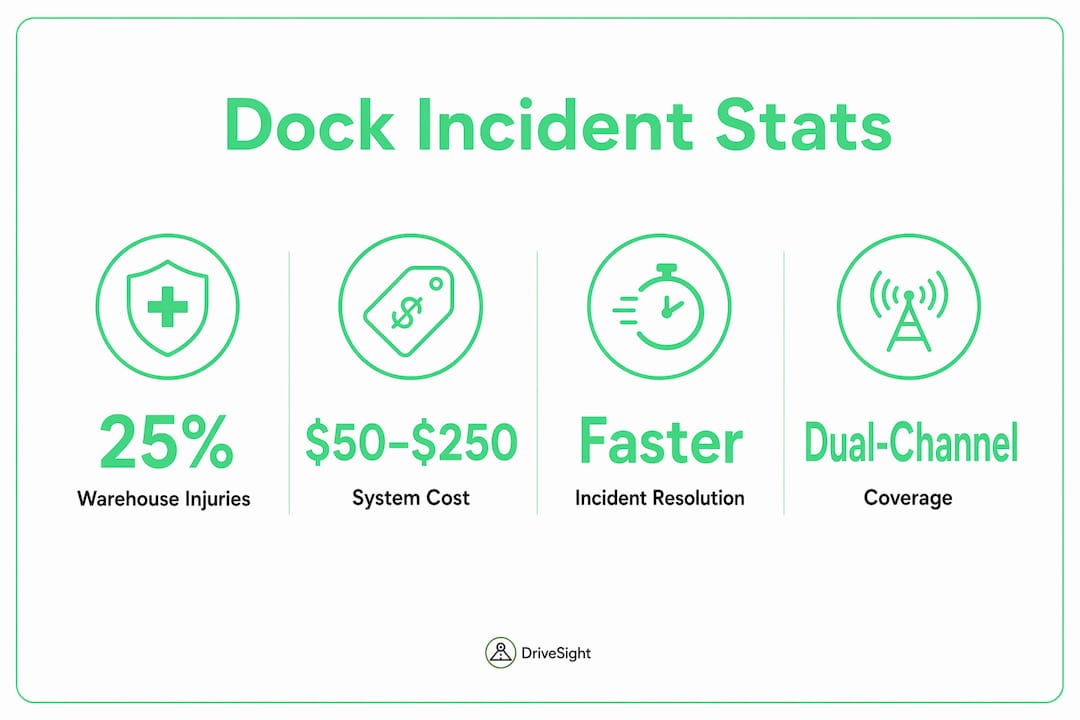
Dashcam systems record loading dock incidents to provide unbiased, time-stamped video evidence that resolves disputes, supports insurance claims, and improves worker safety. Loading dock incidents account for about 25% of all warehouse injuries, with an estimated 600 near-misses for every recorded injury. That ratio means most dock events go undocumented without a camera in place. For logistics managers and safety officers, understanding why dashcam records loading dock incidents is the foundation of any credible safety program. The footage does not just document what happened. It tells you exactly how, when, and where.
Why dashcam records loading dock incidents: the core mechanics
Dashcams capture loading dock incidents through two primary recording modes: continuous and motion-triggered. Continuous or motion-activated recording ensures that critical events are documented even when no driver or supervisor is present. This matters at docks because most incidents happen during brief, unattended moments: a forklift clip, a trailer shift, a pedestrian near-miss.
The footage captured goes well beyond a simple video clip. Effective dock camera systems record:
- Front-facing video covering the approach lane and dock door area
- Rear and cargo-area views showing load status, door seals, and trailer contact
- Side-angle coverage for blind spots during backing maneuvers
- Metadata overlays including date, time, GPS coordinates, and vehicle speed
Dashcam footage must include unedited video with intact metadata to function as strong evidence in insurance claims and legal proceedings. Without that metadata, a clip is just a video. With it, the footage becomes a factual digital witness that courts and insurers recognize.
Loading dock environments create specific recording challenges. Low-speed backing maneuvers rarely trigger accelerometer-based impact sensors calibrated for road collisions. Blind spots around dock levelers and trailer skirts are common. Overhead lighting shifts between indoor and outdoor zones, which stresses camera dynamic range. These factors make dock-specific camera placement and settings different from standard road dashcam configurations.
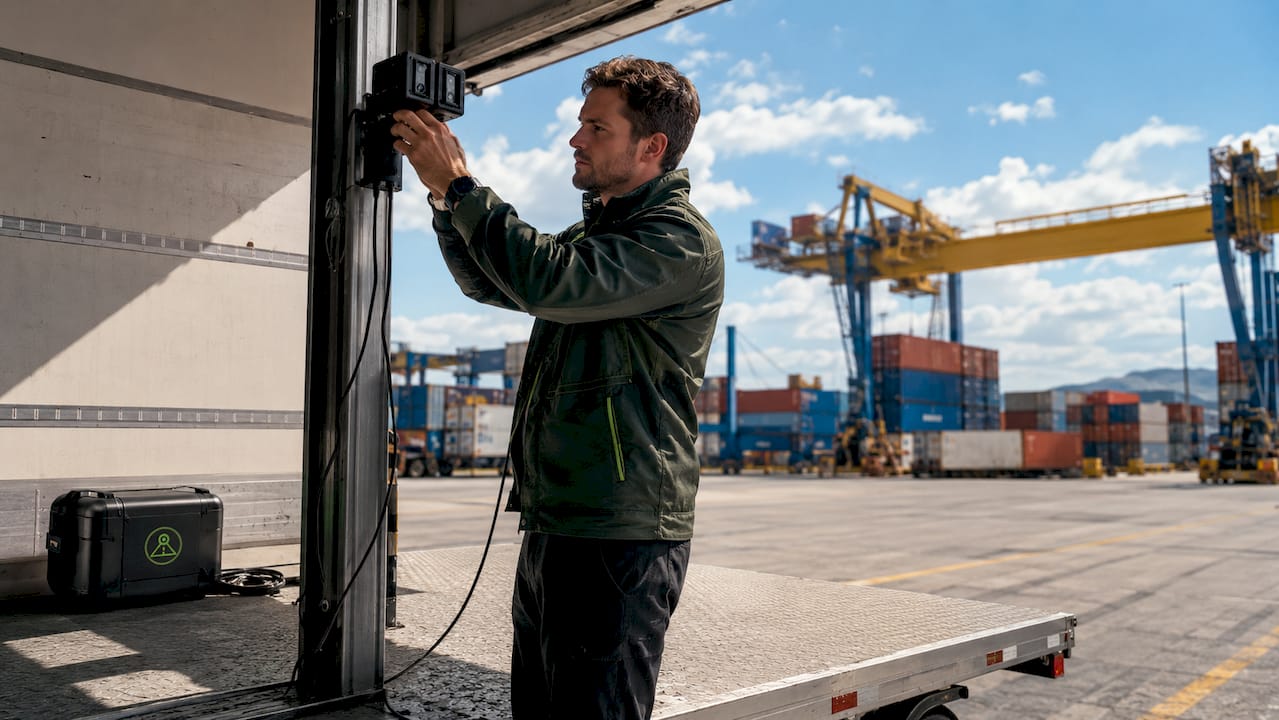
Pro Tip: Set your dashcam’s motion sensitivity threshold lower than the factory default when deploying at a loading dock. Road-calibrated thresholds miss the slow-speed contacts that cause most dock damage.
What benefits does dashcam footage provide at loading docks?
Dashcam footage delivers four concrete benefits for logistics operations at loading docks.
- Fraud and false-claim reduction. Staged injury claims and disputed cargo damage are common at busy docks. Video evidence shows exactly what occurred, eliminating he-said-she-said disputes before they reach litigation.
- Faster insurance resolution. Dashcam use correlates with reduced trucking insurance premiums by demonstrating proactive risk management. Insurers settle faster when clear footage supports the claim.
- Targeted safety coaching. Fleet experts confirm that dashcam footage supports safety culture by giving managers specific, reviewable examples of unsafe dock maneuvers. Generic safety briefings rarely change behavior. Footage of a specific driver’s backing error does.
- Operational awareness. Reviewing footage reveals patterns: which dock door generates the most near-misses, which shift has the highest incident rate, which driver consistently cuts corners on trailer chocking.
“Dashcam footage is a tool for coaching and spotting unsafe behaviors, not just reactive documentation. Fleets that use it proactively see measurable reductions in dock-related incidents over time.”
The financial case is direct. Commercial-grade dual-channel dashcam systems cost between $50 and $250, while a single contested cargo damage claim can cost thousands in legal fees, lost time, and settlement costs. The return on investment is not theoretical. It shows up in your claims history within the first year of deployment.
Fleet risk management programs that integrate dashcam footage into their review cycles report faster incident resolution and stronger driver accountability. The footage creates a feedback loop: record, review, coach, repeat.
Common misunderstandings about dashcam coverage at loading docks
The most damaging misconception is that a standard front-facing road dashcam covers dock incidents. It does not. Standard front-facing dashcams alone provide insufficient visibility for loading dock incidents. Dock incidents involve rear approaches, side contacts, and cargo-area events that a forward-pointing lens never sees.
A second misconception is that event-triggered uploading captures everything. Event-triggered uploading can fail to capture low-speed or subtle dock incidents because the G-force threshold designed for highway collisions is never reached during a slow backing contact. If your system only saves footage when it detects a hard impact, you will lose most dock incident recordings.
Common setup mistakes that reduce footage quality or miss critical events:
- Single-channel installs on vehicles that operate at docks. One forward camera leaves the entire rear and cargo zone unmonitored.
- Incorrect mounting angles that point too high or too low, missing the dock leveler zone entirely.
- Overreliance on cloud-only storage without local backup. Network gaps at dock facilities can interrupt uploads at the exact moment an incident occurs.
- No parking mode enabled for vehicles left at the dock overnight. Motion detection and parking mode features enable dashcams to record incidents even when vehicles are unattended, capturing hit-and-run damage that would otherwise go undocumented.
- Poor lighting compensation settings that produce washed-out or dark footage in the mixed indoor-outdoor lighting typical of dock bays.
Pro Tip: Before finalizing camera placement, walk the dock approach at night and during peak daylight. Identify where shadows fall and where glare from dock lights hits the camera lens. Adjust mounting position and angle before going live.
The table below compares recording approaches by their effectiveness in dock environments.
| Recording approach | Dock incident coverage | Key limitation |
|---|---|---|
| Front-facing only | Low | Misses all rear and side contacts |
| Dual-channel front and rear | Moderate | May miss side-angle blind spots |
| Multi-channel 360° system | High | Higher setup cost and complexity |
| Event-triggered only | Low to moderate | Misses low-speed dock contacts |
| Continuous or motion-triggered | High | Requires adequate local storage |
For common dashcam setup mistakes that logistics managers repeat across fleets, the pattern is consistent: under-coverage and over-reliance on default settings.
How to integrate dashcam footage into dock safety programs
Dashcam footage delivers its full value only when it connects to a structured safety workflow. Standalone recordings that no one reviews do not prevent the next incident. The integration requires four components working together.
Combine video with telematics data. AI-powered fleet camera solutions unify telematics with multi-camera video, enabling synchronized event timelines that improve incident analysis and speed up dispute resolution. When you can overlay vehicle speed, brake pressure, and GPS position on top of the video, the incident reconstruction is complete and defensible.
Use AI-enabled alerts for real-time coaching. AI detection flags unsafe behaviors as they happen: hard braking near dock doors, proximity alerts when pedestrians enter the backing zone, and driver distraction events. This shifts the program from reactive to proactive. Managers address behavior before an injury occurs, not after.
Establish a footage review policy. Ad hoc reviews produce inconsistent results. A structured policy defines:
- Review frequency (daily spot checks, weekly full reviews, or incident-triggered)
- Who has access to footage and under what conditions
- Retention periods aligned with your insurer’s requirements and applicable labor law
- Privacy protocols for footage involving employees
Streamline dispute resolution with video evidence. Fleet dashcam evidence best practices show that managers who present footage within 24 hours of a disputed incident resolve claims significantly faster than those relying on written reports alone.
The table below outlines a basic integration framework for logistics safety officers.
| Program element | Purpose | Recommended tool or method |
|---|---|---|
| Multi-channel recording | Full dock coverage | Dual-channel or 360° camera system |
| Telematics sync | Incident context | Integrated fleet telematics platform |
| AI behavior alerts | Real-time coaching | AI dashcam with object detection |
| Footage review policy | Consistent oversight | Written SOP with defined review schedule |
| Cloud or local backup | Evidence preservation | Redundant storage with automatic retention |
Last-mile delivery fleets face the same dock coverage gaps as long-haul operations. The integration framework applies regardless of fleet size or route type.
Key Takeaways
Dashcam footage is the single most reliable tool for documenting, resolving, and preventing loading dock incidents, but only when deployed with multi-channel coverage, continuous recording, and a structured review process.
| Point | Details |
|---|---|
| Dock incidents are frequent | Loading docks account for about 25% of all warehouse injuries, making camera coverage non-negotiable. |
| Front-facing cameras are not enough | Multi-channel systems covering rear and side angles are required for complete dock incident documentation. |
| Metadata integrity is critical | Unedited footage with intact time, date, and GPS data is what makes dashcam video legally defensible. |
| Continuous recording beats event-triggered | Low-speed dock contacts rarely trigger impact sensors, so continuous or motion-triggered recording prevents footage loss. |
| Footage must connect to a workflow | Video evidence only reduces incidents when paired with regular review, coaching, and a defined retention policy. |
What I’ve learned from watching fleets get dock coverage wrong
After working closely with logistics safety programs across a range of fleet sizes, the pattern is clear: most operations install dashcams for road incidents and assume dock coverage follows automatically. It does not. The camera that protects you on the highway points in exactly the wrong direction when your driver is backing into a dock bay.
The facilities that get this right share one habit. They treat the loading dock as a separate risk zone with its own camera requirements, its own review schedule, and its own coaching protocols. They do not bolt dock safety onto a road safety program. They build it independently and then connect the two.
The other consistent finding is that AI detection changes the coaching conversation. When a manager can show a driver a flagged clip of a specific unsafe approach, the conversation is concrete and unarguable. When the coaching is based on a written incident report, the driver’s memory of events competes with the report. Footage ends that competition.
Camera placement is where most programs fail technically. A camera mounted two inches too high misses the dock leveler contact zone entirely. Forensic surveillance engineering principles, specifically pixel density planning and coverage mapping, exist precisely because camera placement is not intuitive. If your facility has not done a formal coverage audit, assume you have blind spots.
The cost argument for multi-channel systems is straightforward. One resolved cargo damage dispute pays for a full camera upgrade. The fleets that hesitate on cost are the same ones absorbing unresolved claims year after year.
— Cyberlab Automation
DriveSight for loading dock and fleet safety coverage

DriveSight transforms an Android smartphone into a fully functional dashcam with features built for exactly the coverage gaps this article describes. The app supports dual-channel recording, motion-triggered parking mode, AI-powered object detection with YOLOv8, and automatic crash save. For logistics managers who need dock-level evidence without a large hardware investment, DriveSight offers a practical starting point.
The DriveSight dashcam app is free to download, with premium features available for fleets that need cloud backup and remote viewing. The remote viewer tool lets safety officers review footage from any location, which matters when an incident occurs at a dock facility hours away from the main office. Repurposing an existing Android device as a dedicated dock monitor costs nothing beyond the app subscription, making it one of the lowest-barrier entries into structured dock surveillance available in 2026.
FAQ
Why do dashcams record loading dock incidents specifically?
Dashcams record loading dock incidents because docks are high-frequency injury zones, accounting for about 25% of all warehouse injuries. Continuous or motion-triggered recording captures events that witnesses miss and that written reports cannot reconstruct accurately.
Are front-facing dashcams enough for dock coverage?
Front-facing dashcams alone are insufficient for loading dock incidents. Dock events involve rear approaches, side contacts, and cargo-area activity that require multi-channel or 360° camera systems to document fully.
Does dashcam footage hold up in insurance claims?
Dashcam footage holds up in insurance claims when it includes unedited video with intact metadata: time, date, and GPS coordinates. Edited or metadata-stripped clips carry significantly less evidentiary weight.
Can dashcams record dock incidents when the vehicle is unattended?
Yes. Motion detection and parking mode features enable dashcams to record incidents when vehicles are parked at the dock, capturing damage or unauthorized contact that occurs between shifts.
How does dashcam footage reduce insurance costs for fleets?
Dashcam use correlates with reduced trucking insurance premiums by demonstrating proactive risk management and providing clear evidence that resolves disputed claims faster, reducing insurer exposure and claim processing costs.
Recommended
- How a Dashcam App Runs During Your Delivery Shift
- Common Dashcam Setup Mistakes That Ruin Your Footage
- Why Dashcam Footage Proves Fault in Parking Lots
- Dashcam Setup for Long-Haul Truck Cabs: 2026 Guide
Get Phone Dashcam free
Loop recording, crash detection, GPS tracking, and AI object detection — all in your phone. No new hardware required.
Download Phone Dashcam