Fleet Dashcam Evidence Best Practices for Managers

Fleet managers who deploy dashcams without a structured evidence protocol are leaving their organizations exposed. Fleet dashcam evidence best practices go well beyond pressing record. The real challenge is preserving footage so it holds up legally, managing data in ways that satisfy privacy regulations, and building operational workflows that turn raw video into measurable safety outcomes. This article gives you the specific, field-tested guidance to do exactly that.
Table of Contents
- Key Takeaways
- 1. Fleet dashcam evidence best practices start with metadata integrity
- 2. Lock footage within five minutes of an incident
- 3. Build a documented chain of custody from device to court
- 4. Align your data retention policy with legal and operational needs
- 5. Address privacy compliance before you deploy
- 6. Vet your dashcam vendor for data security
- 7. Pilot your deployment on a subset of vehicles first
- 8. Integrate dashcam data with your safety and maintenance workflows
- 9. Use footage proactively for insurance negotiations
- Comparing dashcam approaches for fleet evidence management
- Our take on what most fleet programs get wrong
- Put these practices into action with DriveSight
- FAQ
Key Takeaways
| Point | Details |
|---|---|
| Timestamps and GPS are non-negotiable | Footage with intact metadata is far more likely to be admitted as legal evidence in court. |
| Act within the first five minutes | Locking footage immediately after an incident prevents overwriting and protects chain of custody. |
| Privacy compliance must be built in | Minimizing data collection and obtaining driver consent are legal obligations, not optional steps. |
| Pilot before full deployment | Start with 10 to 20 percent of vehicles to validate AI alerts and build driver acceptance before scaling. |
| Cryptographic hashing authenticates footage | SHA-256 hash verification at every transfer point creates a defensible, tamper-evident evidence record. |
1. Fleet dashcam evidence best practices start with metadata integrity
The first rule of dashcam evidence handling is simple: never touch the original file. Footage with intact timestamps, GPS, and documented chain of custody is significantly more likely to survive a legal challenge. Courts treat this metadata as the backbone of authenticity.
Your checklist for every recorded incident should include:
- Verified, synchronized timestamps on all cameras
- GPS coordinates recorded at the time of the event
- Unmodified file metadata (creation date, codec, resolution)
- A written chain of custody log that captures who accessed the file and when
- Immediate backup to a secondary location before any review occurs
Pro Tip: Generate a SHA-256 cryptographic hash the moment footage is exported from the device. Store the hash value separately from the file itself. Any future modification to the footage will produce a different hash value, making tampering immediately detectable.
Cryptographic hash verification at every transfer point creates an unbroken, auditable record that courts increasingly expect. Manual handling without these checks leaves gaps that can result in evidence exclusion under Federal Rules of Evidence 901.
2. Lock footage within five minutes of an incident
Time is the single most underestimated factor in fleet safety video evidence. Most dashcams use loop recording, meaning the oldest footage gets overwritten as new footage comes in. If a driver does not act quickly and your system has no automatic crash-save feature, critical evidence can disappear within minutes.
A first-five-minute preservation protocol should be documented in writing and trained into every driver. The steps are straightforward. The driver pulls over safely, activates the manual lock button if the system did not auto-save, and contacts dispatch to initiate remote backup or SD card extraction. Dispatch logs the time of the call and the incident location. Nothing is played back or reviewed on the device before the backup is confirmed.
Removing and securing the SD card with a physical custody log is still a reliable method when cloud connectivity is unavailable. Label the card with the vehicle ID, date, time, and the name of the person who removed it.
3. Build a documented chain of custody from device to court
Chain of custody is the formal industry term for tracking who handled a piece of evidence at every stage, from the moment it was captured to the moment it is presented in a proceeding. Many fleet programs focus on recording quality but neglect this documentation layer entirely.

Automated integrity verification platforms with immutable audit logs now handle much of this automatically. Every access event, export, and transfer is timestamped and tied to a user account. That kind of record is far more defensible than a paper log that someone filled out after the fact. If your current system does not generate audit logs automatically, that is a gap worth addressing before your next insurance renewal conversation.
For fleets still relying on manual processes, a simple chain of custody form with fields for date, time, vehicle ID, file hash, accessor name, and purpose goes a long way toward meeting legal standards.
4. Align your data retention policy with legal and operational needs
Retention schedules are a compliance issue, not just a storage management decision. Keeping footage longer than necessary creates liability if it contains data you were never supposed to retain. Keeping it too briefly means losing evidence before a claim is fully resolved.
Most insurance carriers recommend retaining incident-flagged footage for a minimum of three years. Routine, non-incident footage can typically be purged on a 30 to 90 day rolling cycle. Tie your dashcam data management schedule directly to your claims timeline and consult legal counsel for state-specific requirements. Dashcam laws vary significantly by jurisdiction, and what is compliant in one state may not be in another.
5. Address privacy compliance before you deploy
Privacy regulations require dashcam operators to minimize data collection, obtain driver notice and consent especially for audio or biometric capture, limit retention periods, and control vendor access to stored data. This is not optional. Fleets that treat privacy as an afterthought face regulatory exposure and driver relations problems.
Practical steps for privacy compliance include:
- Disable audio recording unless it is specifically required and consented to
- Post clear, written notices in every vehicle that dashcams are in operation
- Include dashcam recording terms in driver onboarding agreements
- Restrict data access to personnel with a documented operational need
- Review rideshare and passenger transport requirements separately, as they carry additional consent obligations
Pro Tip: Check your state’s recording consent laws before enabling any audio features. Some states require two-party consent for audio, which can affect admissibility and create separate legal liability. For a full breakdown, see state-by-state dashcam laws.
6. Vet your dashcam vendor for data security
Your vendor holds your evidence. That makes vendor due diligence a direct risk management activity. Vendors must be assessed for data storage practices, secondary data uses such as AI model training, and security controls including encryption and access management.
Ask every vendor for their data processing agreement, their breach notification policy, and a clear answer on whether they use customer footage to train proprietary AI models. Require contractual restrictions on secondary data use and schedule periodic vendor reassessments, at minimum annually.
Cloud storage offers convenience and redundancy, but local storage with encrypted devices gives you direct control over who accesses footage and when. Many fleets use both: cloud for automatic backup, local for primary custody during active claims.
7. Pilot your deployment on a subset of vehicles first
Scaling a dashcam program across an entire fleet at once is one of the most common mistakes we see. A pilot deployment on 10 to 20 percent of vehicles lets you validate AI alert accuracy, refine your coaching workflow, and identify system gaps before they affect the full fleet.
Fleets that follow this phased approach report 60 percent fewer distracted driving incidents and 20 to 30 percent collision reduction compared to passive recording programs. The difference is not just the cameras. It is the structured review process and weekly coaching conversations that follow.
8. Integrate dashcam data with your safety and maintenance workflows
Video data becomes operationally valuable when it connects to the rest of your safety management system. Linking safety events to maintenance workflows, such as triggering a brake inspection after a harsh braking event captured on video, turns recordings into work orders rather than archived files no one reviews.
Set up automated alerts that route specific event types to the right team. Hard braking goes to maintenance. Following distance violations go to the coaching queue. Collision footage goes directly to claims and legal. That kind of routing prevents the backlog that causes important footage to sit unreviewed for weeks.
9. Use footage proactively for insurance negotiations
Dashcam footage is not just a reactive tool. Fleets that present well-documented safety event data to insurers have used it to negotiate policy premiums and expedite claims resolution. Video that clearly establishes fault, or definitively rules out your driver, eliminates months of back-and-forth with adjusters.
Build a standard incident data package that includes the video file with verified hash, GPS track, speed data, and a custody log. Deliver this package to your carrier within 24 hours of any significant incident. That discipline signals to insurers that your fleet operates with professional rigor.
Comparing dashcam approaches for fleet evidence management
| Factor | Traditional hardware dashcam | AI-powered mobile app (e.g., DriveSight) |
|---|---|---|
| Evidence auto-save | Manual or loop-based | Accelerometer-triggered automatic crash save |
| Chain of custody support | SD card, manual logging | Cloud backup with audit timestamps |
| Privacy control | Limited, varies by device | On-device processing, local storage option |
| Cost per vehicle | $150 to $500 hardware | Free to low-cost app on existing Android device |
| Maintenance overhead | Hardware replacement cycles | Software updates via app store |
| Scalability | Requires physical installation | Deploy on any Android phone immediately |
Our take on what most fleet programs get wrong
I’ve reviewed a lot of fleet dashcam programs, and the pattern I see repeatedly is this: organizations invest in the hardware and stop there. The camera is installed, it records, and managers feel covered. They are not.
What I’ve learned is that the first 10 minutes after an incident are worth more than months of recorded footage that was never properly preserved. A single missed backup, a file opened and saved in a media player, a custody log that was filled in two days later. Any of these can sink an otherwise strong evidence package.
The other mistake I see is framing cameras as surveillance tools instead of protection tools. Drivers who feel monitored become adversarial. Drivers who understand that footage protected their colleague from a false claim in a staged accident become advocates. That framing shift costs nothing and changes everything about program compliance.
Automated integrity verification, specifically cryptographic hashing combined with immutable audit logs, removes the human error factor from chain of custody entirely. If your current system does not do this automatically, it is worth prioritizing. Courts now expect detailed audit logging with immutable storage, and manual processes simply do not meet that standard reliably anymore.
— Cyberlab Automation
Put these practices into action with DriveSight
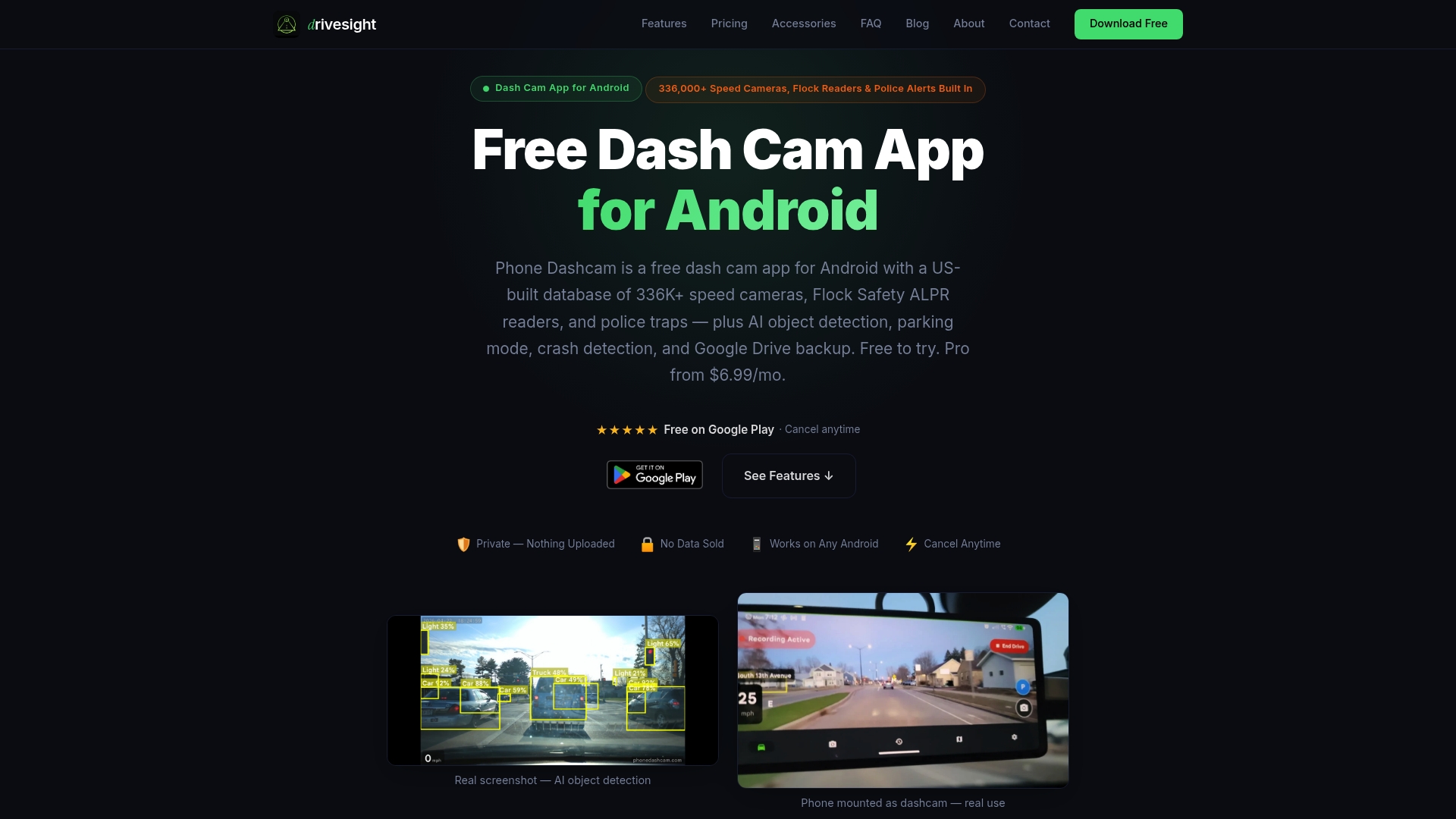
DriveSight’s Android dashcam app was built with evidence integrity at its core. Accelerometer-based crash detection automatically locks and saves footage the moment an impact occurs, protecting that critical window before overwriting can happen. Cloud backup runs automatically after each trip, and all recordings include GPS coordinates and timestamps for stronger admissibility. For fleet managers who need to review and share footage securely, the remote video viewer gives you access to incident recordings from any browser. Explore the full feature set and download the DriveSight app to start building a defensible evidence workflow today.
FAQ
What makes dashcam footage admissible as legal evidence?
Footage is most admissible when it includes intact timestamps, GPS data, and a documented chain of custody. Backing up immediately after an incident and generating a cryptographic hash at export significantly strengthens admissibility.
How long should fleets retain dashcam footage?
Incident-flagged footage should typically be retained for at least three years to cover the full claims resolution window. Routine, non-incident recordings can be purged on a 30 to 90 day rolling cycle, depending on your legal counsel’s guidance.
Do fleets need driver consent to use dashcams?
Yes, and the requirements vary by state. Privacy regulations require driver notice and, for audio or biometric recording, explicit consent. Including dashcam terms in onboarding agreements is the standard approach.
What is a cryptographic hash and why does it matter for fleet evidence?
A SHA-256 hash is a unique digital fingerprint generated from a file’s content. Verifying the hash at each transfer point confirms the file was not altered, which satisfies court authentication standards under Federal Rules of Evidence 901.
Can a mobile app replace a dedicated hardware dashcam for fleet use?
For many fleets, yes. App-based solutions like DriveSight offer automatic crash save, GPS timestamping, cloud backup, and remote viewing on existing Android devices, often at a fraction of the hardware cost while meeting the same core evidence preservation requirements.
Recommended
- Why fleet dashcams deter reckless driving effectively
- Dashcam storage strategies for Android phone users
- Dashcam recording modes explained for Android drivers
- What is road trip dashcam recording explained: your driver’s guide
Get Phone Dashcam free
Loop recording, crash detection, GPS tracking, and AI object detection — all in your phone. No new hardware required.
Download Phone Dashcam