How a Dashcam App Runs During Your Delivery Shift
TL;DR:
- A dashcam app maintains continuous recording during delivery shifts by utilizing Android’s foreground service with camera permissions and a persistent notification. Proper configuration, including manual OEM battery optimization whitelisting, is essential to prevent silent app termination. Modern features like loop recording, event detection, and parking mode enhance safety and evidence collection for delivery drivers.
A dashcam app stays active during a delivery shift by running an Android foreground service with camera-specific permissions and a persistent, non-dismissible notification that signals critical ongoing recording to the operating system. This technical foundation is what separates apps that record reliably for eight hours from ones that silently die after the screen goes dark. Understanding how dashcam app runs during delivery shift conditions helps you configure your phone correctly and trust that footage is always there when you need it.
How dashcam apps run uninterrupted during delivery shifts
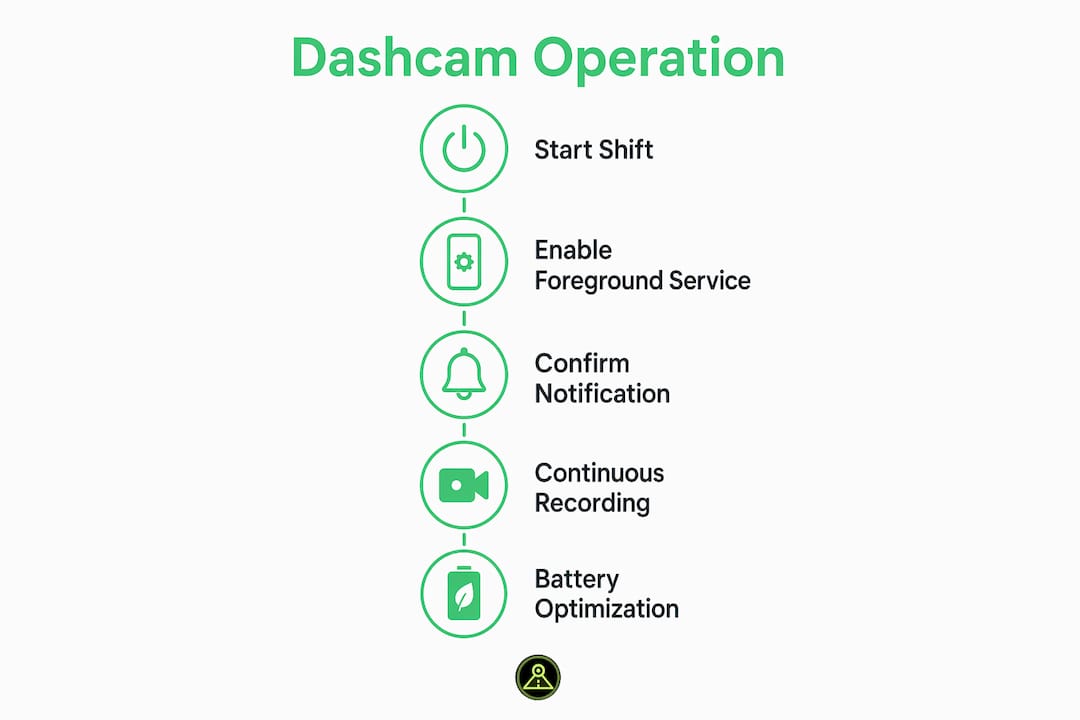
The core mechanism is Android’s foreground service API. When a dashcam app launches recording, it moves ownership of the camera session out of the visible Activity and into a foreground service. This matters because foreground services with camera flags tell the Android OS that the app is performing a critical, ongoing task. The OS responds by keeping the app in a protected priority tier, shielded from the aggressive memory and battery management that kills ordinary background apps.
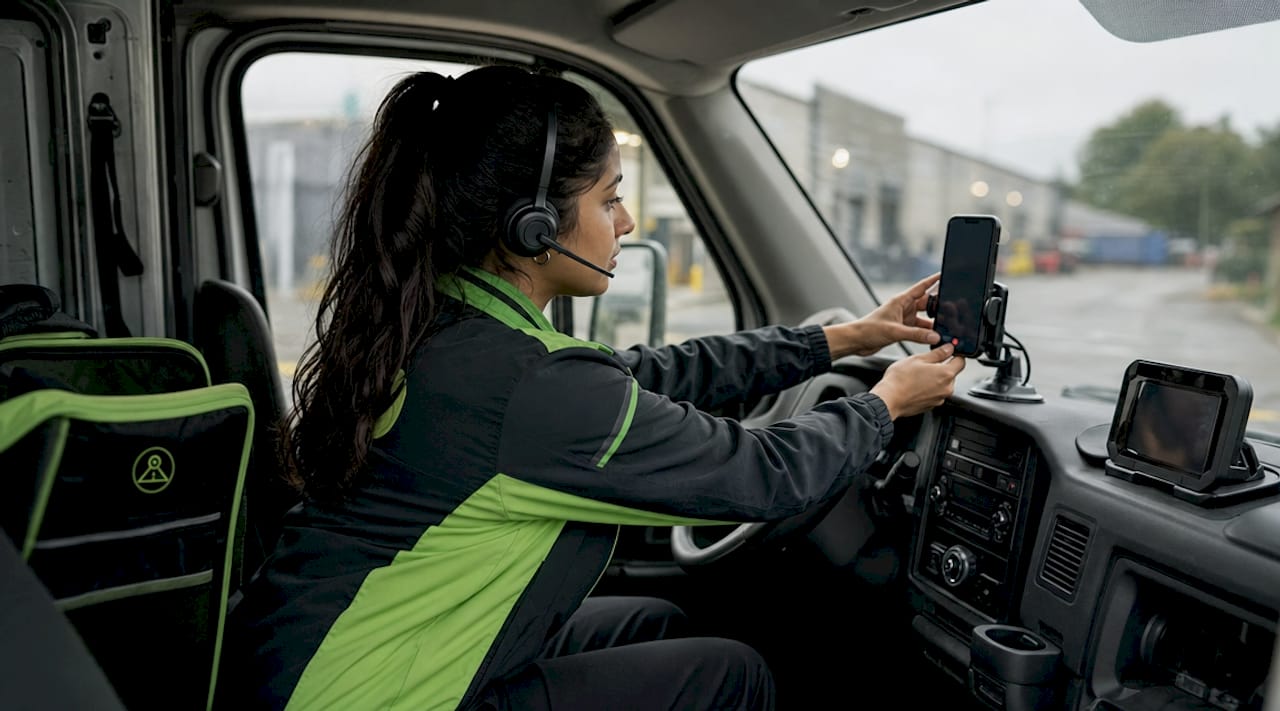
On Android 14 and later, this requires declaring the "FOREGROUND_SERVICE_TYPE_CAMERA` permission explicitly in the app manifest. Without it, the camera session is terminated the moment the screen turns off. Partial wake locks keep the CPU active during recording so the camera API is never throttled into a low-power state that would drop frames or halt the video stream entirely.
Two additional Android systems threaten continuous recording: Doze Mode and App Standby Buckets. Doze Mode activates after the device sits still and unplugged for a period of time, restricting network access, CPU scheduling, and background jobs. App Standby Buckets categorize apps by usage frequency and throttle those used less often. A properly implemented foreground service with a visible persistent notification bypasses both restrictions because the OS treats the notification as proof the user is actively relying on the app.
Here is what a well-built dashcam app does at the system level to maintain recording:
- Declares
FOREGROUND_SERVICE_TYPE_CAMERAfor Android 14+ compliance - Holds a partial wake lock to prevent CPU sleep during active recording
- Displays a persistent notification that cannot be dismissed without stopping the service
- Moves
CameraDeviceandCameraCaptureSessionownership to the foreground service, not the UI layer - Handles Doze Mode exemptions through the battery optimization whitelist
Pro Tip: Before your shift starts, pull down your notification shade and confirm the dashcam notification is visible. If it is not there, the foreground service did not start correctly and the app is not recording.
How to stop OEM battery settings from killing your dashcam app
The foreground service architecture is solid on stock Android. The problem is that most delivery drivers are not running stock Android. Xiaomi MIUI, Samsung One UI, Huawei EMUI, Oppo ColorOS, and Vivo FunTouchOS all layer aggressive battery and task management on top of the base OS. OEM skins aggressively kill background camera apps unless the user manually configures specific permissions. No app can do this programmatically. It requires your direct action in the phone settings.
Follow these steps for the most common devices:
- Xiaomi MIUI / HyperOS: Go to Settings > Apps > Manage Apps > select your dashcam app > Battery Saver > set to “No restrictions.” Then go to Security app > Permissions > Autostart and enable it for the dashcam app.
- Samsung One UI: Go to Settings > Apps > select the dashcam app > Battery > set to “Unrestricted.” Also check Settings > Device Care > Battery > Background usage limits and remove the app from any sleeping or deep sleeping lists.
- Huawei EMUI: Go to Settings > Apps > select the dashcam app > Battery > enable “Run in background.” In Phone Manager, add the app to the protected apps list.
- Oppo ColorOS / Vivo FunTouchOS: Go to Settings > Battery > App Quick Freeze or Power Consumption Details and disable optimization for the dashcam app. Enable autostart in the app’s permission settings.
- All devices: Go to Settings > Apps > select the dashcam app > Battery > and set to “Unrestricted” or “Don’t optimize.” This is the universal Android setting that tells the OS to leave the app alone.
The most common mistake drivers make is installing the app, starting a shift, and assuming it is recording. Drivers often discover hours later that the app stopped after the first screen timeout. Test your setup before a real shift by recording for 15 minutes with the screen off, then reviewing the footage to confirm no gaps exist.
Pro Tip: Use a dedicated old Android phone mounted on your dash rather than your primary device. This removes the risk of an incoming call, notification burst, or another app competing for camera access and interrupting your recording session.
What features do modern dashcam apps offer delivery drivers?
Continuous recording is the baseline. Modern dashcam apps built for delivery drivers include a set of capabilities that go well beyond just capturing video.
| Feature | What it does for delivery drivers |
|---|---|
| Loop recording | Automatically overwrites the oldest footage when storage fills, so the app never stops recording mid-shift |
| Event detection | Saves a protected clip when the accelerometer detects a hard brake, sharp turn, or impact |
| Parking mode | Activates motion detection when the engine is off, recording any activity around the parked vehicle between stops |
| Local live stream | Lets you view the live camera feed from a browser on the same Wi-Fi network without uploading data externally |
| GPS overlay | Stamps speed and location data onto footage for accurate route documentation |
Loop recording and parking mode automate storage management and vehicle security during the gaps between deliveries, requiring no manual input from the driver. This is especially useful on overnight or multi-stop routes where the vehicle sits unattended for extended periods.
AI-enabled dashcam apps go a step further. Real-time edge processing analyzes video as it is captured to detect risky behaviors like distracted driving or harsh braking, then delivers instant alerts to the driver. This is prevention-focused rather than just documentation-focused. Some apps also embed local HTTP servers so you can view a live stream from a browser on the same network without any data leaving your device, which preserves privacy on sensitive routes.
GPS integration adds route context to every recorded clip. The role of GPS in dashcam apps extends beyond mapping. It timestamps speed data alongside video, which becomes critical evidence in any dispute about driver behavior or vehicle location at a specific time.
How continuous recording protects delivery drivers on every shift
Reliable dashcam recording during a delivery shift is not just about capturing accidents. The protection it provides spans several real-world scenarios that delivery drivers face regularly.
- Accident documentation: Clear, unbiased footage resolves fault disputes quickly and protects drivers from false claims filed by other parties or pedestrians.
- Insurance support: Timestamped video with GPS data gives insurers the exact information they need to process claims accurately, reducing the time a driver is off the road.
- Real-time coaching: AI behavior alerts during driving help drivers self-correct before a risky situation escalates, reducing the likelihood of incidents on long shifts.
- Parked vehicle security: Motion-triggered parking mode captures any contact with the vehicle while the driver is making a delivery on foot, protecting against hit-and-run damage.
- Late-night and remote route safety: Drivers working overnight or in low-traffic areas gain documented proof of their route and any interactions, which supports both personal safety and employer compliance.
Delivery drivers working for platforms like DoorDash, Uber Eats, or Amazon Flex operate as independent contractors. That means the burden of proof in any incident falls on the driver. A dashcam recording is often the only objective evidence available.
The protection against false claims is particularly significant for gig economy drivers who lack the institutional backing that fleet employees receive. A single disputed incident without footage can result in account deactivation. With footage, the same incident resolves in minutes.
Key takeaways
A dashcam app runs reliably during a delivery shift only when the foreground service is active, the persistent notification is visible, and OEM battery optimizations are manually disabled for the app.
| Point | Details |
|---|---|
| Foreground service is the foundation | The app must run a foreground service with camera permissions to record through screen-off and app switches. |
| OEM settings require manual action | Xiaomi, Samsung, Huawei, and Oppo devices need manual whitelisting; no app can configure this automatically. |
| Persistent notification confirms recording | A visible notification in the shade means the foreground service is active and recording is live. |
| Loop recording manages storage automatically | Old footage overwrites continuously so the app never stops due to a full storage card. |
| Footage protects independent contractors | Delivery drivers without fleet support rely on dashcam recordings as their primary evidence in disputes. |
What we have learned building for delivery drivers
The technical architecture behind a reliable dashcam app is well-defined. Foreground services, partial wake locks, and the FOREGROUND_SERVICE_TYPE_CAMERA flag on Android 14+ cover the OS side. What we have found in practice is that the biggest source of recording failures is not the code. It is the gap between what the app does correctly and what the device’s OEM skin undoes silently.
We have tested across dozens of Android devices and the pattern is consistent. A Pixel phone running stock Android records for an entire 10-hour shift without a single gap. The same app on a Xiaomi device with default settings stops recording within 20 minutes of the screen turning off. The app did nothing wrong. The OEM task killer terminated the process anyway.
This is why we believe user education on device-specific settings is as important as the app’s technical implementation. A driver who knows to check the autostart permission and disable battery optimization on their specific device will have a completely different experience than one who does not. We have built OEM-specific setup guides directly into DriveSight’s onboarding flow because we know most users will not find this information on their own.
The other lesson is to test before you rely on it. Run the app for 20 minutes with the screen off before your first real shift. Check the footage. If there is a gap, you have a settings problem to fix, not a hardware problem to buy your way out of.
— Cyberlab Automation
DriveSight keeps your recording running shift after shift
DriveSight is built specifically for delivery drivers and rideshare operators who need a dashcam app that works without babysitting. The free Android dashcam app uses a foreground service architecture with partial wake locks and a persistent notification to maintain recording through screen-off states, app switches, and Doze Mode. We include OEM-specific setup guides for Xiaomi, Samsung, Huawei, Oppo, and Vivo devices so you configure your phone correctly from day one.

Features like loop recording, accelerometer-based event detection, parking mode, and remote live viewing give you complete shift coverage from the moment you start driving to the moment you park. DriveSight runs on any Android phone, including older devices you already own. Download it free and run a test shift before you commit.
FAQ
How does a dashcam app keep recording when the screen is off?
The app runs a foreground service with a persistent notification, which signals to Android that it is performing a critical task. This prevents Doze Mode and App Standby Buckets from throttling or terminating the recording process.
Why does my dashcam app stop recording mid-shift?
The most common cause is OEM battery optimization on devices from Xiaomi, Samsung, Huawei, or Oppo. You need to manually whitelist the app in autostart settings and set battery optimization to unrestricted for that app.
How long can a dashcam app record during a delivery shift?
A properly configured dashcam app with loop recording enabled can record continuously for an entire shift, limited only by available storage. Loop recording automatically overwrites the oldest clips when storage fills, so recording never stops.
Does a dashcam app drain the battery faster during a shift?
Yes, continuous camera use and a partial wake lock increase battery draw. Mounting your phone on a charger or using a dedicated secondary device eliminates this concern entirely and is the setup we recommend for full-shift recording.
What is the difference between parking mode and continuous recording?
Continuous recording captures everything while the vehicle is moving. Parking mode activates motion detection when the engine is off, recording only when the accelerometer or camera detects movement near the vehicle, which conserves storage between delivery stops.
Recommended
- Phone Dashcam — Free Dash Cam App for Android
- How dashcams store overnight delivery footage safely
- Phone Dashcam Features in 2026: AI Detection, Parking Mode, Cloud Backup and More
- Best Dash Cam App with Android Auto Support (2026) — Phone Dashcam
Get Phone Dashcam free
Loop recording, crash detection, GPS tracking, and AI object detection — all in your phone. No new hardware required.
Download Phone Dashcam