Trucking Dashcam GPS Route Logging: 2026 Guide
Trucking Dashcam GPS Route Logging: 2026 Guide
TL;DR:
- Trucking dashcam GPS route logging combines video and GPS data to improve safety, liability defense, and route analysis. Accurate GPS, proper installation, and organizational policies are critical for maximizing system benefits and preventing issues. Using proactive data review and cloud storage enhances fleet efficiency, driver coaching, and operational ROI.
Trucking dashcam GPS route logging is the process of capturing synchronized video footage and GPS data to track routes, driving behavior, and vehicle location in commercial trucking operations. When these two data streams combine, you get timestamped, location-stamped video that holds up in court, satisfies insurance adjusters, and gives fleet managers a clear picture of what actually happened on any given run. GPS-embedded footage proves position, speed, and route during accidents or customer disputes. Modern systems from providers like Thinkware, BlackVue, and Samsara have moved well beyond passive recording. They now deliver AI coaching, real-time alerts, and cloud-based route playback that turn raw data into operational decisions.
What is trucking dashcam GPS route logging?
Trucking dashcam GPS route logging combines two technologies that were once sold separately. A dashcam records video. A GPS unit records location, speed, and heading. When integrated, every video frame carries metadata: exact coordinates, timestamp, and speed at that moment. That combination is what makes the system defensible in a liability dispute and useful for route optimization.
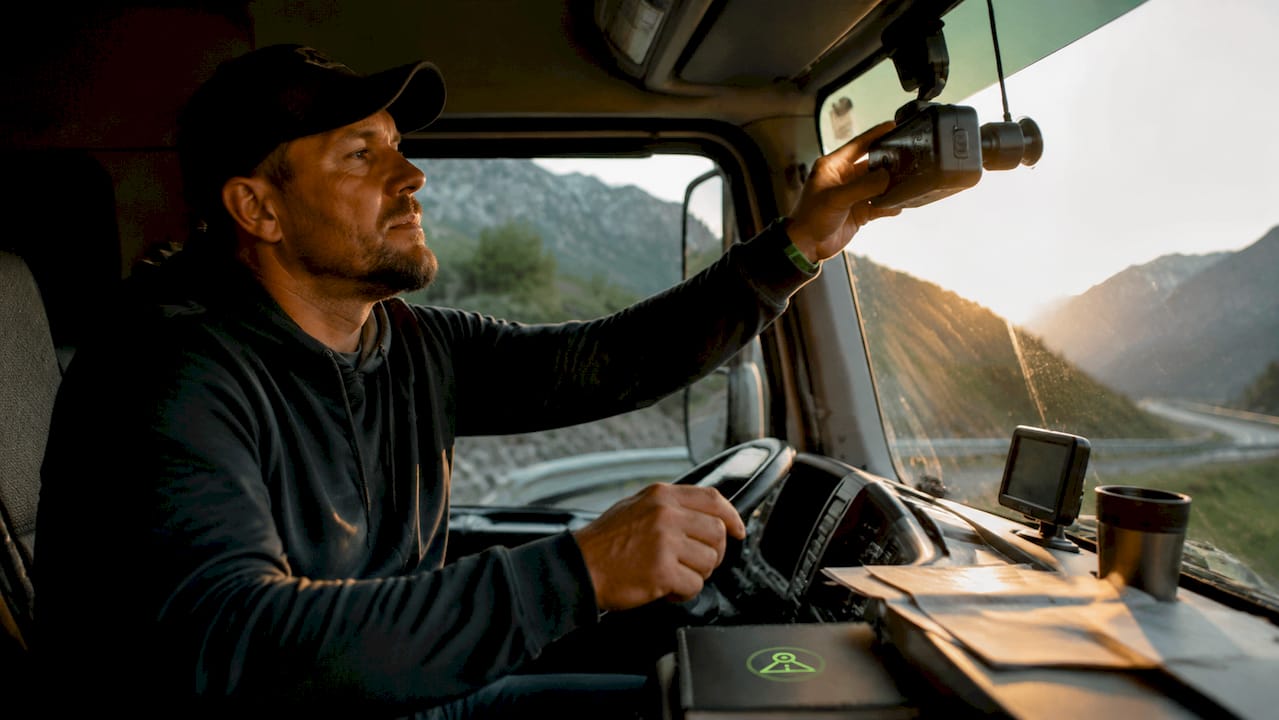
Commercial dashcams now offer GPS positioning accurate to within 2.5 meters, with dual-lens systems recording both the road ahead and the driver inside the cab. That accuracy matters. A 10-meter error in GPS data can place a truck in the wrong lane during a collision reconstruction. Sub-3-meter accuracy removes that ambiguity entirely.
The industry term for the broader category is fleet telematics, which covers GPS tracking, vehicle diagnostics, and driver behavior monitoring under one umbrella. Dashcam GPS route logging is the video-plus-location subset of telematics. Understanding that distinction helps you evaluate vendors who sell full telematics suites versus those who sell dashcam-only hardware with GPS add-ons.
What equipment do you need for gps-integrated dashcam systems?
The right hardware depends on whether you run a single truck or a fleet of 50. The core requirements stay consistent across both scenarios.
Dashcam types suited for trucking:
- Dual-lens systems (front and cab-facing): Required for driver coaching programs. Models like the BlackVue DR970X 2CH LTE record both road and driver simultaneously.
- 4K front-facing cameras: Best for capturing license plates and road signs at distance. The Thinkware U3000 is a well-reviewed option in this category.
- AI-enabled cameras: Detect distracted driving, drowsiness, and forward collision risk in real time.
GPS features that matter for trucking:
- Truck-specific routing (avoids low bridges, weight-restricted roads)
- Route playback with timestamped stops
- Geofencing alerts for unauthorized detours
- Integration with Electronic Logging Device (ELD) systems
Connectivity requirements:
- LTE-connected dashcams allow remote footage access without physically retrieving the SD card. Owner-operators prioritize integrated LTE and robust night vision over multi-user fleet management features.
- Cloud platforms like Samsara, Motive (formerly KeepTruckin), and Lytx handle multi-truck deployments and centralize footage review.
| Feature | Owner-Operator Priority | Fleet Manager Priority |
|---|---|---|
| Standalone LTE connectivity | High | Medium |
| AI driver coaching alerts | Medium | High |
| Cloud fleet dashboard | Low | High |
| Night vision quality | High | Medium |
| ELD integration | Medium | High |
Pro Tip: If you manage fewer than 5 trucks, a standalone LTE dashcam like the BlackVue DR970X gives you cloud access without paying for a full fleet telematics subscription.
How do you install and configure a dashcam and GPS for route logging?
Proper installation determines whether your system captures clean, usable footage or produces shaky, glare-washed video that helps no one. Follow these steps for a reliable setup.
-
Choose your mount location. Place the front camera behind the rearview mirror, centered on the windshield. This position minimizes driver obstruction and keeps the lens out of direct sunlight. For the cab-facing lens, mount it on the overhead console or A-pillar so it captures the driver’s face without pointing directly at the sun through the windshield.
-
Run a hardwire power connection. Plug-in adapters work for testing, but a hardwired connection to the fuse box provides stable voltage and enables parking mode. Use a low-profile fuse tap and route the cable along the headliner and A-pillar trim to keep the cab clean.
-
Enable parking mode correctly. Parking mode keeps the camera recording when the engine is off. Standard motion-triggered parking mode draws continuous power. Radar-based parking mode uses minimal power until nearby movement is detected, enabling days of surveillance without draining the truck battery. This matters on long layovers.
-
Sync GPS with your dashcam. Most modern dashcams acquire GPS signal automatically on first boot. Verify the GPS lock by checking the timestamp and coordinates in the camera’s companion app before your first run. If the GPS shows a location offset, recalibrate by driving a known route and comparing the playback track against a mapping app.
-
Connect to your cloud platform. Log into your fleet management software (Samsara, Motive, or a standalone app like DriveSight) and register the device. Set up automatic upload triggers: on WiFi connection, on ignition off, or continuous LTE streaming depending on your data plan.
-
Configure alert thresholds. Set speed thresholds, harsh braking sensitivity, and geofence boundaries in the platform dashboard. Start with manufacturer defaults and adjust after reviewing the first week of data.
-
Test before the first commercial run. Drive a 10-minute test loop. Review footage for lens clarity, GPS track accuracy, and audio quality. Confirm that incident clips save correctly and upload to the cloud.
Pro Tip: Use a battery protection module (sometimes called a voltage cutoff relay) on your hardwire kit. Set it to disconnect the dashcam if battery voltage drops below 12.2 volts. This prevents a dead battery on a cold morning after a long parking mode session.
For a detailed walkthrough specific to long-haul cabs, the truck cab setup guide on DriveSight covers mounting positions for sleeper berths and extended cab configurations.
How does GPS route logging improve safety and driver coaching?
Commercial dashcams have evolved from passive recording devices into active coaching tools embedded within fleet safety programs. The shift is significant. A camera that only records after an incident is reactive. A system that alerts a driver to drowsiness at mile 400 of a 600-mile run is preventive.
Real-world scenarios where combined GPS and video data resolve disputes:
- A shipper claims a delivery was late due to driver error. GPS route logs show a 45-minute traffic delay on I-80 that the driver could not avoid.
- A four-car pileup involves your truck. GPS data confirms your speed was 62 mph in a 65 mph zone, and the forward-facing video shows the car ahead braking without warning.
- A customer claims a load was damaged in transit. Accelerometer data embedded in the GPS log shows no harsh braking or impact events during the run.
AI coaching features including distracted driving alerts, drowsiness detection, and forward collision warnings give drivers real-time feedback rather than waiting for a post-trip review. Systems using YOLOv8-based object detection can identify phone use, eye closure patterns, and following distance violations within milliseconds.
“Dashcam programs require governance controls. Failure to establish clear policies leads to privacy pushback or lowered driver morale.” — GPS Tracking for Fleet Management
A formal driver notification policy is not optional. Drivers must know what is recorded, who reviews it, and under what circumstances footage is shared. Fleets that skip this step face union grievances, driver turnover, and in some states, legal liability. Build the policy before you install the first camera.
The dual-camera dashcam guide on DriveSight explains how inward-facing lenses work and what drivers should expect from cab monitoring programs.
Gps-only vs. GPS plus dashcam: what are the operational benefits?
GPS fleet tracking supports real-time location monitoring, route verification, preventive maintenance triggers, and driver behavior monitoring. Adding dashcam footage to that data layer multiplies the value of each data point.
GPS and dashcam integration drives fuel consumption reduction and maintenance scheduling efficiencies beyond what GPS alone delivers. The reason is context. GPS data shows that a driver idled for 40 minutes at a rest stop. Dashcam footage shows whether the engine was running for climate control or because the driver left the truck running while eating. That context changes the coaching conversation.
| Benefit Category | GPS Only | GPS + Dashcam |
|---|---|---|
| Route verification | Yes | Yes, with video confirmation |
| Incident liability defense | Partial (speed/location) | Full (video + speed + location) |
| Driver coaching | Behavior scores only | Behavior scores + video review |
| Fuel analysis | Idling time data | Idling time + context footage |
| Maintenance scheduling | Mileage and engine hours | Mileage + road condition context |
| Insurance negotiation | Limited | Strong (video evidence) |
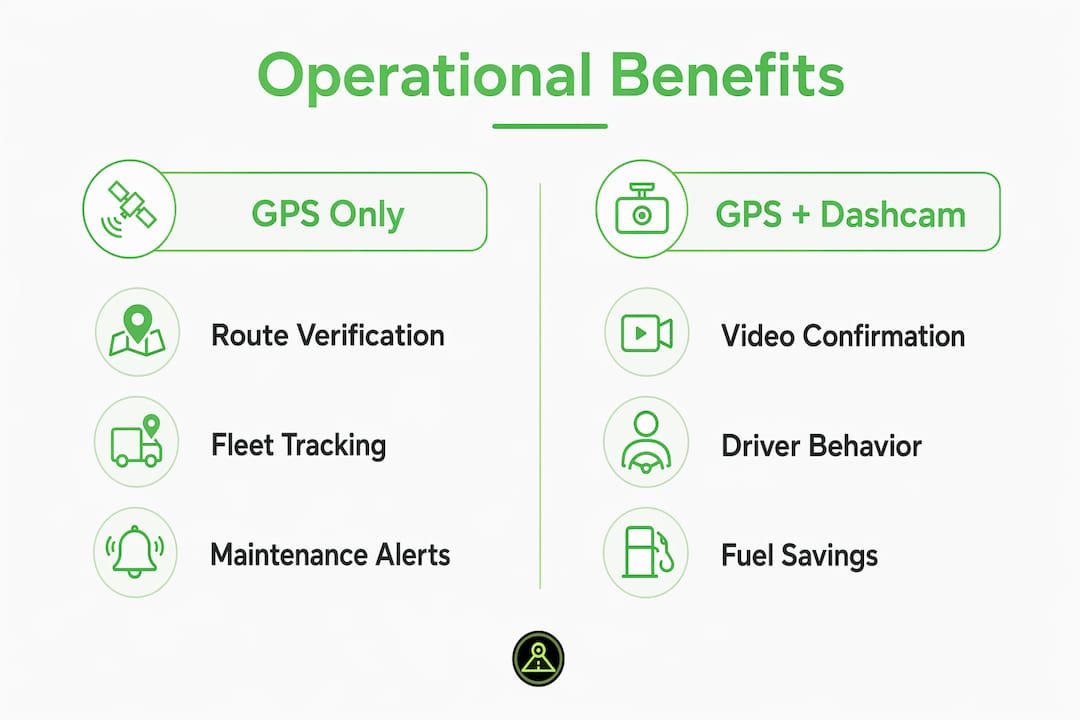
The ROI on GPS and dashcam integration is realized through fuel savings and reduced maintenance costs, not just by lowering accident liability. Fleets that track idling patterns and use route logs to identify inefficient paths typically see measurable fuel savings within the first quarter of deployment.
Pro Tip: Track your cost-per-mile before and after deploying a combined GPS and dashcam system. Measure fuel spend, maintenance events, and insurance premiums separately. Most fleets find the system pays for itself within 6–18 months.
What are the most common dashcam GPS troubleshooting issues?
Even well-installed systems run into problems. Knowing the common failure points saves hours of frustration and keeps your evidence chain intact.
Battery drain in parking mode is the most frequent complaint. Standard motion-triggered parking mode keeps the camera’s sensor active continuously. The fix is either a radar-based parking mode (available on Thinkware U3000 and similar models) or a voltage cutoff relay set to 12.2 volts.
Connectivity gaps in remote areas affect LTE-dependent systems. If your routes cross areas with poor cellular coverage, configure your system to store footage locally and sync when connectivity returns. Most cloud platforms queue uploads automatically.
Large file sizes from 4K cameras create storage and bandwidth problems. Premium 4K dashcams produce large files that require robust data management. Cloud-based fleet solutions handle multi-truck deployments better than standalone 4K cameras for teams running 5 or more vehicles. For smaller operations, a 1080p or 1440p camera with loop recording and a 256GB SD card is often more practical.
Best practices checklist for fleet rollout:
- Write and distribute a driver notification and consent policy before installation
- Test each unit on a short route before the first commercial run
- Set SD cards to loop recording so footage overwrites automatically after the retention period
- Schedule monthly SD card checks to catch card failures early
- Assign one person per fleet to review flagged incident clips within 24 hours
- Back up incident clips to cloud storage immediately after any collision or complaint
For managing footage at scale, the cloud storage guide on DriveSight covers retention policies, access controls, and storage cost comparisons for fleets of various sizes.
Key takeaways
Trucking dashcam GPS route logging delivers its full value only when video, location data, and organizational policy work together as one system.
| Point | Details |
|---|---|
| GPS accuracy matters | Sub-3-meter GPS accuracy is required for reliable incident reconstruction and route verification. |
| Radar parking mode saves batteries | Use radar-based parking mode on long layovers to avoid draining the truck battery. |
| Policy before hardware | Write a driver notification policy before installing any camera to prevent morale and legal issues. |
| 4K needs cloud backup | High-resolution footage requires cloud storage for fleets running 5 or more vehicles. |
| ROI goes beyond liability | Fuel savings and maintenance scheduling gains often deliver faster ROI than insurance benefits alone. |
What we’ve learned after years of watching fleets get this wrong
Most fleets buy the hardware first and figure out the policy later. That sequence causes most of the problems we see. Drivers discover cameras in their cabs without warning, trust breaks down, and the safety program becomes a surveillance program in everyone’s mind. The technology is not the hard part. The organizational change is.
The other pattern we see consistently: fleets treat GPS and dashcam data as a reactive tool. They pull footage after an incident. They check GPS logs when a customer complains. That approach captures maybe 20% of the system’s value. The fleets that get real results use the data proactively. They review AI coaching alerts weekly. They compare route efficiency across drivers on the same corridor. They use idling data to adjust driver scheduling before fuel costs spike.
We also think the industry underestimates what a smartphone-based system can do for owner-operators and small fleets. A dedicated hardware dashcam with LTE and GPS costs $400–$800 per unit plus a monthly subscription. An Android phone running a capable dashcam app with GPS integration costs nothing if you have a spare device. The video quality and GPS accuracy are comparable for most use cases. The gap is in enterprise fleet management features, which most owner-operators do not need anyway.
The future of this space is tighter AI integration. Object detection models like YOLOv8 already run on-device without cloud processing. Within two years, we expect real-time route risk scoring based on combined GPS speed data and forward-camera object detection to be standard in mid-range systems. The fleets building data habits now will have a significant advantage when those features arrive.
— Cyberlab Automation
Try DriveSight for gps-integrated dashcam recording
DriveSight turns any Android phone into a fully functional dashcam with GPS route logging, AI-powered detection, and cloud backup built in. You get crash detection, parking security mode, and real-time alerts for speed cameras and police traps from a database of over 336,000 locations worldwide. No dedicated hardware required.

The DriveSight app is free to download and works on phones you already own, making it a practical starting point for owner-operators and small fleets before committing to expensive hardware. For fleets that need remote footage access, the remote viewer feature lets managers review clips from any browser. If you run routes through areas with automated license plate readers, the ALPR alert guide explains how DriveSight’s live alerts work in practice.
FAQ
What is trucking dashcam GPS route logging?
Trucking dashcam GPS route logging is the synchronized capture of video footage and GPS data to document routes, driving behavior, and vehicle location in commercial trucking. Every video frame carries location, speed, and timestamp metadata for use in disputes, coaching, and route analysis.
How accurate does GPS need to be for trucking dashcams?
GPS positioning accuracy of 2.5 meters or better is the standard for commercial dashcam systems. That level of accuracy is sufficient for incident reconstruction and route verification without placing a vehicle in the wrong lane.
Does parking mode drain a truck battery?
Standard motion-triggered parking mode can drain a battery during long layovers. Radar-based parking mode uses minimal power until movement is detected nearby, making it the better choice for trucks parked overnight or across multi-day rest periods.
Do i need cloud storage for dashcam footage?
Cloud storage is strongly recommended for fleets running 5 or more vehicles. High-resolution footage generates large files that exceed local SD card capacity quickly. Cloud platforms also protect footage from being lost if a camera is stolen or damaged in an incident.
What policy do i need before deploying fleet dashcams?
A written driver notification and consent policy is required before installation. The policy must explain what is recorded, who has access, how long footage is retained, and under what circumstances clips are reviewed or shared with third parties.
Recommended
- Dashcam Setup for Long-Haul Truck Cabs: 2026 Guide
- What is road trip dashcam recording explained: your driver’s guide
- Road Trip Dashcam Footage Tips for Memorable Drives
- The Role of GPS in Dashcam Apps for Drivers
Get Phone Dashcam free
Loop recording, crash detection, GPS tracking, and AI object detection — all in your phone. No new hardware required.
Download Phone Dashcam