Dual-Camera Dashcam Mode Explained for Drivers in 2026
TL;DR:
- Dual-camera dashcams record two synchronized video streams from separate vehicle locations, enhancing coverage and evidence quality. Choosing the right configuration—front plus rear, front plus interior, or multi-camera—depends on specific driving risks and operational needs. High-endurance SD cards, proper wiring, and feature considerations like parking mode and GPS logging are essential for effective dual-camera systems.
Dual-camera dashcam mode is defined as a recording system that captures two synchronized video streams simultaneously from separate physical locations on your vehicle. Most commonly, this means a front-facing lens covering the road ahead and a second lens pointed at the rear window or the interior cabin. Systems like the BlackVue DR970X-2CH and DDPAI N3 Pro represent the current standard, with 4K primary and 2K secondary resolution becoming the norm in higher-end units. For commuters, rideshare drivers, and delivery operators, this dual-channel setup transforms a single device into a complete vehicle surveillance system. Understanding what dashcam dual mode actually does, and how it differs from a basic single-lens recorder, is the first step toward making a genuinely informed purchase.
What does dual-camera dashcam mode mean technically?
Dual-camera dashcam mode works by running two independent image sensors through a shared processor, writing both video streams to the same storage media with matched timestamps. The front camera typically handles the primary recording at the highest resolution available, while the secondary camera operates at a slightly lower resolution to manage the processing load. Synchronized video streams with accurate timestamps are what make this footage usable in insurance disputes and legal proceedings. Without synchronization, a two-second gap between feeds can make it impossible to establish the exact sequence of events during a collision.
How the hardware is physically arranged
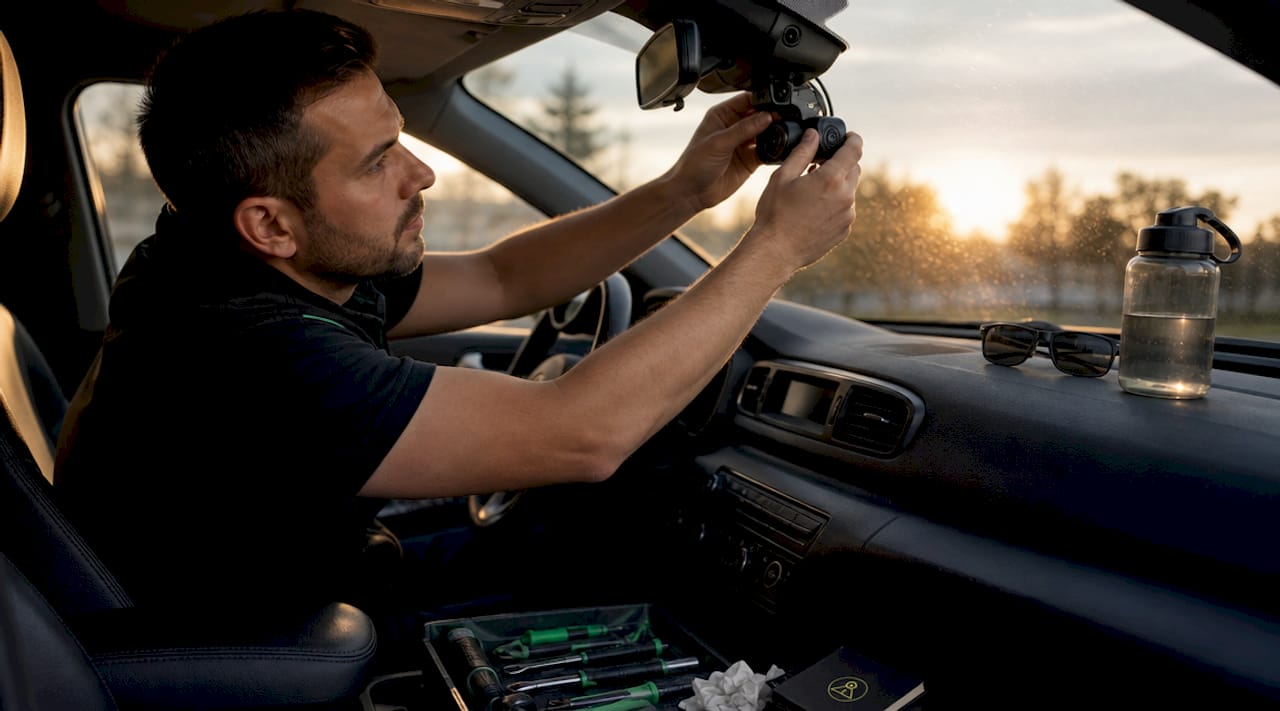
The front unit mounts to the windshield near the rearview mirror and houses the main processor, GPS receiver, and primary lens. The rear camera attaches to the back windshield or rear cabin area and connects to the front unit via a thin cable routed along the headliner and door trim. Some manufacturers use digital transmission between cameras to send both power and data over a single cable, which reduces wiring complexity and lowers the risk of damaging interior trim during installation.
Storage and processing demands
High-resolution dual systems generate large data streams that require specialized sync architecture to avoid timestamp discrepancies and dropped frames. A 4K front feed combined with a 2K rear feed can consume 6 to 10 gigabytes of storage per hour depending on compression settings. This is why most manufacturers specify Class 10 or UHS-I rated media as the minimum, and why many experienced users upgrade immediately to purpose-built cards.
- Two independent sensors feed into one shared processor for synchronized output
- Timestamp matching across both streams is critical for legal admissibility
- Cable routing from front to rear typically runs 15 to 20 feet through headliner trim
- Power draw is higher than single-lens units, making hardwire kits the preferred installation method
- Loop recording overwrites the oldest footage on both streams simultaneously to manage storage
Pro Tip: Use a high-endurance SD card rated for dashcam use, such as the Samsung PRO Endurance or SanDisk High Endurance series. Standard cards are not built for the continuous read/write cycles that dual-channel recording demands, and footage corruption from an inadequate card is one of the most common reasons crash footage becomes unusable.
What are the real benefits of dual-camera dashcams?
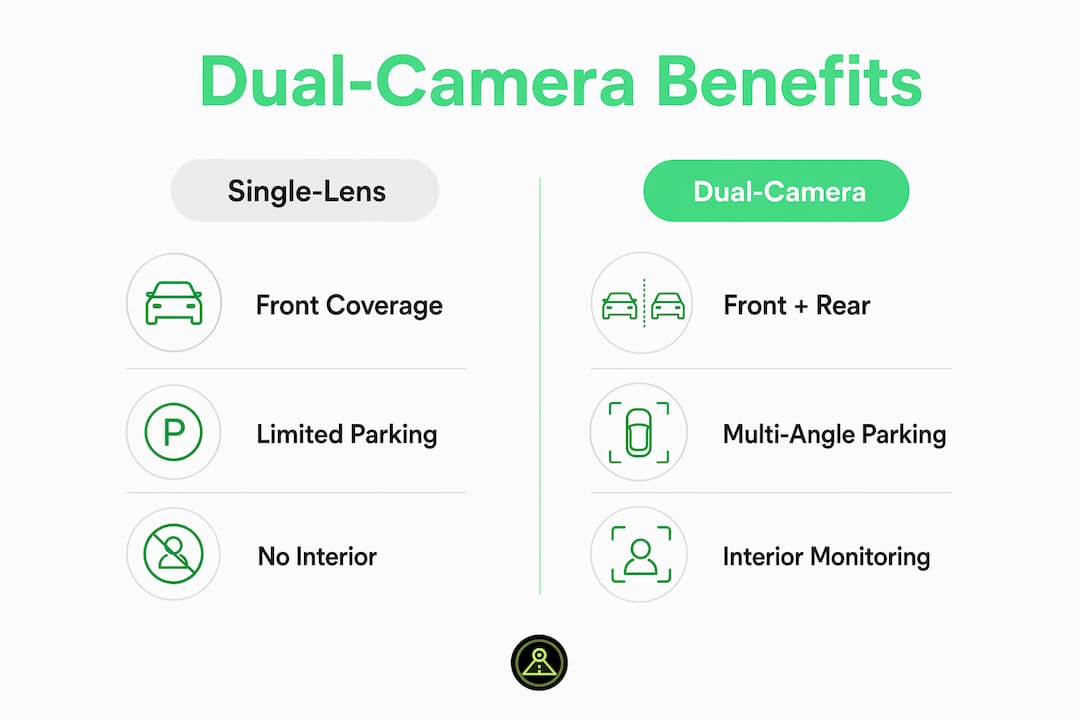
The core advantage of a dual-camera dashcam over a single-lens model is coverage without blind spots. A front-only recorder captures what happens ahead of you but leaves the rear of your vehicle completely unmonitored. Rear-end collisions, which account for a significant share of urban accident claims, produce no usable footage on a single-lens setup. Dual-camera systems provide accountability from two directions, correcting the widespread misconception that any dashcam delivers equal proof regardless of configuration.
Parking mode protection from multiple angles
Parking mode in dual-camera systems activates both cameras when the vehicle is stationary, providing multi-angle surveillance against hit-and-run incidents and vandalism. A single-lens unit parked facing a wall captures nothing useful if someone backs into your rear bumper. With both cameras active, you get the license plate of the departing vehicle from the rear lens and a timestamp-matched wide shot from the front. This directly improves your position in insurance disputes by eliminating the “no footage” defense.
| Feature | Single-lens dashcam | Dual-camera dashcam |
|---|---|---|
| Front road coverage | Yes | Yes |
| Rear collision evidence | No | Yes |
| Interior cabin recording | No | Yes (front + interior config) |
| Parking mode angles | 1 | 2 |
| Insurance dispute strength | Limited | Significantly stronger |
For rideshare drivers using platforms like Uber or Lyft, the interior cabin configuration adds a layer of passenger accountability that a rear-facing lens cannot provide. Delivery drivers operating for Amazon Flex or DoorDash benefit from rear coverage that documents tailgating and rear-end impacts during stop-and-go urban routes. Fleet operators see the broadest return, since multi-angle footage reduces fraudulent claims and supports driver coaching programs.
Which dual-camera configuration is right for your driving situation?
Dual-channel technically includes any two-angle combination, not just front and rear. The term covers front plus rear, front plus interior, and even left plus right mirror configurations in some commercial vehicles. Choosing the wrong configuration before purchase is a costly mistake because most systems cannot be reconfigured post-installation without replacing the secondary camera unit entirely.
Here is how to match configuration to your actual risk profile:
-
Front plus rear is the right choice for general commuters, highway drivers, and anyone frequently driving in heavy traffic where rear-end collisions and tailgating are the primary risks. This is the most widely sold configuration and covers the majority of accident scenarios.
-
Front plus interior cabin suits rideshare drivers, taxi operators, and anyone transporting passengers professionally. Interior cameras document passenger behavior, protect against false assault claims, and satisfy the dashcam disclosure requirements that platforms like Uber now recommend in many jurisdictions. Read more about rideshare dashcam requirements before selecting your setup.
-
Triple channel or multi-camera systems add a third lens, typically a second interior or a dedicated side-view camera, and are most common in commercial trucks, school buses, and delivery vans. These setups require more processing power, more storage, and often a dedicated fleet management platform.
-
Android dual-camera apps represent a fourth option that many drivers overlook. A phone mounted on the windshield running a dual-camera app can use the device’s front-facing selfie camera as the interior lens and the rear camera as the road-facing lens, turning a single Android device into a front and rear dashcam without any additional hardware.
Risk-driven camera selection is the most important factor in this decision. Interior cameras protect against passenger liability; rear cameras protect against collision fraud. Picking based on price alone often means buying the wrong tool for your specific situation.
What to consider before buying a dual-camera dashcam
Entry-level single-lens dashcams start under $100, while advanced dual-camera systems frequently exceed $250. Professional-grade multi-channel fleet systems add management software and high-capacity storage costs on top of the hardware price. That price gap is real, but so is the coverage gap between a $79 front-only recorder and a $280 dual-channel system with parking mode and GPS logging.
Key features to evaluate before purchase
- Resolution pairing: Look for at least 1080p on the rear camera if the front shoots 4K. A 4K front paired with a 480p rear produces mismatched evidence quality that can undermine your case.
- Parking mode type: Motion-triggered parking mode conserves battery; hardwired low-voltage cutoff parking mode provides continuous protection without draining your battery below start threshold.
- GPS logging: GPS data embedded in footage timestamps your speed and location, which is critical for disputing speeding allegations or proving you were stationary during a parking incident.
- App and cloud connectivity: Systems with companion apps allow you to review footage remotely. Cloud backup protects footage even if the unit is stolen or destroyed in a fire.
- Storage media: High-endurance SD cards are not optional for dual-channel recording. Budget for a Samsung PRO Endurance 128GB or equivalent alongside the unit itself.
Pro Tip: Before routing cables yourself, check whether your vehicle’s headliner trim is clipped or glued. Clipped trim panels on most modern sedans and SUVs allow clean cable routing in under an hour. Glued headliners, common on some European vehicles, require professional installation to avoid permanent damage. Digital transmission systems that run power and data over one cable cut the routing time roughly in half.
| Consideration | Budget tier (under $150) | Mid-range ($150 to $300) | Professional (over $300) |
|---|---|---|---|
| Typical resolution | 1080p front, 1080p rear | 2K front, 1080p rear | 4K front, 2K rear |
| Parking mode | Motion trigger only | Hardwire with low-voltage cutoff | Full-time with buffered recording |
| Cloud connectivity | Rarely included | Optional via Wi-Fi | Standard with LTE in some models |
| GPS logging | Sometimes | Usually | Always |
| Recommended storage | 64GB Class 10 | 128GB high-endurance | 256GB high-endurance |
For Android users, the DriveSight Phone Dashcam app offers a practical alternative to dedicated hardware. It supports dual-camera recording modes using your phone’s existing cameras, includes parking security mode, and stores footage locally with optional cloud backup, all without the wiring complexity of a hardwired hardware unit.
Key takeaways
Dual-camera dashcam mode captures two synchronized video streams simultaneously, and choosing the right configuration based on your specific driving risk is more important than the price you pay.
| Point | Details |
|---|---|
| Core definition | Dual-camera mode records two synchronized video feeds from separate vehicle locations at the same time. |
| Configuration matters | Front plus rear suits most drivers; front plus interior is the right choice for rideshare and professional operators. |
| Storage is critical | High-endurance SD cards are required for dual-channel recording to prevent footage corruption during incidents. |
| Parking mode value | Both cameras activate when parked, providing multi-angle evidence against hit-and-run and vandalism claims. |
| Android as an option | A dual-camera Android dashcam app can replicate hardware functionality without wiring or hardware investment. |
Why configuration beats resolution every time
We have tested and reviewed dashcam setups across personal vehicles, rideshare fleets, and long-haul trucks, and the single most consistent finding is this: drivers who buy the wrong configuration regret it far more than drivers who bought a slightly lower resolution. A 4K front-only camera does nothing for the driver who gets rear-ended at a red light. A 1080p front-plus-rear system with GPS logging wins that insurance dispute every time.
The technology trend in 2026 is moving toward higher resolution secondary cameras and tighter integration with cloud platforms, which is genuinely useful. But we see too many drivers chasing spec sheets when they should be asking a simpler question: where is my actual risk? If you drive in a city with aggressive traffic, rear coverage is non-negotiable. If you carry passengers for income, interior recording is not optional. If you park overnight in unmonitored lots, parking mode with both cameras active is the feature that earns its cost back fastest.
One area we think is underappreciated is the Android app approach. Repurposing a spare Android phone as a dual-channel dashcam costs nothing in hardware and delivers GPS logging, cloud backup, and AI detection that most sub-$200 dedicated units do not include. It is not the right solution for every driver, but for commuters and rideshare operators who already carry a spare device, it closes the coverage gap immediately.
— Cyberlab Automation
Turn your Android phone into a dual-camera dashcam today
DriveSight’s Phone Dashcam app transforms any Android device into a fully functional dashcam with dual-camera support, AI-powered object detection via YOLOv8, and real-time alerts from a database of over 336,000 speed cameras and police traps worldwide.

The app supports front and rear simultaneous recording, automatic crash save using accelerometer-based impact sensing, and parking security mode that activates motion detection when your vehicle is stationary. Cloud backup keeps your footage safe even if your phone is lost or damaged. You can start with the free tier and upgrade only when you need advanced features. Visit Phone Dashcam to download the app and see the full feature list for 2026.
FAQ
What does dual-camera dashcam mode mean?
Dual-camera dashcam mode means the device records two separate video streams simultaneously, typically from a front-facing and a rear-facing or interior-facing lens, with synchronized timestamps for use as evidence.
Can I switch from front plus rear to front plus interior after buying?
Most dual-camera dashcam systems cannot be reconfigured post-installation because the secondary camera is physically built for a specific angle. Confirm your configuration need before purchase.
Do I need a special SD card for dual-channel recording?
Yes. Standard SD cards are not rated for the continuous read/write demands of dual-channel recording. Use a high-endurance card like the Samsung PRO Endurance or SanDisk High Endurance to prevent footage corruption during incidents.
Is a dual-camera dashcam worth the extra cost?
For most drivers, yes. The ability to capture rear-end collision evidence and activate parking mode on both cameras provides significantly stronger insurance and legal protection than a single-lens unit at a fraction of the cost difference.
Can an Android phone app replace a hardware dual-camera dashcam?
A dual-camera Android dashcam app uses the phone’s front and rear lenses to replicate hardware functionality, including GPS logging, cloud backup, and AI detection, without any wiring or hardware investment.
Recommended
- Dual Camera Dashcam Android — Record Front and Rear Simultaneously (2026)
- Dashcam recording modes explained for Android drivers
- Set up a dual front and rear Android dashcam
- How to Activate Dashcam Parking Security Mode in 2026
Get Phone Dashcam free
Loop recording, crash detection, GPS tracking, and AI object detection — all in your phone. No new hardware required.
Download Phone Dashcam