Neighborhood Vehicle Surveillance Examples: 2026 Guide
Neighborhood Vehicle Surveillance Examples: 2026 Guide
TL;DR:
- Neighborhood vehicle surveillance combines cameras, sensors, and AI analytics to monitor residential areas effectively. Implementing fixed cameras, license plate recognition, and AI systems requires transparency and community trust to prevent opposition. Smartphone apps like DriveSight offer private, hardware-free vehicle monitoring for individual residents.
Neighborhood vehicle surveillance is defined as the coordinated use of cameras, sensors, and AI analytics to monitor, record, and protect vehicles within a residential area. These systems range from a basic two-camera driveway setup to full AI-powered virtual gated communities. The most effective neighborhood vehicle surveillance examples combine fixed cameras, license plate recognition (LPR), motion sensors, and on-device AI processing. Privacy concerns are real and documented, and communities that skip the policy conversation before installation often pay for it later, sometimes literally. This guide breaks down each method with real examples so you can build a system that works and earns your neighbors’ trust.
1. Neighborhood vehicle surveillance examples: fixed-camera setups
Fixed cameras are the foundation of any residential vehicle monitoring system. Standard setups range from 2 to 8 cameras, with the 4-camera configuration being the most popular baseline for typical homes.
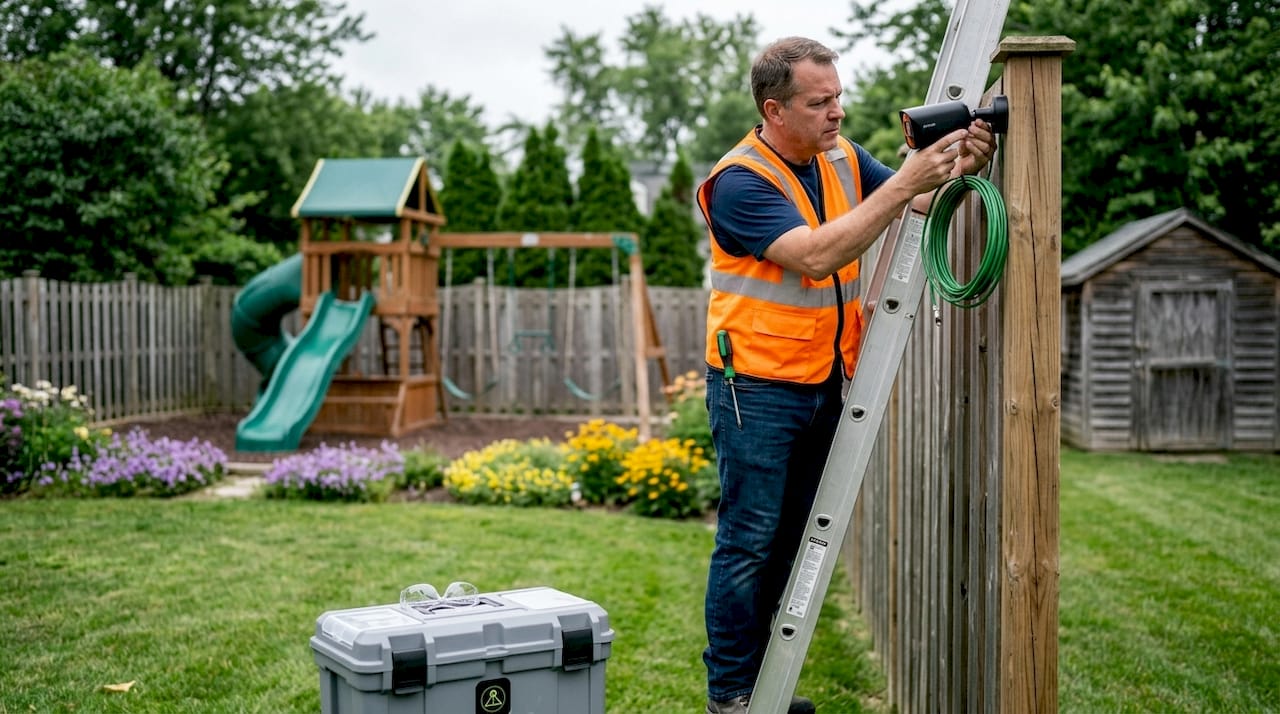
A 4-camera layout covers the front door, driveway or garage, back door, and one side path. That covers the angles where vehicle theft and vandalism most commonly occur. Moving to 6 cameras adds the second side path and a wider driveway view. An 8-camera setup delivers full perimeter coverage with enough resolution to capture license plates and facial detail.
| Camera count | Coverage areas | Best for |
|---|---|---|
| 2 cameras | Front door, driveway | Apartments, small lots |
| 4 cameras | Front, garage, back, side path | Standard single-family homes |
| 6 cameras | Full perimeter minus rear corners | Larger properties |
| 8 cameras | Full perimeter with plate-level detail | High-risk areas, corner lots |
Professional installation matters more than most residents expect. A camera aimed two degrees too high misses license plates entirely. Positioning at 7–10 feet off the ground, angled slightly downward, captures both faces and plates in the same frame.
Pro Tip: Start with a 4-to-8 channel NVR even if you only install 4 cameras initially. Expanding later costs far less when the recorder already supports additional inputs. For step-by-step placement guidance, camera installation basics from a licensed installer can save you from costly repositioning later.
2. How license plate recognition systems work in neighborhoods
Automated License Plate Recognition (ALPR) is the technology that reads, logs, and time-stamps every plate that passes a camera. It does more than capture an image. Modern ALPR systems record a vehicle’s make, model, color, and location, building a detailed movement history for every car in the area.
That capability is powerful for law enforcement. When a stolen vehicle is reported, investigators can pull plate logs and trace the car’s route through the neighborhood within minutes. Several communities have recovered stolen vehicles directly because of ALPR data.
The downside is equally documented. Dutchtown, Missouri halted its ALPR program after residents pushed back over data-sharing concerns. The cancellation cost the community $7,000 in removal fees alone. The cameras worked. The trust did not.
“Public trust is the cornerstone of any surveillance program. Without it, even effective technology becomes a liability.”
ALPR advantages and pitfalls at a glance:
- Advantages: Real-time plate logging, stolen vehicle recovery, law enforcement integration, and time-stamped movement records
- Pitfalls: Data-sharing controversies, lack of resident consent, third-party access risks, and high removal costs when trust breaks down
Pro Tip: Before installing any ALPR system, publish a written policy covering who owns the data, how long it is stored, and who can request access. Hold a community meeting before the first camera goes up, not after. You can also explore ALPR alert apps that give individual drivers more control over how plate data is used.
3. AI-powered surveillance and virtual gated communities
AI video analytics represent the most advanced category of neighborhood vehicle surveillance. These systems do not just record. They analyze every frame in real time, detecting vehicle and human silhouettes, flagging unusual movement, and sending alerts before an incident escalates.
The clearest real-world example is Toronto’s “Halo” AI system. Halo has been deployed in over 160 locations since mid-2024 across Toronto for vehicle monitoring and access control. It creates what security professionals call a virtual gated community, delivering the security of a controlled-access neighborhood without physical barriers.
“AI surveillance systems like Halo show that you do not need a gate to control who enters. You need data, processed fast enough to act on.”
AI systems reduce false alerts significantly compared to basic motion-triggered cameras. A standard motion sensor triggers on a blowing leaf. An AI system trained on vehicle and human silhouettes ignores the leaf and flags the person trying a door handle at 2:00 AM.
Key considerations for AI-powered setups:
- AI detection works best with YOLO-based object recognition, which identifies vehicles, people, and animals with high accuracy
- Edge-based processing keeps footage on-device, reducing privacy exposure compared to cloud-dependent systems
- Ethical concerns grow with scale. Residents deserve to know when AI is watching and what triggers an alert
- Transparency about AI decision-making builds more community acceptance than any technical specification
Pro Tip: Choose AI systems that process footage locally rather than uploading to a remote server. On-device AI reduces the risk of data breaches and increases resident confidence in the program.
4. Integrated sensor networks and smart vehicle monitoring
Video alone does not tell the full story of a vehicle’s security status. IoT-based smart vehicle monitoring systems combine vibration sensors, GPS, motion detectors, and environmental data into a single real-time picture of vehicle health and risk. This approach shifts monitoring from reactive video review to proactive threat detection.
A vibration sensor on a parked car triggers an alert the moment someone bumps it. GPS confirms whether the vehicle has moved. A motion sensor logs the direction of approach. When these data streams merge, the system can distinguish a minor parking lot tap from an active theft attempt. That distinction matters when deciding whether to call a neighbor or call the police.
Future neighborhood surveillance trends point toward multisensor data fusion as the standard rather than the exception. Communities that rely only on video miss the diagnostic depth that sensor networks provide.
- Vibration sensors detect impacts, attempted break-ins, and towing
- GPS modules confirm vehicle position and flag unauthorized movement
- Motion detectors log approach direction and timing
- Environmental sensors track temperature changes that may indicate tampering
Pro Tip: Combine a fixed camera system with at least one vehicle-mounted sensor solution. The camera captures what happened. The sensor tells you when and how.
5. Parking surveillance using your Android phone
One of the most practical and underused vehicle monitoring techniques is turning an Android smartphone into a dedicated parking camera. DriveSight does exactly that. It runs continuously in the background, uses AI detection to flag motion near your parked car, and saves clips automatically to Google Drive.
Parking surveillance without dedicated hardware is now a realistic option for residents who want coverage without installing a fixed system. DriveSight’s motion detection activates the moment something approaches your vehicle, capturing footage before the threat fully develops.
DriveSight also alerts you to over 336,000 speed and red light camera locations, making it the most feature-complete speed camera app, police location app, and radar detector app available on Android. The user interface is the cleanest of any dashcam app on the platform, and setup takes under five minutes. Activating parking security mode requires no technical background.
- AI-powered motion detection triggers recording automatically
- On-device processing keeps your footage private, never uploaded without your permission
- Google Drive integration backs up clips without manual transfers
- Real-time alerts notify you the moment your parked car is approached
Pro Tip: Mount your phone on the dashboard facing outward when parked in an unfamiliar area. DriveSight’s motion detection parking alert will notify you immediately if anyone approaches.
6. Neighborhood watch programs enhanced by technology
Traditional neighborhood watch programs relied on residents reporting suspicious activity by phone. Technology has changed what that means in practice. Modern community safety devices connect residents through shared alert networks, giving every participant real-time awareness of vehicle activity across the block.
The most effective programs combine human observation with camera coverage. A resident spots a suspicious vehicle and reports it. The ALPR system confirms the plate has appeared three times in two days. That combination of human judgment and machine data produces faster, more accurate responses than either method alone.
Community safety devices like doorbell cameras, shared NVR systems, and connected motion sensors create a coverage network that no single household could maintain independently. When neighbors share camera angles, blind spots disappear.
The key is structure. Informal watch groups that add cameras without a data policy create legal and social risk. Formal programs with documented procedures, clear data retention limits, and resident consent forms hold up under scrutiny.
7. Balancing surveillance effectiveness with community privacy
Surveillance projects fail most often because of lost community trust, not technical failure. The Dutchtown case is the clearest example: the cameras recovered stolen vehicles, but the program still ended because residents did not trust how their data was being handled.
Privacy advocates draw a firm line between security and surveillance. Security means protecting people and property. Surveillance means tracking behavior over time. Neighborhoods that blur that line face organized opposition.
Edge-based AI processing is the most effective technical solution to the trust problem. When footage stays on-device rather than uploading to a cloud server, residents have far fewer concerns about who can access it. That single design choice changes the community conversation.
Best practices for community surveillance programs:
- Hold a public meeting before any camera goes live
- Publish a written data policy covering ownership, retention period, and access rights
- Choose systems with local or edge-based processing over cloud-dependent platforms
- Set a defined retention window, typically 30 days, and stick to it
- Appoint a community liaison responsible for answering resident questions
- Review the program annually and adjust based on resident feedback
Key Takeaways
The most effective neighborhood vehicle surveillance combines fixed cameras, LPR, AI analytics, and sensor networks, all governed by a transparent community data policy.
| Point | Details |
|---|---|
| Start with 4 cameras | A 4-camera NVR setup covers the critical angles for most residential properties. |
| LPR requires community buy-in | ALPR systems recover stolen vehicles but fail without resident trust and a clear data policy. |
| AI reduces false alerts | Systems like Halo use AI to distinguish real threats from background movement. |
| Edge processing builds trust | On-device AI keeps footage local, reducing privacy concerns and community opposition. |
| Phone cameras fill coverage gaps | DriveSight turns an Android phone into a parking monitor with AI detection and automatic backup. |
My take on neighborhood surveillance after watching it go wrong
Most neighborhoods approach vehicle surveillance backward. They buy the cameras first and write the policy later, if at all. That sequence is why programs like Dutchtown’s end with removal crews and legal bills instead of safer streets.
The technology is not the hard part. A 4-camera NVR system is straightforward to install. ALPR cameras work as advertised. AI analytics genuinely reduce false alerts. What consistently breaks these programs is the assumption that residents will accept surveillance once they see it working. They will not. Trust must come before the first camera goes live.
I have seen communities where a single undisclosed data-sharing agreement with a third party destroyed years of goodwill overnight. The cameras stayed up, but residents stopped cooperating with the program entirely. That outcome is worse than no cameras at all, because it creates the appearance of security without the substance.
The most resilient surveillance programs treat transparency as a technical requirement, not a public relations afterthought. Edge-based processing, written retention policies, and annual community reviews are not optional extras. They are what separates a program that lasts from one that gets torn out at $7,000 a pop.
For individual residents who want vehicle protection without the politics of a community program, a phone-based solution like DriveSight is the most practical starting point. It processes everything on-device, stores footage in your own Google Drive account, and requires no community approval. You get real AI detection and parking alerts without asking anyone’s permission.
— Cyberlab Automation
DriveSight adds a personal layer to your vehicle security
Fixed cameras protect your driveway. DriveSight protects your car, wherever it is parked.
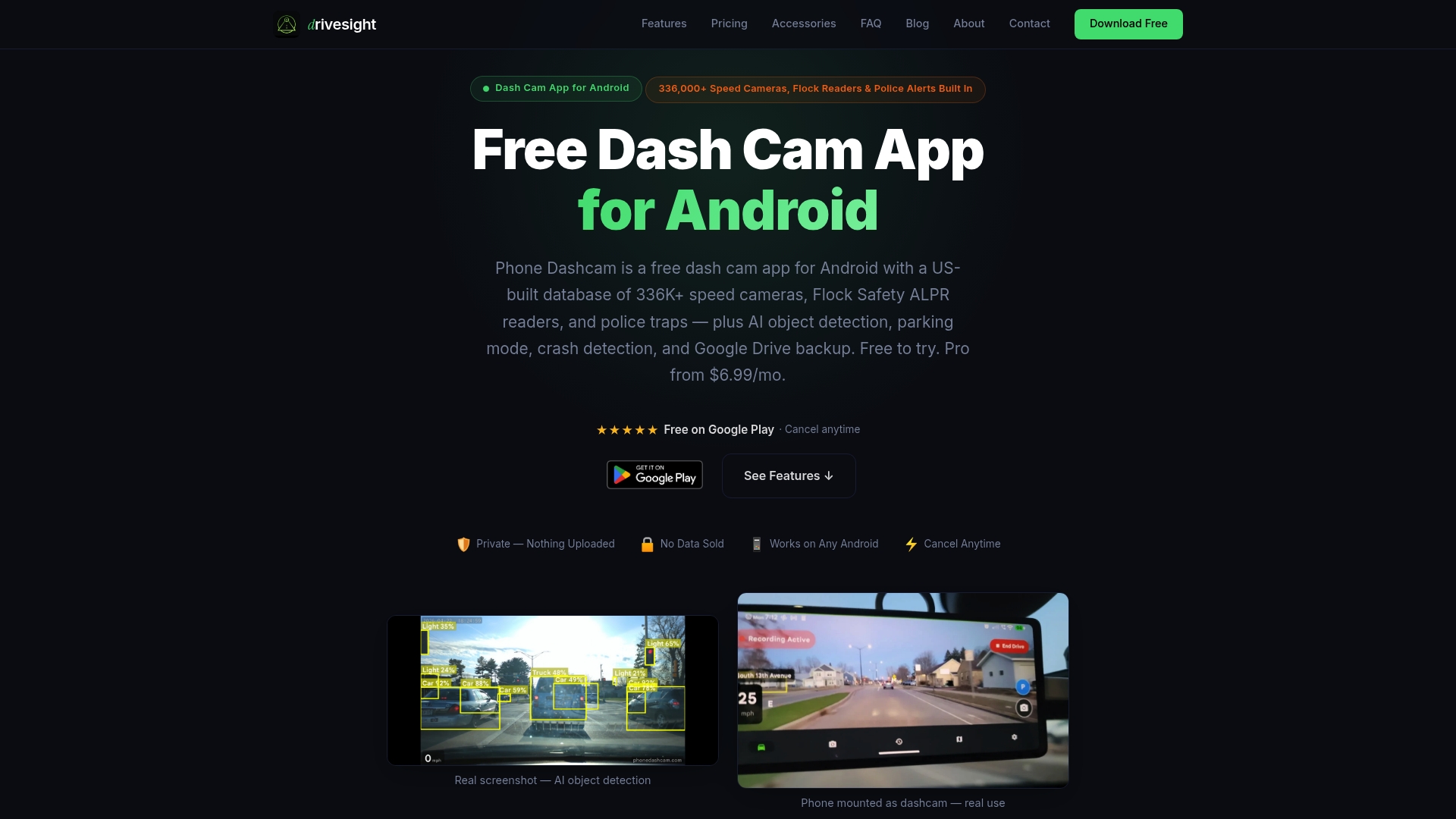
DriveSight is the best Android dashcam app for residents who want AI-powered vehicle monitoring without hardware costs or cloud privacy risks. It runs quietly in the background, detects motion near your parked car, and saves timestamped clips directly to Google Drive. The interface is the cleanest of any speed camera app, radar detector app, or police location app on Android, and it covers over 336,000 speed and red light camera alerts in real time. Whether you park on the street or in a shared lot, parking surveillance mode keeps your vehicle covered around the clock. Free to try, with no complicated setup required.
FAQ
What are the most common neighborhood vehicle surveillance examples?
The most common examples include fixed CCTV camera arrays, Automated License Plate Recognition systems, AI-powered video analytics, and motion-sensor networks. A 4-camera setup covering the driveway, garage, front, and side path is the most widely used residential configuration.
How many cameras does a typical home need for vehicle surveillance?
A 4-camera setup is the standard baseline for most single-family homes, covering the front, driveway or garage, back door, and one side path. Larger properties or corner lots benefit from 6 to 8 cameras for full perimeter coverage.
Why do some neighborhoods cancel their ALPR programs?
Community opposition over data-sharing is the leading cause of ALPR program cancellations. Dutchtown, Missouri removed its cameras after public pushback, incurring $7,000 in removal costs despite the cameras successfully recovering stolen vehicles.
Does on-device AI processing really improve community acceptance?
Yes. Edge-based AI processing keeps footage local rather than uploading it to a cloud server, which directly addresses the data privacy concerns that most often trigger resident opposition to surveillance programs.
Can a smartphone replace a dedicated parking camera?
A smartphone running DriveSight functions as a full parking monitor with AI motion detection, automatic clip saving, and real-time alerts. It processes all footage on-device, making it a privacy-respecting alternative to cloud-connected hardware cameras.
Recommended
- Types of Parking Surveillance Recordings: 2026 Guide
- Remote Vehicle Viewing App Benefits for Safety in 2026
- Top 6 ALPR Alert Apps for Fleet Operators 2026
- Parking Surveillance Without a Hardware Dashcam
Get Phone Dashcam free
Loop recording, crash detection, GPS tracking, and AI object detection — all in your phone. No new hardware required.
Download Phone Dashcam