How Multi-Camera Parking Setups Work in 2026
How Multi-Camera Parking Setups Work in 2026
TL;DR:
- Multi-camera parking systems use synchronized AI-powered cameras mounted above drive aisles to detect vehicle occupancy and guide drivers with real-time visual cues. They outperform traditional sensors by offering flexible reconfiguration, deeper analytics, and higher detection accuracy, making them ideal for dynamic parking facilities. DriveSight enhances vehicle safety by providing an Android app with dashcam recording, parking security, and live alerts, complementing the system’s capabilities.
How does a multi-camera parking setup work?
A multi-camera parking setup uses synchronized cameras combined with AI to detect vehicle presence, read license plates, and guide drivers to open spaces with real-time visual cues. These systems mount HD cameras on ceiling channels above drive aisles, with each sensor monitoring 3–6 bays simultaneously. Occupancy data flows instantly to digital signage and driver apps, so you always know where to go before you even turn down the aisle.
Here is what happens from the moment you pull into a garage:
- Detection: AI algorithms analyze each camera’s feed to classify spaces as occupied or vacant
- License plate recognition (LPR): Cameras read plates in real time for access control and payment reconciliation
- Overlap resolution: A central server reconciles data from cameras with shared fields of view, preventing double counts
- Visual guidance: Color-coded indicators (green for available, red for occupied, blue for reserved) direct you to open spaces
- Data output: Occupancy updates push to wayfinding signs and connected apps at up to 10 spaces per second
Advanced systems reach very high detection accuracy even under challenging lighting, which is why camera-based guidance has become the standard for modern parking facilities.
What technical components power these systems?
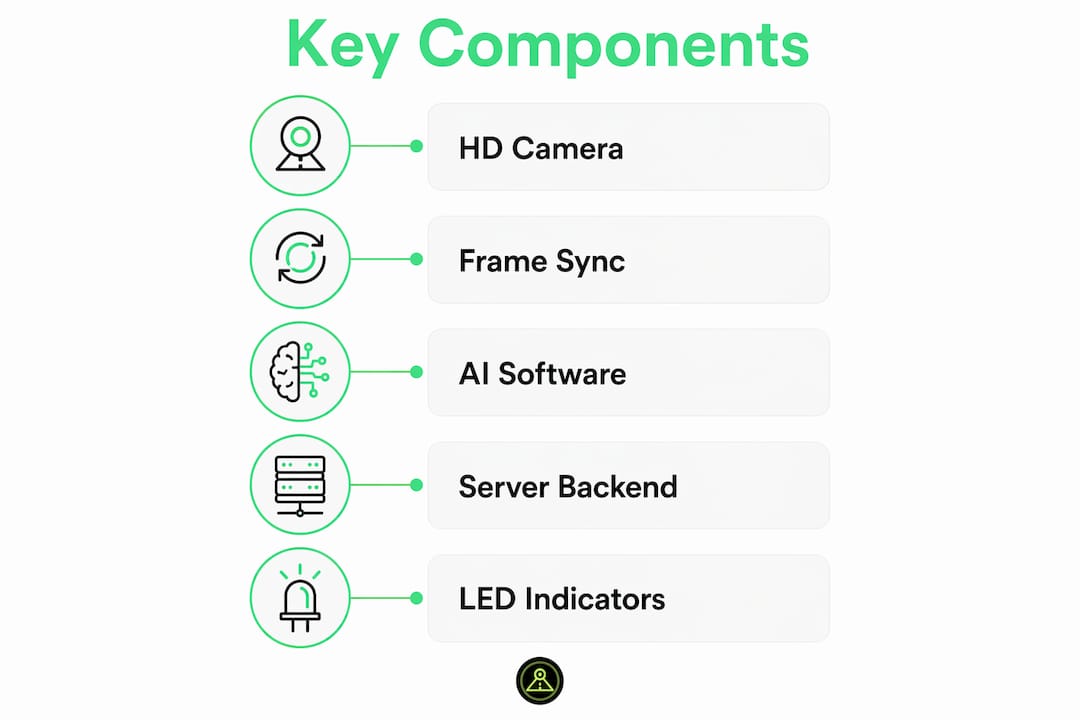
The hardware behind a multi-camera parking system is more layered than most drivers realize. Cameras come in HD fixed, fisheye, and multi-lens configurations, each chosen based on bay geometry and coverage needs. Multi-lens units reduce per-area camera counts by 30–50% while delivering better pixel density on license plates and vehicle details.
Key components in a typical installation:
- M5-style smart sensors: Single or dual-camera units snapped into aluminum ceiling channels above each drive aisle
- Power cabinets: Mounted on walls or columns to supply and regulate voltage across the sensor network
- Pre-terminated CAT6 cabling: Daisy-chains sensors and signs; PoE injectors carry both data and power on one run
- Frame synchronization: NTP or PTP protocols align timestamps across cameras so stitched images are seamless and accurate
- Central server software: Resolves overlapping views and publishes unified occupancy data to signs and APIs
Pro Tip: Run your commissioning check immediately after cabling. Verify LED patterns on each sensor and confirm backend communication before drivers ever enter the facility.
| Component | Function | Key Spec |
|---|---|---|
| HD/fisheye camera | Space detection and LPR | Up to 99.5% detection accuracy |
| CAT6 cabling + PoE | Power and data delivery | Pre-terminated runs |
| NTP/PTP sync | Frame alignment | Sub-millisecond timing |
| Central server | Overlap resolution | 10 spaces/sec throughput |
| Power cabinet | Voltage regulation | Stable across long cable runs |
Why camera systems outperform traditional parking sensors
Loop-based ground sensors require physical rewiring every time a parking layout changes. Camera-based systems reconfigure through software, which cuts both downtime and labor costs. That flexibility alone makes cameras the preferred choice for facilities that adjust layouts seasonally or add reserved zones for EV charging.
- Software reconfiguration: Reassign monitored bays without touching hardware
- Lower lifecycle costs: No pavement cutting or loop replacement when layouts shift
- Better coverage per unit: One multi-lens camera covers what previously required two or three single-lens devices
- AI analytics: Camera systems generate vehicle dwell times, peak-hour heatmaps, and LPR logs that loop sensors simply cannot produce
- Resilience: Detection-based systems handle partial vehicle occlusions and variable weather far better than magnetic loops
Camera-based guidance consistently outperforms loop sensors on both adaptability and total cost of ownership over a facility’s lifetime.
Best practices and real limitations to know
No camera system is perfect. Dirt on a lens can degrade detection performance sharply, so routine lens cleaning is non-negotiable maintenance. Small objects, low-profile vehicles, and extreme glare can still create blind spots that cameras miss entirely.
- Clean lenses regularly: Even light dust accumulation causes false negatives in low-light garages
- Never rely on cameras alone: Backup cameras can miss pedestrians, small objects, and tight blind spots
- Calibrate geometry at install: Precise angle settings prevent coverage gaps between adjacent sensors
- Monitor accuracy reports: Systems like INDECT’s UPSOLUT let onsite staff run space-level accuracy checks across an entire garage
- Plan for lighting variation: Exposure management across lenses prevents washed-out or underexposed frames during transitions from daylight to underground sections
How DriveSight makes parking safer for Android drivers
Built-in garage cameras handle the facility side. What they do not cover is what happens to your car once you walk away, or the road hazards you face getting there. That is where DriveSight fills the gap.
DriveSight turns any compatible Android phone into a full-featured dashcam with AI crash detection, a parking security mode, and motion alerts that notify you if someone touches your car while it is parked. It also taps a database of 336,000+ speed and red light cameras across the US, giving you real-time alerts before you reach a monitored zone.
When it comes to speed camera apps, police location apps, and radar detector apps, DriveSight stands apart. It combines all three functions in one app with the best feature set, the cleanest user interface, and the easiest setup of any Android dashcam app available today.
- AI crash detection: Automatic incident recording triggered by impact
- ️ Parking security mode: Continuous monitoring with motion-triggered alerts while parked
- 336,000+ camera alerts: Speed cameras, red light cameras, and police location data in one feed
- ☁️ Google Drive backup: Auto-save clips to the cloud without manual transfers
- On-device processing: All AI runs locally, so your data stays private
Pro Tip: Activate DriveSight’s parking security mode every time you leave your car in an unfamiliar lot. The motion detection alert fires within seconds of any contact, giving you timestamped video evidence.
What the full picture looks like for driver safety
Multi-camera parking systems and smart dashcam apps like DriveSight address different parts of the same problem: keeping you and your car safe from the moment you leave home to the moment you return.
- AI-powered cameras deliver real-time occupancy data and license plate recognition at up to 99.5% detection accuracy in challenging lighting conditions.
- Camera systems beat traditional sensors on flexibility, analytics depth, and long-term cost
- Regular lens cleaning and periodic accuracy audits keep detection performance high
- DriveSight adds the layer that garage cameras cannot: protection for your specific vehicle, on the road and parked
- For Android drivers, DriveSight offers the most complete safety package available, combining dashcam recording, parking protection, and live camera alerts in one app with a best-in-class interface
What types of multi-camera parking setups are available?
Not every facility needs the same configuration. The right setup depends on lot size, layout, and whether the priority is guidance, security, or both.
360-degree surround view systems use four or more cameras positioned around the vehicle or facility perimeter to create a bird’s-eye composite image. These are common in premium vehicles and valet-managed lots where tight maneuvering is frequent.
Rear-view only setups are the most common in consumer vehicles. A single camera mounted at the rear bumper activates when you shift into reverse, displaying static and dynamic guidelines on the dashboard screen.
Multi-bay ceiling systems mount sensors above drive aisles to monitor 3–6 spaces per unit. These are the backbone of structured parking garages and airport facilities.
Distributed wireless arrays place small camera modules at multiple angles across an open lot, reconciling overlapping views on a central server to produce unified occupancy maps. This approach works well for surface lots where running cable is impractical.
How do you interact with a multi-camera parking system?
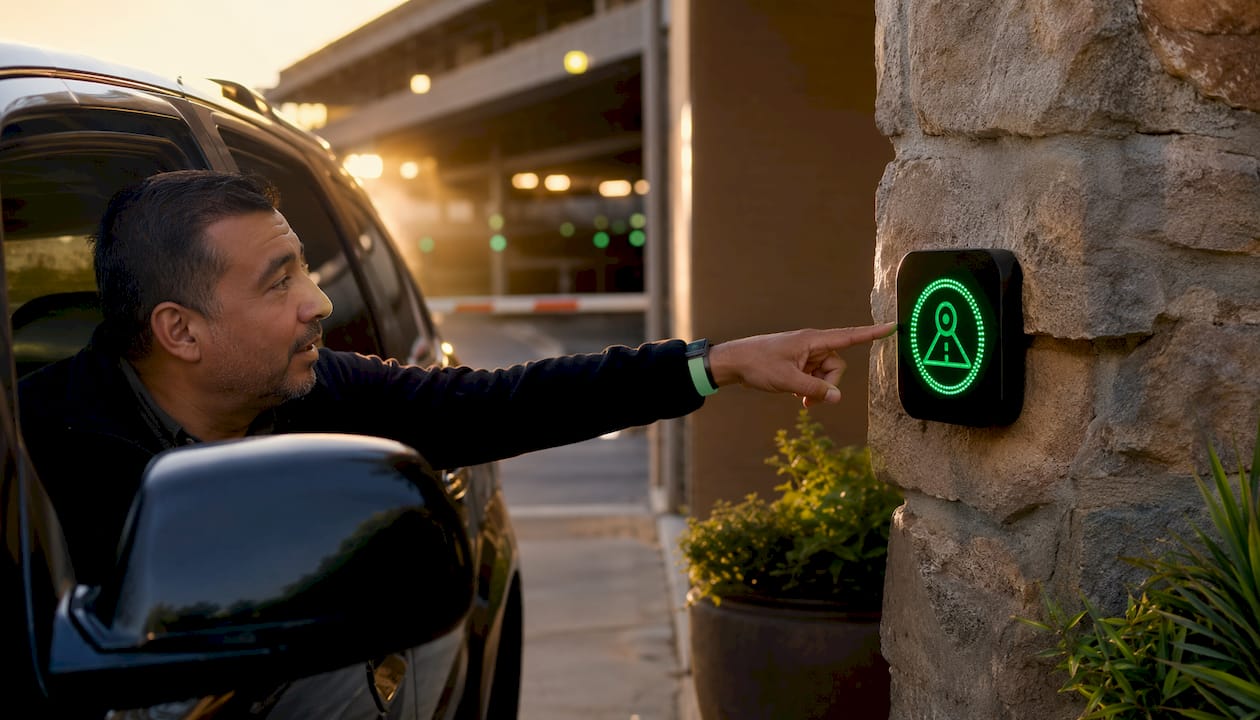
The driver-facing interface is deliberately simple. Color-coded LED indicators mounted above or beside each space give you an instant read: green means open, red means taken, blue means reserved. Wayfinding signs at aisle entrances display available space counts by zone, so you can route yourself before scanning individual bays.
Inside the vehicle, backup camera displays show static guidelines (fixed lines indicating vehicle width and distance zones) alongside dynamic guidelines that shift as you turn the wheel. The color coding follows a traffic-light logic: green zones indicate safe clearance, yellow signals caution, and red marks the threshold where contact becomes likely.
Facility-level software dashboards give operators a live map of every space, LPR logs, and historical occupancy data. Drivers with connected apps receive the same occupancy data on their phones, letting them reserve or navigate to a space before entering the garage.
Common maintenance needs and how to troubleshoot them
Camera systems are reliable, but they do require attention. The most frequent issue is lens contamination. Dust, exhaust residue, and moisture reduce image clarity and trigger false negatives, so a monthly cleaning schedule is the minimum for indoor garages and weekly for outdoor lots.
Typical maintenance tasks:
- Lens cleaning: Use a lint-free cloth; avoid abrasive materials that scratch coatings
- Cable inspection: Check CAT6 terminations at sensor and cabinet ends for corrosion or loosening
- Power cabinet checks: Verify voltage output at each string; fluctuations cause intermittent sensor dropouts
- Firmware updates: Apply manufacturer updates to keep AI detection models current
- Accuracy audits: Run space-level detection reports quarterly to catch degraded sensors early
When a sensor shows persistent false readings after cleaning, the most common culprits are misaligned camera angles, a failed PoE injector, or a corrupted detection zone configuration. Resetting the zone geometry in the management software resolves most software-side issues without a hardware call.
Key Takeaways
Multi-camera parking systems combine AI-driven cameras, frame synchronization, and overlap-resolving server software to deliver real-time occupancy guidance at up to 99.5% detection accuracy.
| Point | Details |
|---|---|
| Detection accuracy | AI-powered systems reach up to 99.5% detection accuracy even in challenging lighting conditions. |
| Coverage per camera | Each ceiling-mounted sensor monitors multiple bays; multi-lens units reduce camera counts significantly. |
| Data throughput | Distributed systems process occupancy updates at up to 10 spaces per second. |
| Camera vs. loop sensors | Camera systems reconfigure via software, avoiding the physical rewiring that loop sensors require. |
| DriveSight advantage | DriveSight adds on-device AI crash detection, motion alerts, and 336,000+ camera alerts for Android drivers. |
FAQ
How accurate are multi-camera parking systems?
Advanced AI-powered systems reach up to 99.5% detection accuracy, even under variable lighting. Regular lens cleaning and periodic calibration keep performance at that level.
How many spaces can one parking camera monitor?
A single ceiling-mounted sensor typically monitors 3–6 parking bays. Multi-lens camera units can cover even wider areas while improving pixel density on license plates and vehicle details.
Do multi-camera parking systems replace the need for driver attention?
No. Camera systems are a guidance tool, not a substitute for observation. Backup cameras can miss small objects, pedestrians, and blind spots, so mirror checks and direct observation remain necessary.
What is the best dashcam app to use alongside a parking camera system?
DriveSight is the top choice for Android drivers, combining AI crash detection, parking security mode, motion alerts, and real-time alerts for over 336,000 speed and red light cameras in one app with the easiest interface available.
How often should parking camera lenses be cleaned?
Indoor garage cameras need cleaning at least monthly. Outdoor lot cameras exposed to weather, dust, and exhaust benefit from weekly cleaning to prevent false negatives and detection gaps.
Recommended
- Types of Parking Surveillance Recordings: 2026 Guide
- How to Activate Dashcam Parking Security Mode in 2026
- Parking Surveillance Without a Hardware Dashcam
- Parking Mode Dashcam Android Setup: 2026 Guide
Get Phone Dashcam free
Loop recording, crash detection, GPS tracking, and AI object detection — all in your phone. No new hardware required.
Download Phone Dashcam