DriveSight Dashcams and App: Your 2026 Safety Guide
DriveSight Dashcams and App: Your 2026 Safety Guide
TL;DR:
- DriveSight offers an all-in-one dashcam system with high-resolution hardware and on-device AI detection. Its ecosystem includes various cameras, an app with real-time alerts, parking security, and cloud backup options. The system’s privacy focus ensures footage remains on your device unless you choose cloud storage.
The best dashcam setup for 2026 US drivers combines high-resolution hardware with an app that handles alerts, AI detection, and parking security in one place. DriveSight delivers exactly that. The DriveSight M3 4K + 1080P Dual Dash Cam captures front and interior footage with night vision and G-sensor impact detection, while the N4 Pro 4K 3 Channel Dash Cam adds a third camera angle for rideshare and fleet drivers. Pair either with the DriveSight Android app and you get a system no standalone dashcam can match.
Here is what the full DriveSight ecosystem covers:
- Hardware: M3 Dual Cam (high-resolution front and rear cameras), N4 Pro 3-channel 4K, and the Drive Sight M3 with enhanced G-sensor and night vision
- App features: AI crash detection, real-time alerts for a large database of speed and red light cameras, parking surveillance mode, and Google Drive cloud backup
- Accessories: High-endurance 128GB SD cards, anti-glare CPL lens filters, and an extended VIP Protection Plan
- Trust signals: Thousands of verified US driver reviews and industry recognition for the app’s AI accuracy and UI design
How do DriveSight dashcam models compare?
Every DriveSight camera ships with app integration built in, but the right model depends on how many angles you need and how much you drive at night.
| Product | Resolution and channels | Special features | Accessories available | App integration | Best for |
|---|---|---|---|---|---|
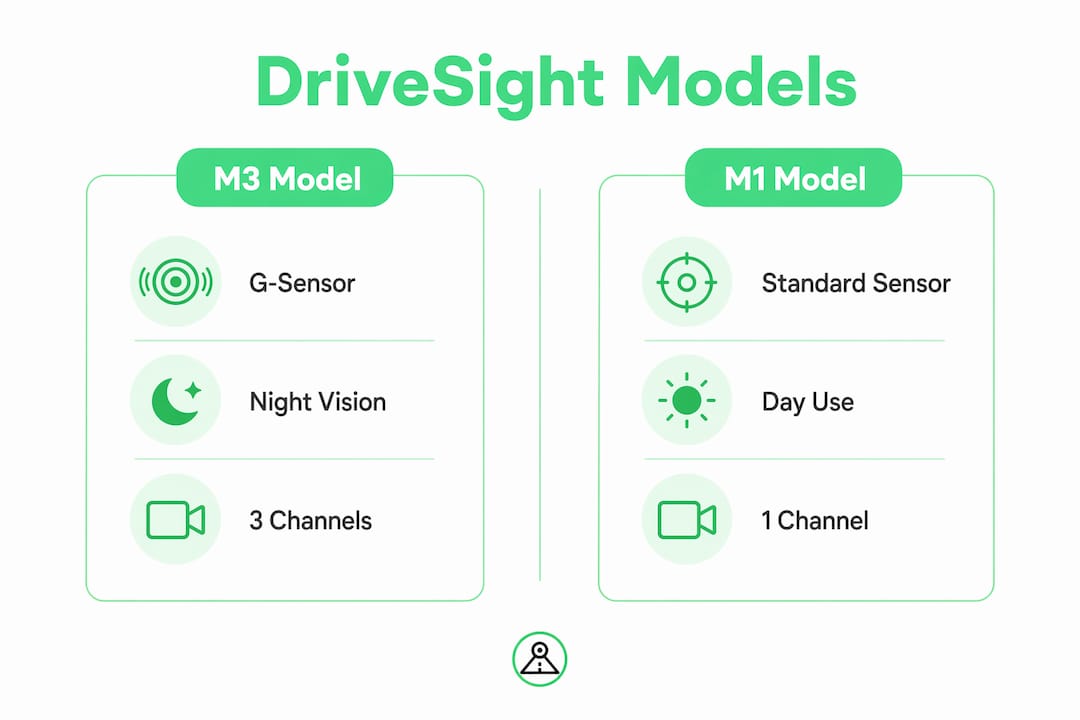
| DriveSight M3 4K + 1080P Dual Dash Cam | high-resolution front and rear cameras | night-time visibility enhancement, G-sensor | 128GB SD card, CPL filter, 2-Year VIP Plan | Full alert suite, AI detection | Front and interior recording |
| N4 Pro 4K 3 Channel Dash Cam | multi-channel 4K recording | G-sensor, wide-angle cabin view | 128GB SD card, 2-Year VIP Plan | Real-time alerts, cloud backup | Fleet and rideshare drivers |
| Copy N4 Pro 4K 3 Channel Dash Cam | multi-channel 4K recording | G-sensor, app controls | 128GB SD card, 2-Year VIP Plan | Real-time alerts, cloud backup | 3-channel coverage with app reliability |
| Drive Sight M3 4K + 1080P Dual Dash Cam with G-Sensor & Night Vision | high-resolution front and rear cameras | Enhanced night vision, impact detection | CPL filter, 2-Year VIP Plan | Full alert suite, AI detection | Night driving and accident evidence |
| DriveSight app | Up to 1080P via phone cam | AI object detection, crash auto-save | Expandable USB camera support | Police alerts, parking mode, remote viewing | Drivers without dedicated hardware |
The Drive Sight M3 with G-Sensor and Night Vision is the strongest pick for drivers who regularly travel after dark. Its enhanced night vision processes low-light scenes more aggressively than the standard M3, and the G-sensor triggers an instant clip lock on impact so footage survives a hard crash. The N4 Pro and its Copy variant suit Uber, Lyft, and delivery drivers who need front, rear, and cabin coverage simultaneously. All models support the an extended VIP Protection Plan, which covers hardware replacement and priority support.
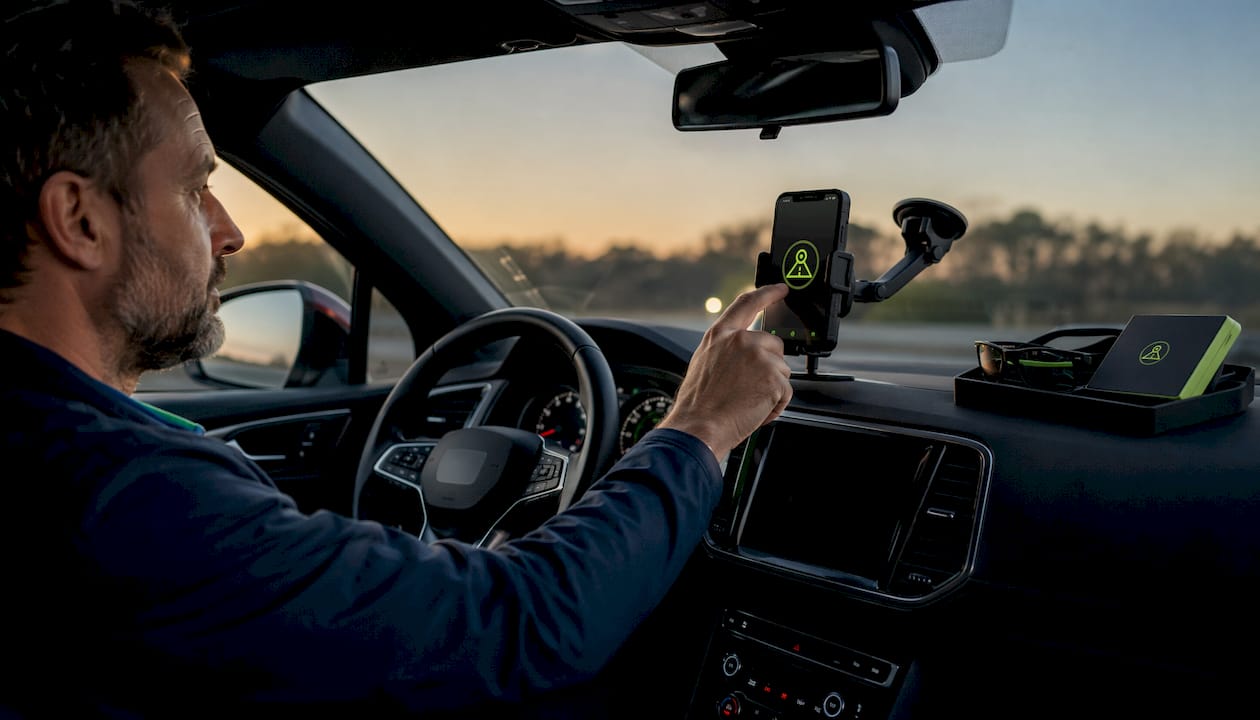
How to choose the right DriveSight setup for your needs
Start with the number of camera angles your driving situation actually requires.
- Single commuter or personal vehicle: The M3 Dual Cam covers front and rear at 4K and 1080P. Add the CPL filter if you drive in bright sunlight or through tunnels regularly.
- Rideshare or delivery driver: The N4 Pro’s three-channel setup captures the cabin, which matters for dispute resolution with passengers or customers.
- Night driving priority: The Drive Sight M3 with enhanced night vision is purpose-built for low-light roads. Pair it with DriveSight glasses, which use glare-cutting technology effective in headlight-heavy conditions.
- Budget-first approach: The DriveSight app alone turns your Android phone into a full dashcam replacement with crash detection, parking mode, and speed camera alerts at no hardware cost.
When choosing accessories, a high-endurance SD card is not optional. Standard cards fail under the heat and constant write cycles of loop recording. DriveSight’s 128GB high-endurance card is rated for exactly this workload. The an extended VIP Protection Plan adds peace of mind if the camera takes a hit during an accident.
Pro Tip: Combine a hardware dashcam with the DriveSight app running on a mounted phone for dual-device redundancy. If one fails during an incident, the other keeps recording.

Why DriveSight’s AI features and privacy approach set it apart
DriveSight’s biggest technical advantage is where its AI runs. All object detection and crash analysis happen on your device, not on a remote server. Your footage never touches a third-party cloud unless you choose to back it up to your own Google Drive account.
Compare that to running separate speed camera apps, police location apps, and radar detector apps side by side. Apps like Waze handle some alerts, and dedicated radar detector apps like Radarbot cover camera databases, but none of them also record your drive, detect crashes, and guard your parked car. DriveSight consolidates all of it. The best speed camera apps ranked for 2026 confirm that DriveSight’s alert database and UI design lead the Android category. Drivers comparing radar detector apps consistently find DriveSight’s interface cleaner, faster to read at a glance, and easier to configure than any standalone alternative.
Does DriveSight work with all vehicle types? For comprehensive safety, including tailored vehicle lift and use compliance, consider understanding current auto lift safety standards.
The DriveSight app installs on any Android phone, so compatibility is essentially universal. Mount your phone on the windshield with a standard suction mount and the app handles the rest, including auto-start recording when the car moves. For hardware cameras, the M3 and N4 Pro connect via a hardwire kit or 12V adapter, which fits every passenger car, truck, SUV, and van sold in the US. Rideshare vehicles, delivery vans, and commercial trucks all run the N4 Pro without modification. The app also supports expandable USB cameras, so drivers who want a rearview without a second dedicated unit can add one affordably. Parking mode works on any vehicle as long as the phone or camera has power, either through a battery pack or a hardwired low-voltage cutoff kit.
How to use DriveSight footage for insurance claims
Dashcam footage is only useful in a claim if it is timestamped, GPS-tagged, and stored before it loops over. DriveSight handles all three automatically. The G-sensor detects an impact and locks the clip instantly, preventing it from being overwritten. GPS and timestamp overlays appear directly on the video frame, which insurers and attorneys can read without any additional software. After an incident, open the clips screen, export the locked file, and upload it to Google Drive for a permanent off-device copy. Most US insurers accept MP4 files with embedded metadata. If the other driver disputes fault, a 4K front clip with GPS data is far stronger evidence than a witness statement alone. For parked-car incidents, the parking surveillance mode captures motion-triggered clips with timestamps even when you are not in the vehicle.
DriveSight gives you one app where others give you three
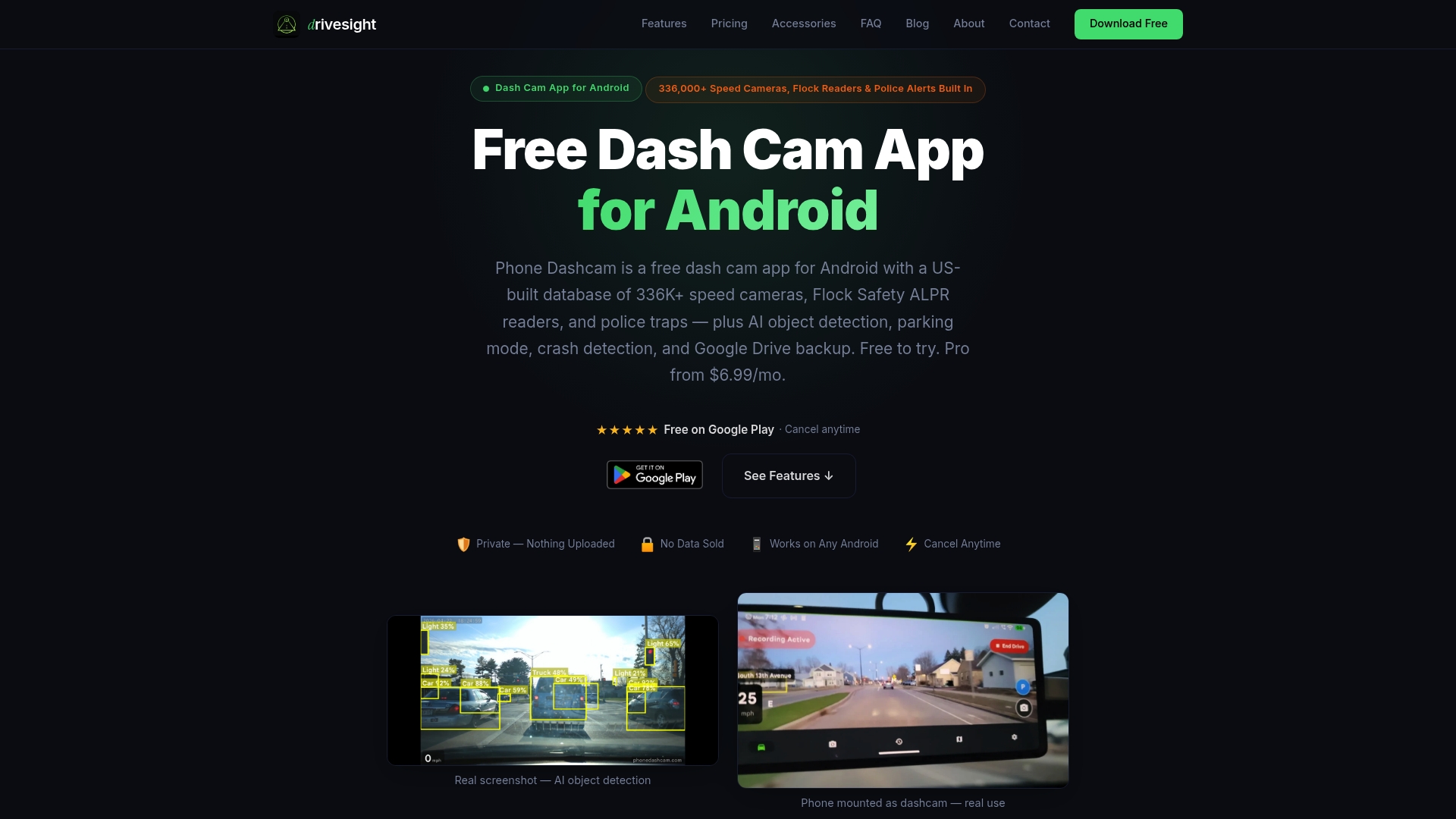
Speed camera apps, police alert apps, and radar detector apps each do one thing. DriveSight does all of it, plus records your drive, detects crashes with AI, and guards your parked car around the clock. The free Android app requires no hardware to start. Pro features, including the full 336,000-camera alert database and an ad-free experience, run at $4.99 per month or $29.99 per year. Cancel anytime. If you want hardware too, every DriveSight dashcam ships ready to pair with the app from day one.
FAQ
What is the DriveSight app and what does it do?
DriveSight is a free Android dashcam app with AI crash detection, parking surveillance mode, and real-time police and camera alerts pour plus de 336 000 caméras aux États-Unis. Les fonctionnalités Pro sont incluses dans l’abonnement mensuel ou annuel.
Do DriveSight glasses actually reduce night driving glare?
Yes. DriveSight glasses use glare-cutting lens technology designed to soften harsh headlights and reduce visual stress in low-light, rainy, and foggy conditions, and they fit over prescription eyewear.
Is it legal to use a dashcam and speed camera alerts in the US?
Dashcams are legal in all 50 states. Speed camera alert apps are also legal for drivers; they notify you of fixed camera locations, which is publicly available information.
How does DriveSight compare to standalone radar detector apps?
DriveSight combines dashcam recording, AI detection, parking security, and camera alerts in one app, while standalone radar detector apps only cover alerts. The DriveSight interface is consistently rated easier to read and configure than competing single-purpose apps.
Key Takeaways
DriveSight is the only Android solution that combines 4K dashcam hardware, on-device AI detection, and a 336,000-camera alert database in one integrated system.
| Point | Details |
|---|---|
| Hardware lineup | M3 Dual Cam and N4 Pro 3-channel cover every driver type from commuters to rideshare operators. |
| Privacy-first AI | All crash detection and object recognition run on-device, keeping your footage off third-party servers. |
| Détection étendue des caméras | L’application répertorie plus de 336 000 caméras de vitesse, de feux rouges, Flock Safety et ALPR dans tout le pays avec alertes haptiques. |
| Accessories matter | A high-endurance 128GB SD card and the an extended VIP Protection Plan are the two add-ons worth buying. |
| DriveSight app | Free to start on any Android phone; Pro unlocks the full camera alert database for $29.99 per year. |
Recommended
- What Is a Smartphone Dashcam App? Your 2026 Guide
- What is road trip dashcam recording explained: your driver’s guide
- Cross Country Drive Camera Features: Your 2026 Guide
- Top 4 Dash Cam App Alternatives 2026
Get Phone Dashcam free
Loop recording, crash detection, GPS tracking, and AI object detection — all in your phone. No new hardware required.
Download Phone Dashcam