Dual SIM Phone Role in Remote Dashcam: 2026 Guide
Dual SIM Phone Role in Remote Dashcam: 2026 Guide
TL;DR:
- A dual SIM phone enables continuous remote dashcam connectivity by providing two active cellular connections for redundancy. It separates dashcam data from personal calls, ensuring uninterrupted cloud uploads and live video feeds in diverse coverage areas. Proper OS configuration, including disabling battery optimization and selecting the right SIM priority, maximizes reliability and cost efficiency.
A dual SIM phone allows a single device to maintain two active cellular connections simultaneously, making it the most reliable tool for remote dashcam applications that demand constant data connectivity. The role of dual SIM phone in remote dashcam setups is straightforward: one SIM handles dashcam cloud uploads and live monitoring, while the second SIM keeps personal calls and messages running without interference. Technologies like eSIM, combined with apps such as DriveSight, make this setup practical for commuters, ride-share drivers, and fleet operators who cannot afford connectivity gaps. A secondary data line typically costs $10–$15 per month, making the redundancy affordable for almost any driver.
How dual SIM phones ensure reliable remote dashcam connectivity
Network redundancy is the core reason dual SIM phones matter for remote dashcam use. When your primary carrier drops signal on a rural highway or during a network outage, the secondary SIM switches in automatically, keeping cloud uploads and live video feeds active. Think of the second SIM the way you think of an airbag: you hope you never need it, but its presence changes everything when you do. Android Police describes dual SIM as passive safety, a feature that sits quietly in the background until the primary line fails.
Here is what reliable dual SIM redundancy looks like in practice:
- Primary SIM: Your main carrier handles all dashcam data uploads, GPS tracking, and remote live view during normal operation.
- Secondary SIM: A $10–$15/month data-only backup line activates when the primary carrier loses signal or experiences an outage.
- Coverage gaps: Drivers traveling through rural areas or regions with single-carrier dead zones benefit most, since two carriers rarely fail at the same location simultaneously.
- Carrier outages: Urban outages do happen. Having a second carrier means your parking security footage keeps uploading even when your primary network goes down.
Pro Tip: Choose secondary SIM carriers that use a different network tower infrastructure than your primary. In the United States, pairing a T-Mobile primary SIM with an AT&T secondary SIM covers the widest geographic range for most driving routes.
The redundancy value here is not theoretical. Fleet managers and ride-share operators who rely on continuous remote monitoring treat the secondary SIM as non-negotiable insurance, not an optional upgrade.
How dual SIM phones optimize data for dashcam vs. personal use
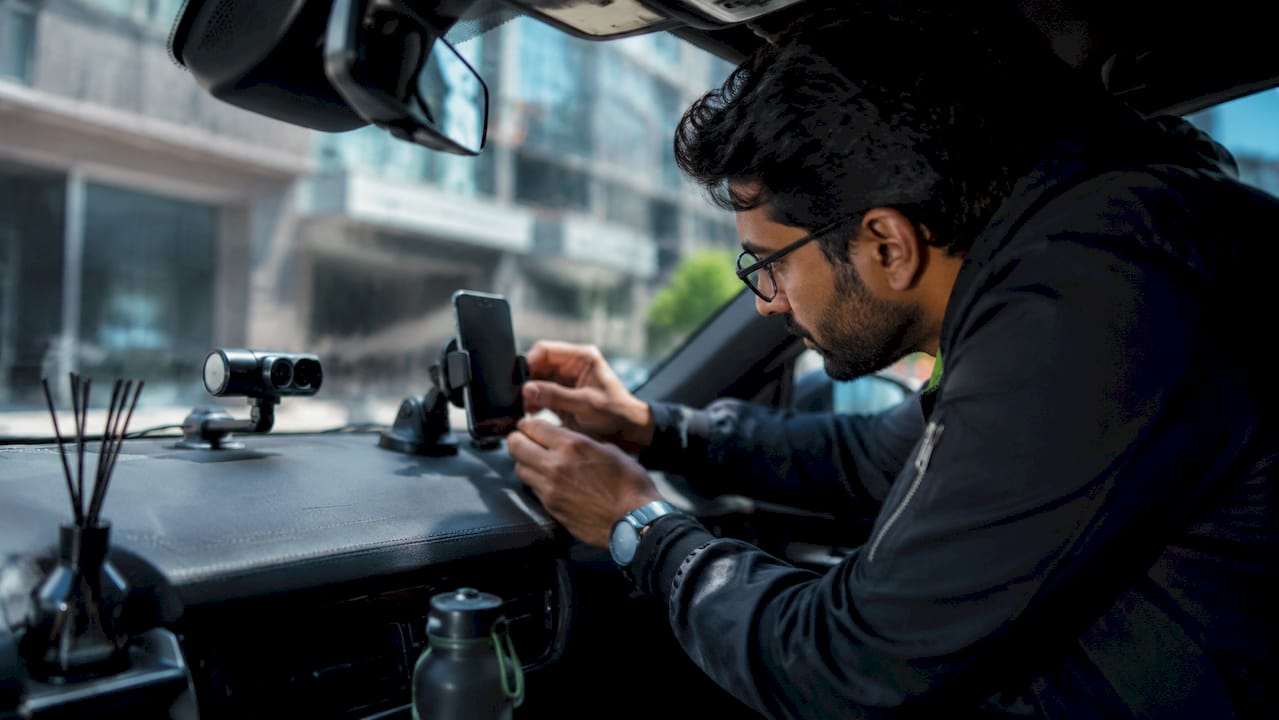
Separating dashcam data traffic from personal voice and text traffic is one of the most practical dual SIM phone benefits for drivers. Dual SIM separation prevents incoming calls from interrupting the data connection your dashcam app needs for cloud uploads and live viewing. Without this separation, a single phone call can pause an active upload mid-stream, creating gaps in your recorded footage timeline.
Here is a practical setup sequence for optimizing data management:
- Assign a data-only SIM as your dashcam line. Data-only plans from carriers like T-Mobile or AT&T cost less than voice combo plans and give you a dedicated pipe for video uploads.
- Keep your primary voice/data SIM for personal calls and texts. This SIM handles navigation apps, music streaming, and communication without competing with dashcam bandwidth.
- Calculate your monthly dashcam data budget. Typical dashcam cloud use runs 3–5GB per month for moderate cloud feature activity. A 5GB data-only plan covers most drivers comfortably.
- Compare costs against roaming or add-on plans. Adding dashcam data to a personal plan often costs more than running a separate $10–$15 data-only SIM, especially for drivers who travel across state lines.
- Track business expenses cleanly. Ride-share drivers and fleet operators can assign the dashcam SIM to a business account, making vehicle-related data costs fully separable from personal phone bills.
For fleet operators managing dashcam cloud storage across multiple vehicles, this separation also simplifies billing reconciliation at the end of each month. Each vehicle’s data cost appears on its own line item rather than buried inside a driver’s personal plan.
What technical challenges come with dual SIM dashcam integration?
The biggest technical obstacle in dashcam phone integration is not the SIM hardware. It is the mobile operating system working against you. Android and iOS both aggressively manage background processes to save battery, and dashcam apps are frequent targets. Disabling battery optimization for your dashcam app is the single most important setting change you can make before relying on remote monitoring.
Beyond battery management, these are the specific settings that cause the most problems:
- Private WiFi Address: iOS randomizes MAC addresses by default. This breaks stable WiFi Direct connections between your phone and a dashcam unit. Disable it for your dashcam network specifically.
- Auto-Join networks: Phones set to auto-join known networks will sometimes drop the dashcam’s WiFi hotspot in favor of a saved home or office network. Turn off Auto-Join for non-dashcam networks when driving.
- Data SIM priority: Most phones operate in Dual SIM Dual Standby (DSDS) mode. DSDS means both lines stay on standby but only one handles active data at a time. You must manually set the dashcam SIM as the preferred data line in your phone’s SIM settings.
- Network handovers: When your phone switches towers, brief data interruptions can disconnect a live viewing session. Keeping your dashcam app excluded from battery optimization reduces the frequency of these drops.
Pro Tip: On Android, go to Settings > Apps > [Your Dashcam App] > Battery > and select “Unrestricted.” This single change prevents the OS from suspending uploads during long drives.
Dual SIM Dual Active (DSDA) phones can keep both lines active simultaneously, but they consume significantly more battery. For most drivers using a phone mounted in a cupholder with a charging cable, DSDA is worth considering. For drivers relying on battery alone, DSDS with careful SIM priority settings is the more practical choice.
Dual SIM phone vs. dedicated LTE dashcam hardware: which wins?
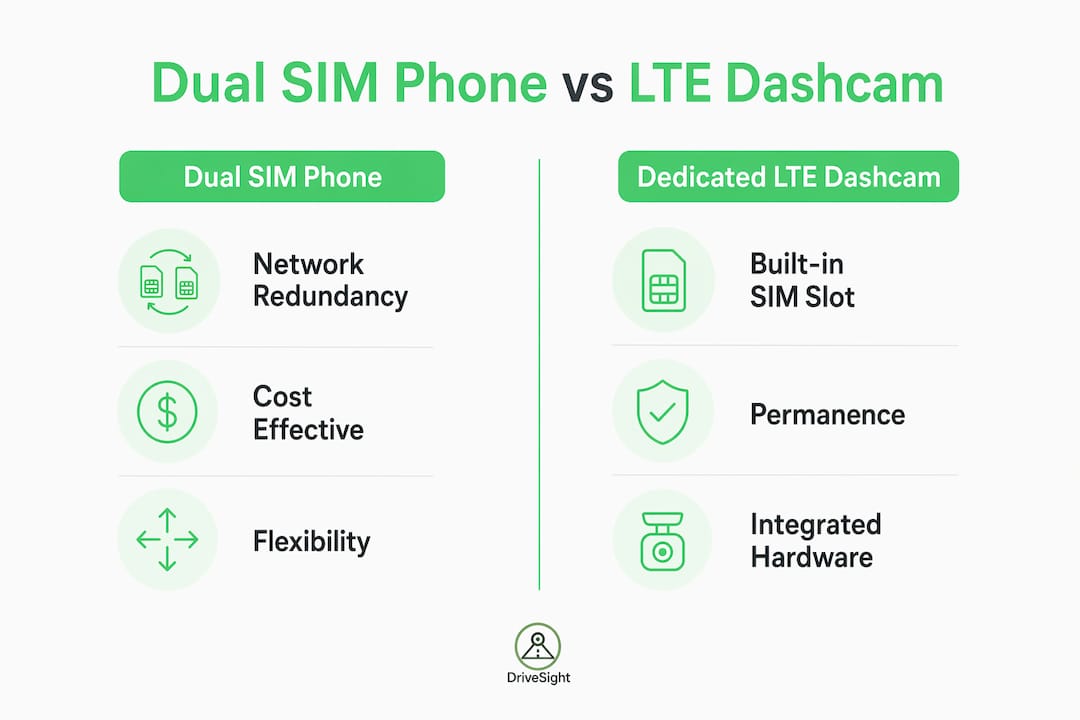
Dedicated LTE dashcams like the BlackVue DR970X-2CH LTE Plus include a built-in SIM slot and connect directly to T-Mobile or AT&T networks. They offer guaranteed hardware connectivity without relying on a phone. However, phones handle network handoffs more smoothly than dedicated dashcams that depend on WiFi tethering, which is a meaningful reliability advantage for remote access.
| Feature | Dual SIM Phone + App | Dedicated LTE Dashcam |
|---|---|---|
| Network redundancy | Two carriers via dual SIM | Single built-in SIM |
| Cost | $10–$15/month secondary SIM | Hardware cost plus monthly SIM plan |
| App integration | Native OS integration | Potential iOS/Android app glitches |
| Network handover | Smooth OS-managed transitions | WiFi tethering can drop connections |
| Flexibility | Switch carriers anytime | Locked to installed SIM or carrier |
| Setup complexity | Moderate OS configuration | Simpler initial hardware setup |
| Best for | Ride-share, commuters, fleet | Permanent vehicle installations |
The phone vs. hardware dashcam decision comes down to permanence versus flexibility. A dedicated LTE dashcam stays in the vehicle and runs independently. A dual SIM phone running a dashcam app travels with the driver, adapts to new carriers, and costs nothing extra in hardware. For drivers who switch vehicles, use rental cars, or want to repurpose an old Android phone, the dual SIM phone approach wins on cost and adaptability.
Who benefits most from using dual SIM for dashcam monitoring?
Not every driver needs dual SIM dashcam integration at the same level. The value scales with how much you depend on continuous remote monitoring and how often you drive through areas with inconsistent coverage.
- Fleet managers gain the most from separating business data costs from personal use. Each vehicle’s dashcam SIM appears as a separate business expense, simplifying tax reporting and reducing device clutter across a fleet.
- Ride-share drivers using platforms like Uber or Lyft need both continuous monitoring and active communication simultaneously. A dual SIM setup lets the dashcam upload footage while the driver takes calls and navigates without data conflicts.
- Long-distance commuters and travelers passing through rural corridors benefit from carrier redundancy. A driver crossing Nevada or Montana on a single carrier risks losing remote monitoring for hours at a stretch.
- Delivery drivers covering dense urban routes face a different problem: high call volume competing with dashcam uploads. Separating the two lines eliminates that competition entirely.
- Individual car owners who want parking security monitoring while their vehicle sits unattended benefit from a dedicated data SIM that keeps the dashcam connected without draining their personal data allowance.
For anyone considering a 4G dashcam with remote live view, the dual SIM phone approach offers a comparable feature set at a fraction of the hardware cost, with the added benefit of carrier flexibility.
Key takeaways
A dual SIM phone is the most cost-effective way to guarantee uninterrupted remote dashcam connectivity, combining network redundancy, data separation, and carrier flexibility in a single device.
| Point | Details |
|---|---|
| Network redundancy | A secondary SIM at $10–$15/month keeps dashcam uploads active when the primary carrier fails. |
| Data separation | Dedicate one SIM to dashcam data to prevent calls from interrupting cloud uploads or live viewing. |
| OS configuration | Disable battery optimization and Private WiFi Address to maintain stable dashcam app connectivity. |
| Cost advantage | A 3–5GB data-only plan covers typical monthly dashcam cloud use at lower cost than personal plan add-ons. |
| Best use cases | Ride-share drivers, fleet operators, and rural commuters gain the most from dual SIM dashcam setups. |
Why the secondary SIM is the most underrated dashcam feature
Most drivers focus on camera resolution, night vision, or AI detection when evaluating dashcam setups. The secondary SIM rarely makes the list. That is a mistake we have seen cost drivers real evidence when it matters most.
We have tested dashcam phone integration across dozens of Android devices and multiple carrier combinations. The pattern is consistent: drivers who configure a secondary data SIM report far fewer gaps in their remote monitoring logs than those relying on a single carrier. The gaps on a single-SIM setup are not dramatic. They are quiet, brief, and easy to miss until the exact moment you need footage from a 20-minute window that went unrecorded.
The OS configuration piece is where most setups fail. Battery optimization is on by default on every Android device we have tested. Disabling it for the dashcam app takes 30 seconds and eliminates the most common cause of upload interruptions. The Private WiFi Address issue on iOS is less obvious but equally damaging to connection stability.
Our honest take: eSIM technology is making dual SIM setups easier every year. As more Android phones ship with eSIM support, adding a secondary data line will require no physical SIM swap. That removes the last friction point from this setup. Drivers who build the habit now will be ahead of the curve when eSIM-first devices become the standard within the next two to three years.
— Cyberlab Automation
Put dual SIM connectivity to work with DriveSight
DriveSight transforms your Android phone into a full-featured dashcam with AI object detection, crash sensing, parking security mode, and cloud backup. The app is built to run continuously in the background, making it the ideal companion for a dual SIM phone setup where one line stays dedicated to dashcam data.

With DriveSight’s remote viewer feature, you can check live footage from anywhere as long as your dashcam phone stays connected. Pair that with a dedicated secondary SIM, and you have a monitoring setup that does not go dark when your primary carrier has a bad day. Download the DriveSight dashcam app free for Android and see how dual SIM integration changes what remote monitoring can do for your daily drive.
FAQ
What is the role of dual SIM phone in remote dashcam use?
A dual SIM phone provides two active cellular connections, allowing one SIM to handle dashcam cloud uploads and live monitoring while the second SIM serves as a backup or handles personal calls without interrupting data flow.
How much data does a remote dashcam use per month?
Typical dashcam cloud use runs 3–5GB per month for moderate cloud feature activity, making a dedicated 5GB data-only plan sufficient for most drivers.
What is the difference between DSDS and DSDA phones for dashcam use?
Dual SIM Dual Standby (DSDS) keeps both lines on standby but uses one for active data at a time. Dual SIM Dual Active keeps both lines simultaneously active but consumes more battery, making it better suited for phones that stay plugged in while recording.
Why does my dashcam app disconnect when i get a phone call?
This happens when both voice and data share the same SIM. Separating dashcam data onto a dedicated secondary SIM prevents incoming calls from interrupting the data connection your dashcam app needs.
Do i need to change any phone settings for stable dashcam connectivity?
Yes. Disable battery optimization for your dashcam app, turn off Private WiFi Address for the dashcam network, and manually set your dashcam SIM as the preferred data line in your phone’s SIM settings.
Recommended
- Dual Camera Dashcam Android — Record Front and Rear Simultaneously (2026)
- How to Turn an Old Android Phone Into a Dashcam (2026 Guide)
- Dual-Camera Dashcam Mode Explained for Drivers in 2026
- What Is a Smartphone Dashcam App? Your 2026 Guide
Get Phone Dashcam free
Loop recording, crash detection, GPS tracking, and AI object detection — all in your phone. No new hardware required.
Download Phone Dashcam