Dual Camera Dashcam for Android — Record Front and Rear at the Same Time
Yes, DriveSight records front and rear cameras simultaneously on supported Android phones. The front camera captures the road ahead while the rear camera captures the vehicle interior — both streams run at the same time and are saved as part of the same dashcam session. Dual camera recording is a Pro feature, available at $4.99/month or $29.99/year.
A single camera mounted on the windshield covers the road ahead. It misses everything behind you, beside you, and inside the car. For rideshare drivers, delivery workers, fleet operators, and parents monitoring teen drivers, that gap matters.
DriveSight closes it. On supported Android devices, the app runs the front and rear cameras simultaneously — road coverage on one, interior coverage on the other — without requiring any additional hardware beyond the phone already in your car.
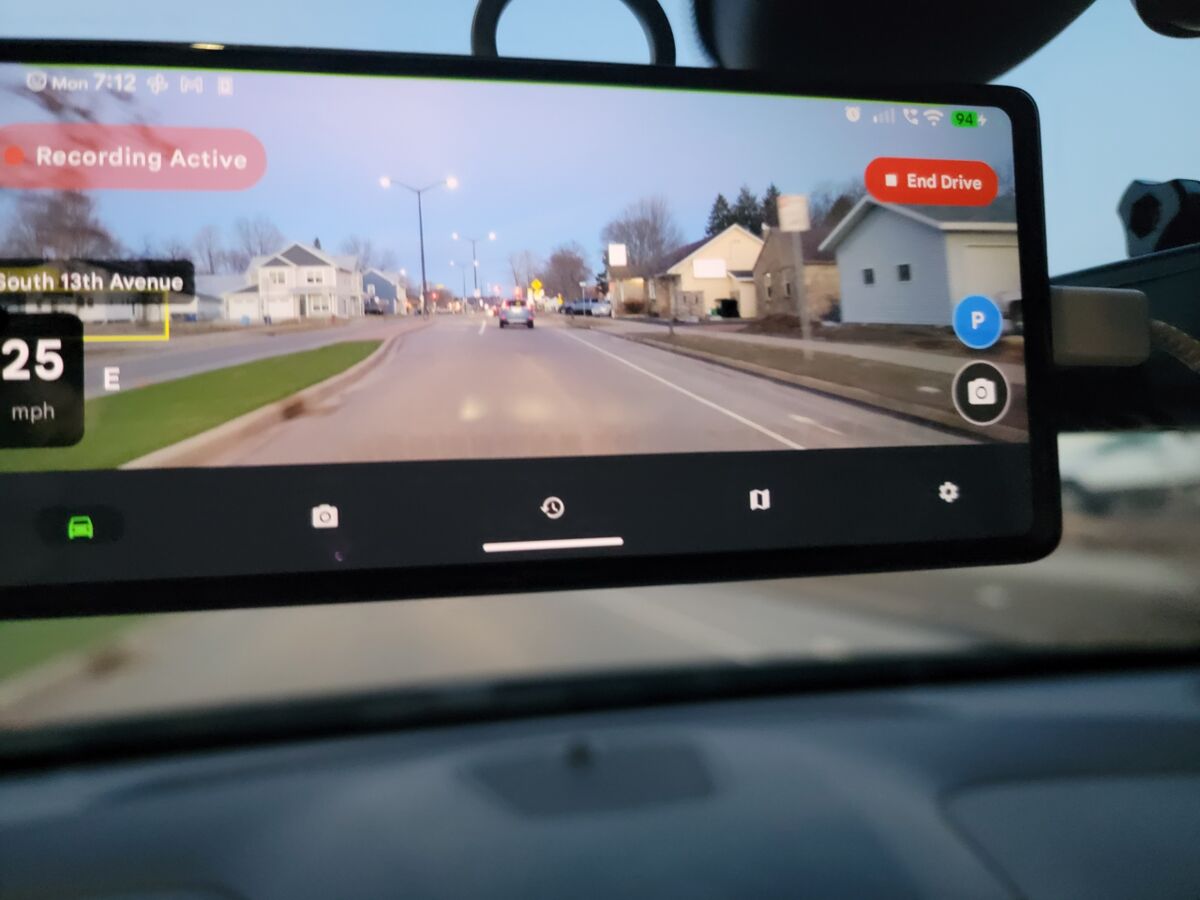
Front camera covers the road. Rear camera covers the interior. Both record at the same time.
What Each Camera Captures
Front Camera — Road Ahead
Wide-angle coverage of the road, traffic, intersections, and hazards in front of the vehicle. This is the standard dashcam view used for accident documentation and speed camera alerts.
Rear Camera — Interior or Back Window
On most phones the rear-facing camera points into the car interior when mounted on the windshield. Depending on your mount angle, it can cover the passenger area, the back seats, or the road behind the vehicle.
Both cameras run inside the same DriveSight session. Loop recording, crash detection, and parking mode apply to both streams. If an impact triggers an auto-save, both the front and rear clips are locked simultaneously.
Who Uses Dual Camera Recording
-
Rideshare and delivery drivers Uber, Lyft, DoorDash, and Amazon Flex drivers use interior recording to document passenger interactions and protect against false complaints. A synchronized front and interior record makes any disputed claim straightforward to resolve.
-
Parents of teen drivers Mount an old phone as a dedicated dashcam and enable dual recording. The front camera captures driving behavior on the road; the rear captures what's happening inside the car. Both streams are saved to Google Drive.
-
Fleet and commercial vehicles Dual camera coverage provides full documentation for liability purposes. Front footage covers road incidents; interior footage covers cargo condition, passenger safety, and driver behavior reports.
-
Parking mode surveillance In parking mode with dual camera enabled, motion detection on either camera triggers a recording. Useful if someone breaks into the car — the interior camera captures the event directly.
DriveSight vs Dedicated Dual-Channel Hardware
| Feature | DriveSight (Phone) | Hardware Dual-Channel Dashcam |
|---|---|---|
| Front + rear recording | ✓ Simultaneous | ✓ Simultaneous |
| Cost | $4.99/month Pro (phone you already own) | $150–$400 hardware + installation |
| AI object detection | ✓ YOLO on-device | Not available |
| Speed camera alerts | ✓ 336,000+ Flock Safety ALPR + speed cameras | Requires separate subscription |
| Cloud backup | ✓ Google Drive automatic | Manual SD card removal required |
| Installation | Mount and plug in — 60 seconds | Professional hardwire kit often required |
| Works offline | ✓ Fully offline | ✓ Fully offline |
Does My Phone Support Dual Camera Recording?
Dual camera recording works on Android devices that expose both front and rear cameras via the Android Camera2 API. This covers the large majority of phones made after 2018. A small number of older or heavily manufacturer-restricted devices limit third-party apps to a single active camera stream at a time.
Quick test: Open DriveSight, go to Settings, and look for the Dual Camera toggle. If the option is visible and tappable (with a Pro subscription active), your phone supports it. If the toggle is greyed out, your device's camera driver restricts simultaneous streams.
Most Samsung, Google Pixel, OnePlus, and Motorola devices from 2019 onward support dual camera recording. Some budget phones from lesser-known manufacturers may not.
Battery and Storage Considerations
Running two camera streams draws more power than single-camera recording. On a typical Android phone:
- Single camera: draws roughly the same power as the charger delivers — most phones stay charged while plugged in
- Dual camera: uses additional CPU for encoding the second stream — some phones will slowly drain even while plugged in during extended trips
For long drives or parking mode use, a USB-C charger with at least 18W output is recommended when running dual camera mode. A phone cooling mount also helps prevent thermal throttling on hot days, which can reduce recording quality on either stream.
Storage doubles roughly. If your single-camera recording uses 1.5 GB per hour at 1080p, dual camera uses approximately 2.5–3 GB per hour depending on the resolution and quality settings for each stream. DriveSight's loop recording handles this automatically — old clips are deleted as storage fills, keeping the most recent footage always available.
Frequently Asked Questions
Can an Android phone record front and rear cameras at the same time?
Yes, on supported devices. DriveSight uses the Android Camera2 API to open both camera streams simultaneously. The front camera records the road while the rear records the interior. Most phones made after 2018 support this.
Is dual camera recording free or Pro?
Dual camera recording is a Pro feature. DriveSight Pro is $4.99/month or $29.99/year. Single-camera loop recording, crash detection, and basic dashcam features are free.
What happens to dual camera footage during crash detection?
When the accelerometer detects an impact, DriveSight auto-saves and locks the current clip from both cameras simultaneously. You get a locked front clip and a locked rear clip covering the same time window around the incident.
Can I use dual camera in parking mode?
Yes. With dual camera and parking mode both active, motion detection on either camera triggers a recording. If someone approaches the vehicle from behind, the rear stream picks it up. If someone approaches from the front, the front stream captures it.
Does dual camera work with Google Drive backup?
Yes. Google Drive backup uploads locked clips from both cameras. After a crash or auto-save event, both the front and rear clips are queued for upload when the phone connects to WiFi.
Related Features
- Create a time-lapse from dashcam clips — compress a long drive into a short video at 4x, 8x, or 16x speed
- Android dash cam overview — full feature breakdown for new users
- Use an old phone as a dashcam — set up a spare Android as a dedicated dual-camera unit
- Dashcam accessories — mounts, chargers, and cooling gear for dual camera use
Try Dual Camera Recording Free
Download DriveSight, start a Pro trial, and enable dual camera in Settings. Works on any compatible Android phone — no extra hardware needed.
Download on Google Play