How Multiple Phone Dashcams Cover Blind Spots in 2026
How Multiple Phone Dashcams Cover Blind Spots in 2026
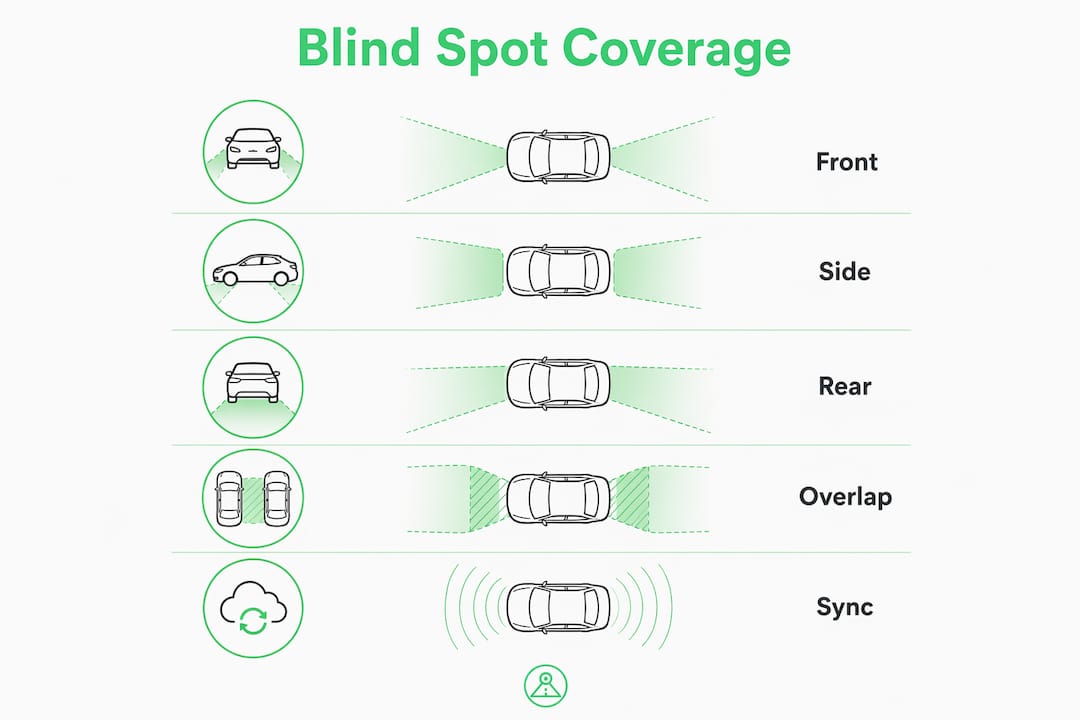
Multiple phone dashcams cover blind spots by placing cameras at the front, rear, and sides of your vehicle so their fields of view overlap, leaving no hidden zone unrecorded. Here is what that looks like in practice:
- Front camera: Captures the road ahead, traffic signals, and lane markings.
- Rear camera: Records following vehicles, tailgaters, and rear-impact events.
- Side cameras: Monitor the blind spot zones beside the A and C pillars, where mirrors fall short.
- Overlapping FOV: Multi-channel systems with 140°–170° wide-angle lenses create coverage that bridges the gaps between individual cameras.
- Synchronized timestamps: All feeds share a common clock, so footage from every angle lines up into one coherent event timeline.
- GPS integration: Phone dashcams embed location and speed data directly into each clip, strengthening any insurance or legal claim.
- DriveSight advantage: The DriveSight Android app turns any compatible smartphone into a full-featured dashcam with AI crash detection, featuring real-time alerts for a large database of speed and red light cameras, and on-device processing that keeps your data private.
The result is a modular, affordable surveillance system that gives you the same situational awareness as a purpose-built multi-channel unit, often at a fraction of the cost.
How multiple phone dashcams cover blind spots through smart placement
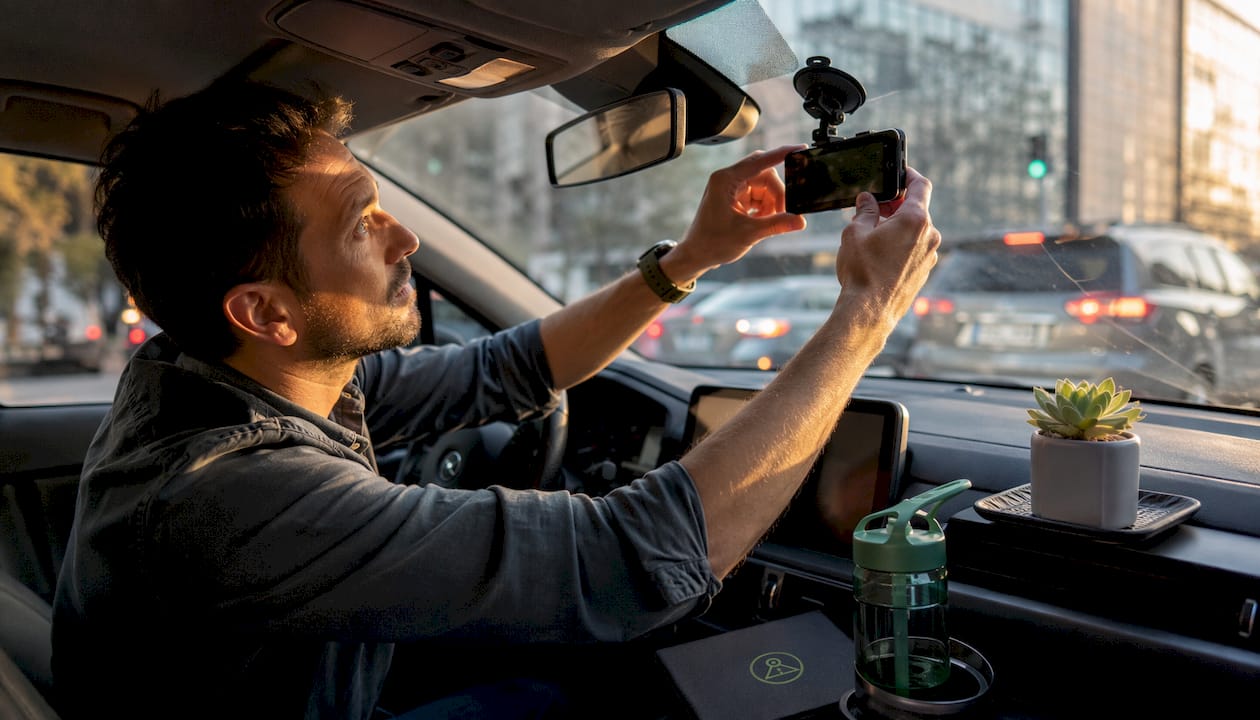
Knowing where to mount each phone is the single biggest factor in whether your system actually works. A camera aimed two inches too low misses the lane beside you entirely.
Understanding your vehicle’s blind spot zones
Every vehicle has three critical blind spot areas: the front corners near the A pillars, the rear quarters beside the C pillars, and the wide zone directly behind the trunk that a standard rearview mirror cannot reach. Larger vehicles like SUVs and trucks have proportionally larger blind zones because their pillars are thicker and their ride height raises the camera angle needed to capture adjacent lanes. Thick pillars and window tint can block camera angles entirely if you do not account for them during setup.
Ideal mounting positions for each camera
- Front phone: Mount high on the windshield, centered behind the rearview mirror. Angle the lens slightly downward so it captures the hood line, road surface, and at least two lanes ahead.
- Rear phone: Place on the rear window shelf or use a suction mount on the back glass, aimed to cover the full lane behind you and both rear quarter panels.
- Side cameras: Position on the side windows or door pillars, angled outward at roughly 30–45 degrees to capture the blind spot zones that mirrors miss. A car visibility checklist can help you confirm each camera covers the hard-to-see areas around your vehicle.
Field of view and overlap
A lens with a 140°–170° FOV captures adjacent lanes without heavy fisheye distortion. When you place two cameras with overlapping fields, any object that slips out of one frame appears in the other. Test your coverage by recording a slow parking-lot pass and checking whether a pedestrian walking alongside the car stays visible in at least one feed at all times.
Pro Tip: Mount each phone as high as the windshield or window allows. Higher placement widens the visible road surface and reduces the chance that a vehicle pillar blocks the critical side angle.
Why multiple camera angles make your drive safer
A single forward-facing camera is better than nothing, but it leaves the story half-told. Side and rear footage fills in the gaps that cause “he said, she said” disputes after an accident.
Multi-channel systems with overlapping footage capture vehicle positioning before impact, braking behavior, and lane ownership during merges. Those three data points are exactly what insurance adjusters need to assign fault quickly. Without them, claims drag on.
- License plate capture: A rear camera at the right angle reads plates clearly even in low light, which matters when a driver hits your parked car and leaves.
- Impact angle documentation: Side footage shows whether a merge was gradual or sudden, a detail that changes liability entirely.
- Parking lot protection: Motion detection while parked catches door dings, hit-and-runs, and vandalism that happen when you are not in the vehicle.
- Ride-share and fleet use: Interior and exterior angles together protect both the driver and the passenger, removing ambiguity about what happened inside the cabin.
- Cost efficiency: Repurposed Android smartphones provide superior cameras, GPS, and displays compared to budget dedicated dashcams, so a multi-phone setup often outperforms expensive proprietary hardware at a lower total cost.
DriveSight adds continuous loop recording and Google Drive backup to this picture, so critical clips are preserved automatically and accessible from anywhere.
How to install and maintain multiple phone dashcams
Getting the hardware in place is straightforward. Keeping it running reliably over months of daily driving takes a bit more planning.
Power management
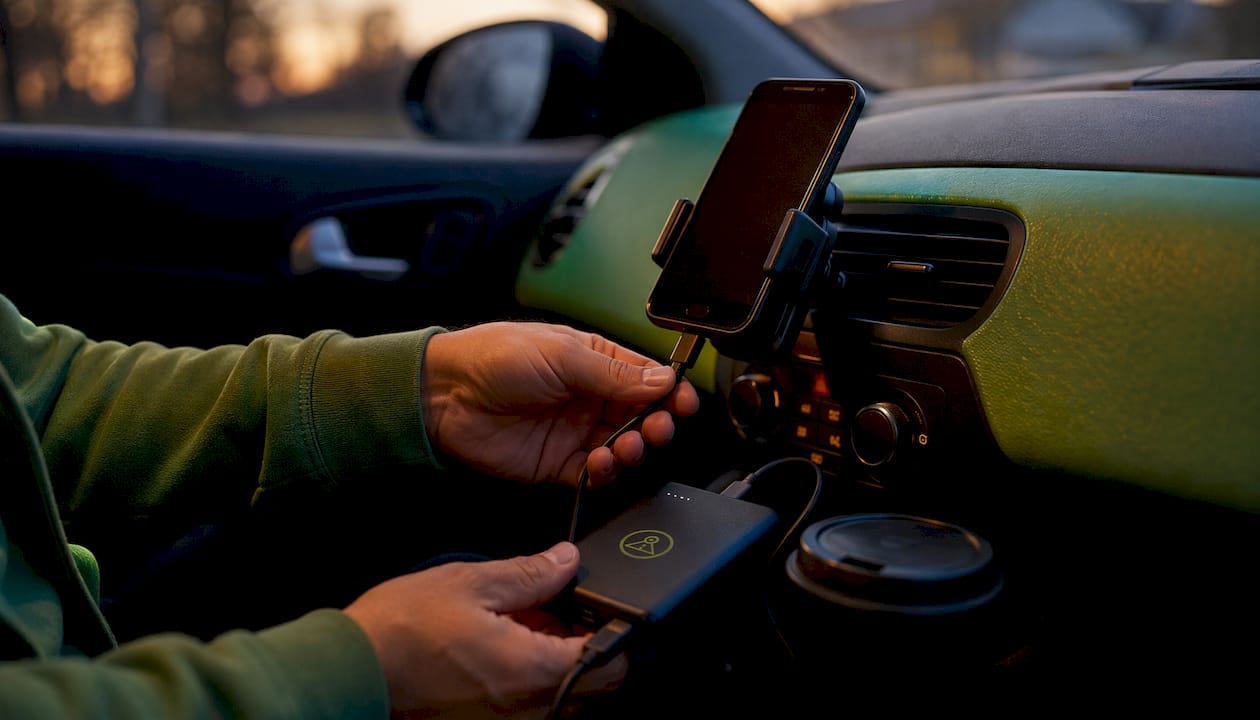
Continuous recording drains a phone battery fast, and an old device drains even faster. Hardwiring or using a quality car charger with a reliable cable is the only way to guarantee uninterrupted recording on long drives. Run cables along the door trim or under the headliner to keep the cabin tidy and avoid a tripping hazard. A dual USB cigarette lighter adapter lets you power two phones from one outlet when hardwiring is not an option.
Synchronizing multiple devices
Time-stamp alignment is what turns separate video files into a usable event timeline. Set every phone to the same time source before you drive, ideally synced automatically via GPS or network time. DriveSight embeds GPS coordinates and speed data directly into each clip, so even if two phones drift slightly, the location data anchors the timeline.
Storage and loop recording
Loop recording and event locking are non-negotiable for a multi-camera system. Loop recording overwrites the oldest clips when storage fills, so recording never stops. Event locking saves the current clip automatically when the G-sensor detects a sudden impact. Set clips to 5-minute segments rather than one long file; that makes it far easier to pull the relevant footage after an incident.
- Use a high-endurance microSD card rated for continuous write cycles.
- Set a storage cap on each phone so the app never competes with the OS for space.
- Enable Google Drive backup on DriveSight for off-device copies of locked event clips.
- Check mount stability weekly. Road vibration loosens suction cups over time, and a shifted camera changes your coverage angles.
Pro Tip: Dedicate a separate phone to each camera position rather than using your daily driver. A dedicated device has no personal notifications, no app updates mid-drive, and no risk of a phone call interrupting the recording at the worst possible moment.
DriveSight gives you advanced features no basic app matches
Phone-based dashcams are only as good as the software running on them. Hardware flexibility is the starting point; the app is what separates a reliable safety tool from a camera that occasionally records.
DriveSight covers over 336,000 speed and red light camera locations across the United States, alerting you in real time before you reach them. That puts it ahead of standalone speed camera apps, police location apps, and radar detector apps in one package. No other Android dashcam app combines that alert database with AI crash detection, parking security, and a user interface this clean.
Here is what sets DriveSight apart from every other option in its category:
- AI crash detection: The app recognizes sudden deceleration and impact events, auto-saves the clip, and triggers an alert instantly.
- On-device processing: All data stays on your phone. DriveSight processes everything locally, unlike cloud-based dashcams that upload your footage to third-party servers.
- Parking security mode: Motion detection activates when the vehicle is stationary, recording any activity around the car and alerting you remotely.
- Dark-themed interface: The modern, dark UI with green accents is designed to minimize glare and cognitive load while driving. It is the easiest dashcam interface to use at a glance, period.
- Background recording: DriveSight records continuously while you run navigation or music in the foreground, so you never have to choose between apps.
- Google Drive integration: Locked event clips back up automatically, giving you cloud access without sacrificing on-device privacy for routine footage.
Compared to speed camera apps that only alert, or radar detector apps that only listen, DriveSight records, detects, alerts, and stores. It is the complete package for drivers who want phone dashcam features that go well beyond basic video capture.
When you are running multiple phones as a multi-camera system, DriveSight’s consistent interface across devices means every phone behaves the same way. No learning curve per device, no mismatched settings.
Try DriveSight on your Android phone today
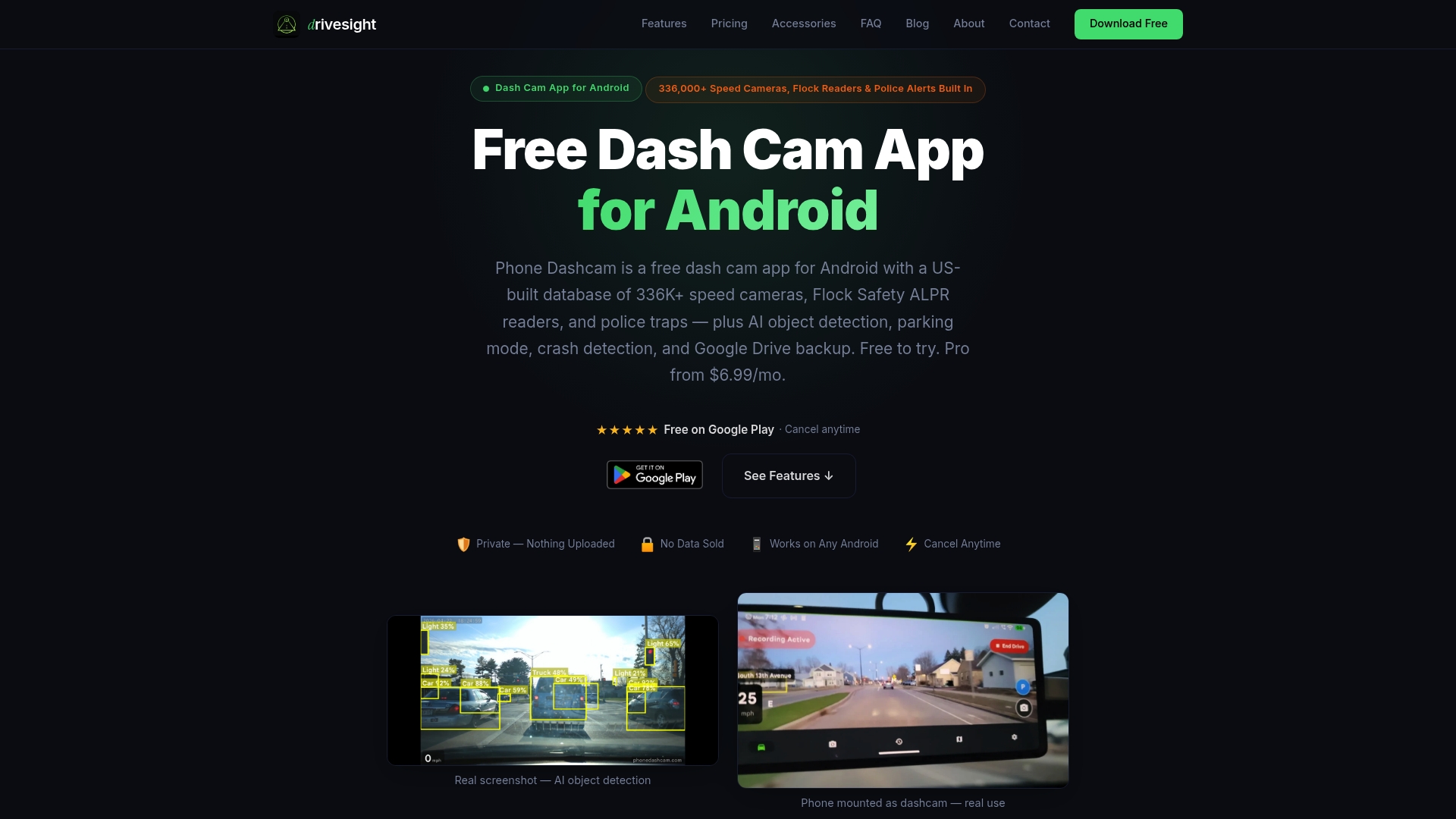
If you have an old Android phone sitting in a drawer, you already have everything you need to build a multi-camera blind spot system. DriveSight turns it into a full dashcam with AI detection, real-time speed and police camera alerts, parking security, and Google Drive backup, all processed on-device with no subscription required to get started.
Download DriveSight free and set up your first camera in minutes. Add a second phone for rear coverage, and you have a system that most dedicated hardware units cannot match.
Key Takeaways
Multiple phone dashcams cover blind spots by combining overlapping wide-angle fields of view with synchronized GPS-stamped footage, and DriveSight adds AI detection and thousands of camera alerts to make the system genuinely complete.
| Point | Details |
|---|---|
| Overlapping FOV eliminates gaps | Use 140°–170° lenses and position cameras so adjacent fields overlap, leaving no hidden zone. |
| Mount height determines coverage | Higher windshield placement widens the visible road surface and clears pillar obstructions. |
| Power and storage must be continuous | Hardwire or use a quality charger; enable loop recording so the system never stops. |
| Dedicated phones prevent interruptions | A phone used only as a dashcam has no notifications or updates that can cut a recording short. |
| DriveSight adds alerts beyond video | Real-time alerts for 336,000+ speed and red light cameras complement the multi-camera footage. |
FAQ
How do multiple phone dashcams cover blind spots effectively?
Each phone covers a specific zone (front, rear, or side) with a wide-angle lens, and overlapping fields of view ensure no area around the vehicle goes unrecorded. Synchronized timestamps tie the feeds into one coherent event timeline.
What are the most common dashcam setup mistakes to avoid?
Mounting too low, skipping loop recording, and leaving notifications enabled are the top errors. A camera aimed too low misses adjacent lanes, loop recording gaps mean lost footage, and a notification pop-up can interrupt recording at the exact moment you need it most.
Which vehicles have the worst blind spots?
Large SUVs, pickup trucks, and vans have the most significant blind zones because their thick A and C pillars, high ride height, and long rear overhangs block more of the surrounding road than a standard sedan.
What can multiple cameras on a phone actually do?
Modern Android phones carry wide, main, and telephoto lenses. Dashcam apps like DriveSight can switch between them, letting you use the ultra-wide lens for maximum coverage or the telephoto for capturing distant license plates, all from a single device.
Are dashcams legal to use in the United States?
Dashcams are legal in many states, but windshield placement rules and audio recording laws vary by state. Check your state’s specific regulations on windshield obstruction and two-party consent before mounting a camera or enabling audio recording.
Recommended
- Dual-Camera Dashcam Mode Explained for Drivers in 2026
- DriveSight Dashcams and App: Your 2026 Safety Guide
- Cross Country Drive Camera Features: Your 2026 Guide
- Dual SIM Phone Role in Remote Dashcam: 2026 Guide
Get Phone Dashcam free
Loop recording, crash detection, GPS tracking, and AI object detection — all in your phone. No new hardware required.
Download Phone Dashcam