How a Dashcam Records Border Crossing Footage
How a Dashcam Records Border Crossing Footage
TL;DR:
- Dashcam continuously records border crossing footage by automatically starting with vehicle ignition and overwriting old clips via loop recording. The G-sensor locks important clips when sudden impacts or movements occur, safeguarding critical evidence during border inspections. Proper preparation, legal awareness, and using apps like DriveSight ensure footage reliability and legal compliance in international crossings.
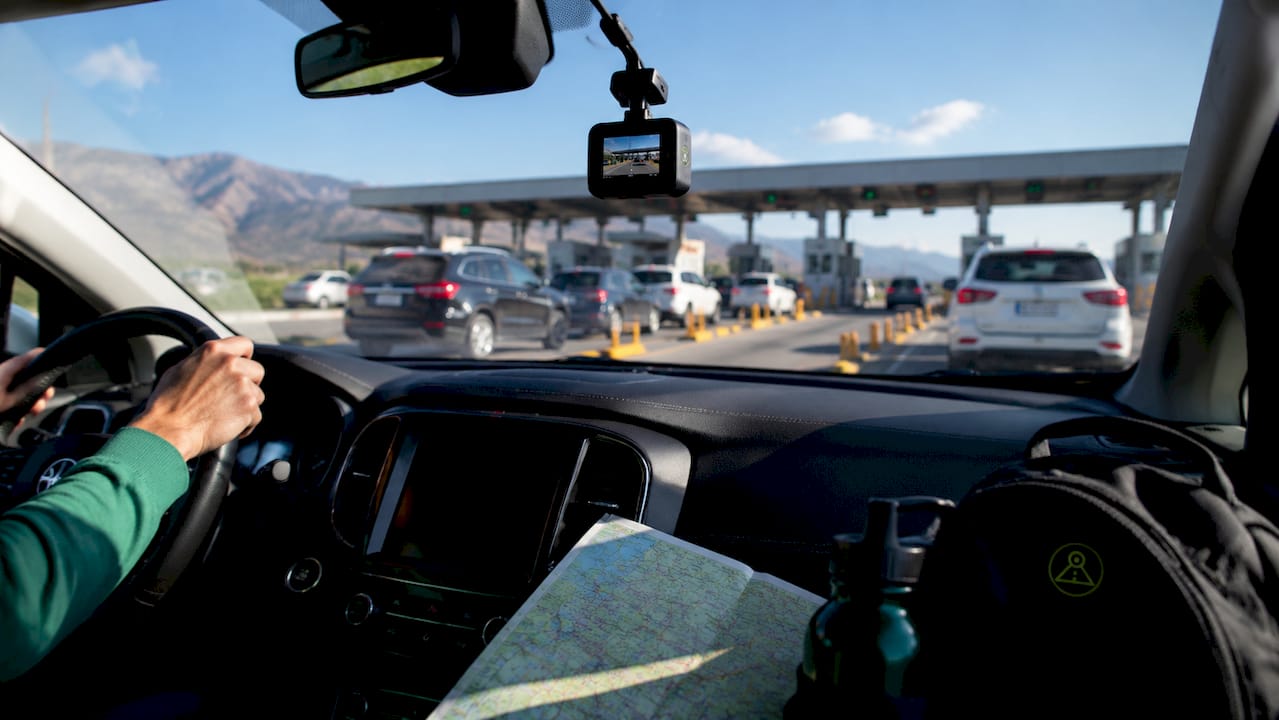
A dashcam records border crossing footage through continuous video capture that starts automatically with the vehicle’s ignition, stores clips on a MicroSD card using loop recording, and locks critical segments when a G-sensor detects sudden motion or impact. Understanding how dashcam records border crossing footage matters because border encounters can turn into legal or safety situations with no warning. The footage you capture at a checkpoint may be the only objective record of what happened. Tools like DriveSight’s Android dashcam app and dedicated hardware units from manufacturers like Thatcham Trackers bring this capability to any vehicle, with or without a purpose-built camera.
How does dashcam continuous recording work at border crossings?
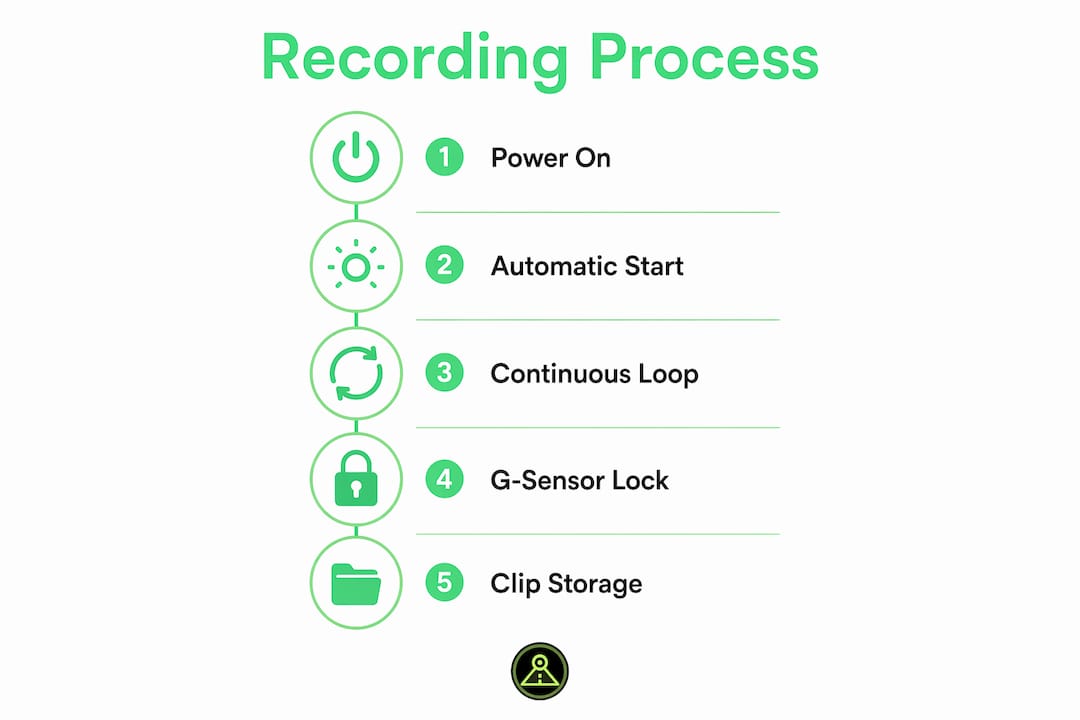
Dashcams start recording automatically with vehicle power and save video in short sequential clips on a MicroSD card. When the card fills up, loop recording overwrites the oldest clips first. This means the camera always holds the most recent footage without requiring any manual action from the driver.
For border crossing video recording, this design is both a strength and a risk. The strength: you arrive at the checkpoint with footage already rolling. The risk: if you don’t act quickly after a notable event, older clips get overwritten before you can save them.
Here is what the continuous recording process looks like in practice:
- Clip length: Most dashcams split footage into 1, 3, or 5-minute segments. A typical border stop lasting 10 minutes spans 2–4 separate files.
- Storage capacity: A 64GB MicroSD card holds roughly 6–8 hours of 1080p footage before loop recording begins overwriting.
- Front and rear cameras: Front and rear dashcams capture both the road ahead and any vehicle approaching from behind, giving you a complete picture of the crossing environment.
- Card health: Corrupted or full MicroSD cards can cause lost clips. A card that has never been formatted is the most common cause of missing footage.
Pro Tip: Format your MicroSD card inside the dashcam itself, not on a computer, before every major trip. This clears fragmented data and reduces the risk of write errors at the worst possible moment.
What role does the g-sensor play in protecting border crossing recordings?
The G-sensor, also called an accelerometer-based impact sensor, is the mechanism that protects footage you cannot afford to lose. G-sensor detection triggers automatic clip locking when the dashcam registers sudden braking, a sharp turn, or a physical impact. The locked clip is moved to a protected folder on the MicroSD card and cannot be overwritten by loop recording.
This matters at border crossings because secondary inspections often involve abrupt stops, aggressive vehicle maneuvers by agents, or physical contact with the car. Each of those events can trigger the G-sensor and lock the relevant footage automatically.
Here is how the G-sensor protection sequence works:
- Event detection: The sensor registers acceleration above a set threshold, typically caused by braking, impact, or sharp steering input.
- Pre-buffer capture: The dashcam saves 10–15 seconds of footage recorded before the trigger event, giving you context for what led up to the moment.
- Clip locking: The current segment and the pre-buffer segment are both marked as protected and saved to a separate folder.
- Protected storage: Locked clips remain on the card until you manually delete them, regardless of how many hours of loop recording follow.
- Manual lock option: Most dashcams include a physical button or in-app control to lock a clip manually, without needing a sensor trigger.
Border crossing event clips may span multiple loop segments, so locking only one file can leave gaps in the timeline. Lock the clip before and after the key moment to preserve full context.
Pro Tip: Lower your G-sensor sensitivity to medium before a border crossing. A setting that is too sensitive will lock dozens of clips from normal road vibration, filling your protected folder with irrelevant footage and leaving less room for what actually matters.
What privacy and legal rules apply to dashcam use at international borders?
Dashcam recordings capture identifiable faces, license plates, and location data, which places them under privacy and data protection laws in many countries. Crossing an international border means your footage may simultaneously be subject to the laws of two or more jurisdictions. That creates real legal exposure if you are not prepared.
The key legal considerations for dashcam border crossing use include:
- GDPR in Europe: Recordings of identifiable individuals made in EU member states can trigger General Data Protection Regulation obligations, even for private drivers. Posting dashcam footage publicly without consent can result in fines.
- Audio recording restrictions: Federal and state laws in the U.S. prohibit recording oral communications without consent in certain contexts. Audio recording inside a vehicle during a border inspection may be unlawful or inadmissible depending on the jurisdiction. Disabling audio before crossing is the safest approach.
- Footage admissibility: Legality of recording and admissibility of footage depend on jurisdictional privacy laws and evidentiary standards. Footage recorded in violation of local law may be excluded from any legal proceeding where you need it most.
- Border authority restrictions: Some countries prohibit recording at official checkpoints. Agents in Canada, Mexico, and the U.S. have the authority to restrict device operation during an inspection.
- Notice requirements: Posting a visible dashcam notice in your vehicle is required in some EU countries and is good practice everywhere. It signals transparency and can affect how footage is treated legally.
Review dashcam laws by state before your trip, and research the recording laws of every country you plan to enter. The rules change at every border.
How do border inspections impact dashcam operation and footage?
Border inspections are the scenario most drivers underestimate. Customs and border protection authorities may require access to dashcam devices during vehicle inspections and have been reported to disconnect or remove cameras during secondary screening. If your dashcam is unplugged mid-loop, the most recent unsaved clip may be lost entirely.
The table below shows common inspection scenarios and their impact on dashcam footage:
| Inspection Scenario | Dashcam Status | Footage Risk |
|---|---|---|
| Standard primary inspection | Recording continues | Low: loop recording active, G-sensor may trigger |
| Secondary inspection, camera visible | Agent may disconnect camera | Medium: recent clip may be lost if not yet saved |
| Device confiscation or search | Recording stops, device removed | High: all unlocked footage vulnerable to deletion |
| Agent requests device shutdown | Driver must comply | High: loop recording halted, no new footage saved |
| Vehicle searched, dashcam untouched | Recording continues | Low: footage preserved if card is healthy |
Planning quick export and knowing local storage paths helps preserve footage safely when device disconnect is a real possibility. If you use a smartphone dashcam app like DriveSight, you can export clips to cloud storage or a secondary device before handing anything over.
Pro Tip: Before entering a secondary inspection lane, manually lock the most recent clip and, if your app supports it, trigger an immediate cloud backup. Those 30 seconds can save footage you cannot recreate.
What practical steps protect your dashcam footage at a border?
Preparation before the crossing is what separates drivers who have usable footage from those who don’t. Hardware reliability including power and storage integrity is the foundation of any footage preservation strategy. A dashcam that loses power or writes to a corrupted card produces nothing.
Follow these steps before and during every international crossing:
- Format your MicroSD card inside the dashcam before the trip, not on a computer. Use a card rated for dashcam use, such as those labeled “high endurance.”
- Check G-sensor settings and set sensitivity to medium. Confirm that automatic recording starts with ignition and that the protected folder has available space.
- Manually lock clips immediately after any notable event at the border. Do not wait. Loop recording can overwrite the preceding segment within minutes.
- Use a smartphone dashcam app with cloud backup enabled. DriveSight’s app allows instant export and remote viewing, so footage leaves the device before any inspection begins.
- Disable audio recording when crossing into jurisdictions with strict consent laws. Video-only footage is legally cleaner and still captures everything visually relevant.
- Know your folder structure. On most dashcams, locked clips are stored in a folder labeled “Event” or “Locked.” Knowing where to find them speeds up any export under pressure.
For a deeper look at road trip dashcam setup, including clip protection and storage management for long journeys, the DriveSight guide covers the full process step by step.
Key takeaways
A dashcam records border crossing footage reliably only when continuous recording, G-sensor clip locking, proper storage management, and legal compliance all work together before and during the crossing.
| Point | Details |
|---|---|
| Continuous loop recording | Dashcams overwrite oldest clips automatically, so act fast to lock footage after any border event. |
| G-sensor clip protection | Impact sensors lock 10–15 seconds of pre-event footage, preserving context you cannot manually capture. |
| Audio recording legality | Disable in-cabin audio before crossing borders where consent laws apply to avoid inadmissible footage. |
| Inspection risk | Border agents can disconnect dashcams during secondary inspection, making pre-crossing cloud export critical. |
| Storage preparation | Format your MicroSD card before every trip and verify the protected folder has space for locked clips. |
What we’ve learned from drivers who cross borders regularly
Most drivers think about dashcams as passive devices. You mount them, forget them, and pull footage when something goes wrong. Border crossings break that assumption completely.
The drivers who consistently preserve useful footage treat their dashcam as an active tool, not a background appliance. They check storage before the trip. They know which button locks a clip. They have cloud backup configured and tested. That preparation takes about five minutes, and it is the difference between having evidence and having nothing.
The legal dimension is the part most guides skip over. Audio recording restrictions are not theoretical. A clip recorded in a two-party consent state or an EU country without proper notice can be thrown out in the exact proceeding where you need it. We have seen drivers lose legitimate claims because their footage was legally compromised before they ever played it back.
The inspection scenario is the one that surprises people most. Border agents have broad authority over devices in their jurisdiction. If your dashcam is disconnected during a secondary inspection and you have not locked or exported the relevant clip, that footage is gone. The dashcam evidence collection process only works if you treat it as a process, not an accident.
Our honest recommendation: use a smartphone dashcam app with cloud backup over a standalone hardware unit for border travel. The ability to push footage off the device before any inspection begins is a capability that no MicroSD-only dashcam can match.
— Cyberlab Automation
Secure your border crossing footage with DriveSight
Drivers crossing international borders need a dashcam solution that records continuously, locks critical clips automatically, and gets footage off the device fast when it matters most.

DriveSight’s free Android dashcam app does all three. It starts recording with ignition, uses accelerometer-based impact sensing to lock clips automatically, and supports cloud backup so your footage is preserved even if the device is disconnected during an inspection. Manual clip locking takes one tap. The app runs on any Android phone, including a spare device mounted in your vehicle. For drivers who want hardware-grade reliability with the flexibility of a smartphone, DriveSight is the practical choice for international travel. Download the app before your next crossing and have your footage secured before you reach the checkpoint.
FAQ
How does a dashcam start recording at a border crossing?
A dashcam starts recording automatically when the vehicle receives power from the ignition. No manual action is required, so footage begins before you reach the checkpoint.
Can border agents legally take or disable my dashcam?
Yes. Customs and border protection authorities have broad authority to inspect and restrict devices during vehicle searches. Agents have been reported to disconnect dashcams during secondary inspections, which can result in lost footage.
Is it legal to record audio at a border crossing?
Audio recording inside a vehicle is subject to stricter consent requirements than video in many U.S. states and countries. Disabling audio recording before crossing into a new jurisdiction is the safest approach to keep footage legally admissible.
What happens to dashcam footage if the camera is disconnected?
Any clip currently being written to the MicroSD card at the moment of disconnection may be corrupted or lost. Locked clips saved to the protected folder before disconnection are generally preserved.
How much storage do i need for a border crossing trip?
A 64GB high-endurance MicroSD card holds approximately 6–8 hours of 1080p footage. For most border crossings, a properly formatted 32GB card is sufficient, provided you lock and export key clips regularly throughout the journey.
Recommended
- Why Dashcam Captures Wildlife Road Encounters
- How Dashcams Capture Rear-End Collision Proof
- Road Trip Dashcam Footage Tips for Memorable Drives
- What is road trip dashcam recording explained: your driver’s guide
Get Phone Dashcam free
Loop recording, crash detection, GPS tracking, and AI object detection — all in your phone. No new hardware required.
Download Phone Dashcam