Google Maps Dropped Audio Speed Camera Warnings — Here's What Canadian Drivers Should Use Instead
Google Maps dropped audio speed camera alerts in 2024. Here's why Waze won't fix it and what Canadian drivers should use instead.
On this page
- What Happened to Google Maps Speed Camera Alerts
- Why Switching to Waze Does Not Solve the Problem
- What About Other Speed Camera Detector Apps
- Google Maps vs. Waze vs. TomTom AmiGo vs. DriveSight: Side-by-Side
- DriveSight: More Protection Than Canadian Drivers Had Before
- How to Set Up DriveSight as Your New Speed Camera Alert System
- The Bottom Line for Canadian Drivers
- Conclusion
If you have been relying on Google Maps to warn you about speed cameras while driving, you may have noticed something missing lately. Those handy audio alerts that used to announce upcoming speed cameras? Gone. Removed quietly around June 2024, leaving Canadian drivers without the passive, hands-free protection they had come to depend on.
So what do you do now? Just hope you remember where every camera is? Constantly glance at your phone screen while driving? Neither option sounds great.
Here is the good news: losing that feature does not mean you are out of options. In fact, it might be the push you needed to find something better. In this post, we break down exactly what happened with Google Maps, why simply switching to Waze will not solve the problem, and how a dedicated app for speed camera alerts can actually give you more protection than you had before. We will compare the top options available to Canadian drivers, including DriveSight and its database of over 336,000 alerts, so you can make a confident, informed choice.
What Happened to Google Maps Speed Camera Alerts
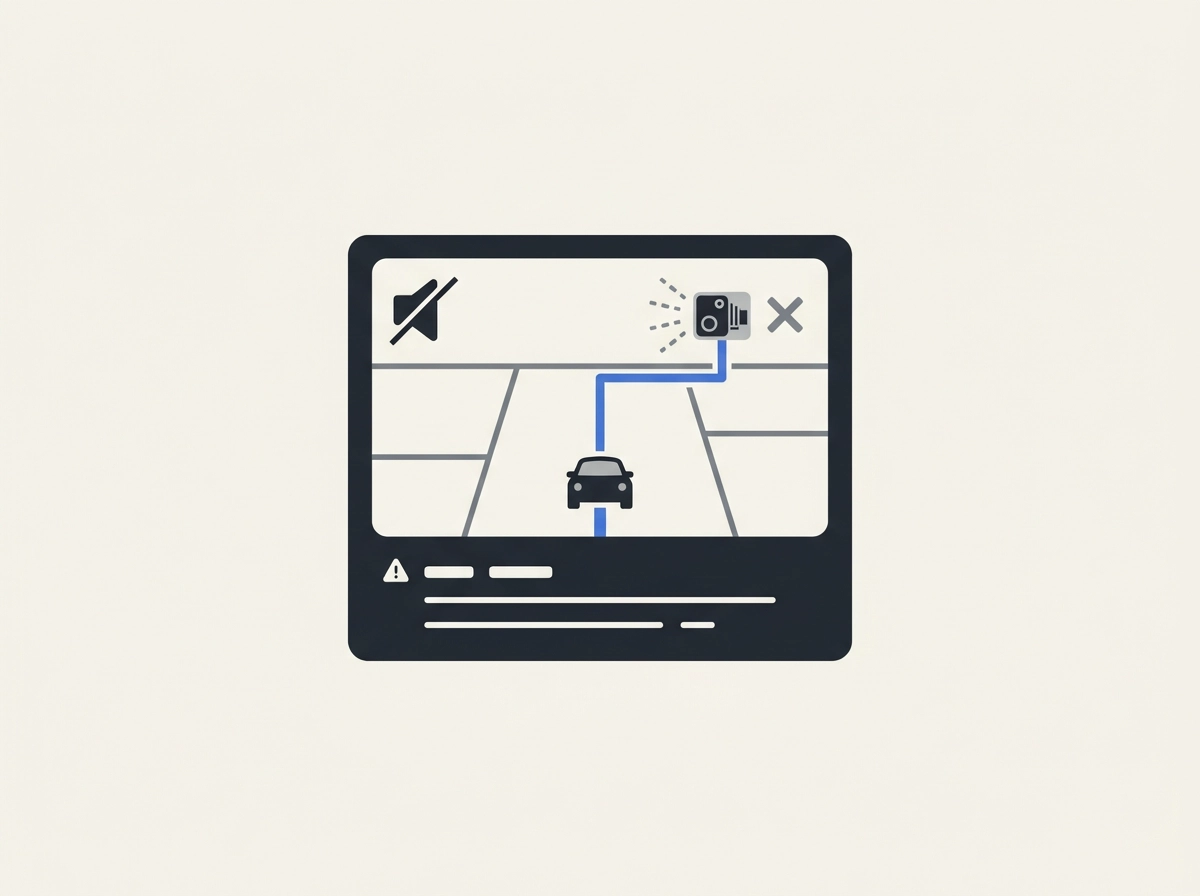
If you used Google Maps for hands-free speed camera warnings, you may have noticed something changed around June 17, 2024. A routine app update quietly stripped out the audio alerts that used to beep before approaching a speed camera. No announcement, no patch notes, no official explanation from Google.
The visual icons are still there. Open Google Maps today and you will still see little camera symbols on the route. But the audio warning that triggered automatically, without you touching the screen, is gone. That distinction matters more than it sounds. A visual icon on a map requires you to glance down at your phone. An audio alert lets you keep your eyes on the road.
The removal hit users across Canada, the UK, and Italy simultaneously, which rules out a local glitch. Community support threads filled almost immediately, with 882 users reporting the identical problem across those regions. Google product experts responding in those threads acknowledged the alerts were "not available in your area," but offered no timeline or reason for why that availability changed.
Google has not published any public statement explaining the decision. It could be a legal call, a product priority shift, or something else entirely. No one outside Google knows.
What we do know is that Canada does not appear to have a nationwide law prohibiting speed camera warning apps. France, by contrast, bans these devices under Article R.413-15 of the Highway Code. There is no Canadian equivalent of that restriction, which means Google's removal here looks like a discretionary product decision, not a legal obligation.
For Canadian drivers who relied on this as passive, hands-free protection, the feature is simply gone, and Google has given no indication it is coming back. Our breakdown of the top speed camera apps for 2026 covers where Google Maps now ranks against dedicated alternatives.
Why Switching to Waze Does Not Solve the Problem
The first instinct many Canadian drivers had after losing their Google Maps alerts was to switch to Waze. It makes sense on the surface. Waze has a reputation for being more community-driven and responsive to real-time road conditions. The problem is that Waze is owned by Google, and it lost its audio speed camera alerts at the same time as Google Maps. That timing is not a coincidence. It points to a coordinated decision across both products, not a bug on one platform.
Waze does still feel snappier for things like traffic rerouting and road hazard reports, and some drivers prefer its interface. But if you switched specifically to get your speed camera audio alerts back, you did not get them back. The gap is identical on both apps.
This matters most at highway speeds. When a visual-only camera icon appears on screen, you have to glance down to catch it. At 100 km/h, even a two-second look away covers significant ground. Audio alerts existed precisely because they let you keep your eyes forward. A visual indicator is not a replacement; it shifts the safety burden onto you.
There is also a data reliability issue worth knowing. Waze's speed camera locations depend on crowdsourced community reports. In busy urban corridors around Toronto or Vancouver, that works reasonably well. In lower-traffic areas across Northern Ontario or rural Alberta, fewer drivers are contributing updates, which means camera data can be stale or absent entirely. Using Waze as a speed camera detector app in those regions is a gamble.
Beyond the alert gap, neither Waze nor Google Maps offers dashcam recording, real-time police location alerts, or severe weather warnings. For a full breakdown of how Waze's police alert system actually compares, see How It Compares to Waze Police Alerts. Sticking with navigation-only apps means accepting fewer protections than you had before June 2024.
What About Other Speed Camera Detector Apps
So if Waze isn't the answer, what about dedicated speed camera detector apps?
TomTom AmiGo gets mentioned frequently as a workaround, and it does have one genuinely useful feature: it distinguishes between fixed and mobile speed cameras, which lets you adjust your speed differently depending on the threat. That's a real advantage over what Google Maps offered. The problem is that this feature is only as reliable as the community data feeding it. TomTom AmiGo's Canadian database depends on user-submitted reports, not a centrally maintained alert system.
That creates an uneven experience across the country. In busy urban corridors around Toronto or Vancouver, community participation is high enough to keep data reasonably current. Drive through rural Ontario, the Prairies, or Atlantic Canada, and you may find camera alerts that are outdated, missing entirely, or never populated in the first place. The overlay mode that makes TomTom AmiGo most useful is also restricted to Android, which cuts out a large share of Canadian drivers from the start.
Beyond TomTom AmiGo, the broader category of speed camera radar apps in the Play Store varies significantly in quality. Database freshness, Canadian coverage depth, and whether audio alerts are even included differ from app to app, and there is no reliable way to evaluate those factors before downloading. Many look credible in their store listing and underdeliver on the road.
The bigger issue cuts across all of these options: not one of the commonly cited workarounds combines speed camera detection, dashcam recording, and real-time police alerts in a single app. To replicate even basic protection, you would need two or three apps running simultaneously, which defeats the point of hands-free, passive safety entirely.
Google Maps vs. Waze vs. TomTom AmiGo vs. DriveSight: Side-by-Side
Here is how each option stacks up across the features that matter most to Canadian drivers.
Feature | Google Maps | Waze | TomTom AmiGo | DriveSight |
|---|---|---|---|---|
Audio speed camera alerts | Removed June 2024 | Removed June 2024 | Yes (Android only) | Yes |
Canadian database coverage | Visual icons only | Community-sourced | Community-dependent | 336,000-alert database |
Real-time police location alerts | No | Community pins | No | Yes, live on-screen |
Police aircraft detection | No | No | No | Yes |
Dashcam recording | No | No | No | Yes |
Severe weather alerts | No | No | No | Yes |
Android support | Yes | Yes | Yes (overlay only) | Yes |
Hands-free passive operation | No | No | Partial | Yes |
The pattern is hard to miss. Google Maps and Waze both dropped audio alerts at the same time and offer no dashcam, no police alerts, and no weather warnings. TomTom AmiGo adds useful detail by distinguishing fixed cameras from mobile ones, but it runs as an Android overlay, leans on community data for Canadian roads, and stops well short of full protection.
DriveSight is the only option in this comparison that covers every row. A dedicated 336,000-alert speed camera database, live police and aircraft alerts, severe weather notifications, crash detection, dashcam recording, and GPS trip tracking all run inside a single Android app. Where DriveSight wins becomes obvious once you see how much the other options leave unchecked.
If you want hands-free, passive protection that works every time you start driving, the table above tells the story clearly.
DriveSight: More Protection Than Canadian Drivers Had Before
The table above shows the gap clearly. Now here is what DriveSight actually delivers to fill it.
At its core, DriveSight is an Android dashcam app built to give Canadian drivers passive, hands-free protection, the kind that works without you poking at your phone. Its speed camera database covers over 336,000 alerts across Canadian roads, and that coverage comes from a maintained database rather than crowdsourced community pins that go stale in low-traffic areas.
The interface is designed for driving, not tinkering. On-screen alerts surface live police locations, government and police aircraft tracking, speed camera locations, and severe weather warnings in a clean, glanceable layout. Audio alerts fire automatically so your eyes stay on the road. If you want to understand exactly what the app covers, the full terms and description of service breaks it down clearly before you commit to anything.
What separates DriveSight from a straightforward speed camera detector app is that the dashcam never stops running in the background. Continuous video recording, crash detection, and GPS trip tracking are all active the moment you start a trip. That replaces what would otherwise require a separate piece of hardware on your windshield.
The live police location alerts are worth calling out specifically. Before June 2024, Google Maps gave you reactive warnings when a camera was ahead. DriveSight adds proactive situational awareness, letting you know where police are actively located, not just where a fixed camera sits. That is a meaningful step forward, not just a like-for-like replacement.
Setup is straightforward. One app, one mount, no extra subscriptions or devices to configure. For everyday drivers who just want protection back without a learning curve, that simplicity matters.
How to Set Up DriveSight as Your New Speed Camera Alert System
Getting started takes about five minutes, and the app walks you through each step.
Step 1: Download and set up the app. Search for DriveSight on the Google Play Store, install it, and open it. The setup process guides you through granting location permissions and camera access, both required for live alerts and dashcam recording to work properly.
Step 2: Mount your phone. Before your first drive, position your phone where on-screen alerts are easy to glance at without pulling your eyes from the road. Behind the rearview mirror or low on the windshield are the two most driver-friendly spots. A magnetic mount or suction mount keeps the phone stable; PhoneDashCam.com carries compatible options designed for exactly this kind of permanent dash setup.
Step 3: Turn on audio alerts. Head into the app settings and enable audio alerts. This ensures that speed camera warnings, live police location notifications, and severe weather alerts will trigger sound even when your screen dims during longer drives. This is the step that restores the hands-free, passive protection that Google Maps dropped.
Step 4: Start a trip. Tap to begin a trip inside the app before you pull out of the driveway. This activates dashcam recording and live alerts at the same time, so both layers of protection run together from the moment you start moving. If you want to understand exactly what alert types are active on Canadian roads, this breakdown of DriveSight's 336,000-alert database explains what the database actually covers.
Optional: Add a hardwire kit for parking mode. Wiring the app through a hardwire kit lets DriveSight keep recording and monitoring while your car is parked and unattended, extending protection beyond active driving hours.
The Bottom Line for Canadian Drivers
Once your phone is mounted and the app is running, here is where things stand.
Google Maps and Waze pulled audio speed camera alerts in June 2024 with no official explanation, and neither platform has restored the feature since. Both apps still show camera icons on-screen, but a visual cue you have to look for is not the same as a hands-free audio warning. For practical purposes, both are off the table as passive alert systems.
Third-party workarounds fill part of the gap, but come with real trade-offs: Android-only restrictions, thin Canadian coverage outside major corridors, and data quality that depends entirely on how active the local user community is. For rural or lower-traffic routes, that community data can be sparse or stale.
DriveSight is built specifically around what those options lack. A 336,000-alert speed camera database, live police location and aircraft alerts, severe weather warnings, and continuous dashcam recording all run inside one Android app. The interface is clean and designed for a quick glance, not configuration. If you want to see everything you need in a dash cam app in one place, that is what the app is designed to deliver.
The broader point is worth stating plainly: switching now does not just replace what Google Maps took away. Live police alerts, aircraft tracking, and crash detection were never part of Google Maps at all. Drivers who make the move end up with meaningfully more protection than they had before June 2024.
Download DriveSight from Google Play, mount your phone on the dash, and your next trip is covered with hands-free, passive protection running automatically in the background.
Conclusion
Google Maps quietly removed audio speed camera warnings, and Waze followed without restoring the feature. Visual icons on a screen are not a substitute for hands-free alerts while driving. Third-party apps fill some of the gap, but thin Canadian coverage and community-dependent data make them unreliable outside major urban corridors.
DriveSight addresses all of it in one place. A 336,000-alert database, live police and aircraft warnings, severe weather alerts, and continuous dashcam recording give Canadian drivers a level of protection that never existed in Google Maps to begin with.
The decision is straightforward: download DriveSight from Google Play, mount your phone, and let it run passively in the background. You are not just replacing a lost feature. You are upgrading to something better than what you had before June 2024.