Speed Camera Apps for Canadian Drivers: What DriveSight's 336,000-Alert Database Actually Covers
See exactly what DriveSight's 336,000-alert speed camera database covers for Canadian drivers, province by province, and how it compares to radar hardware.
On this page
- Why Most Speed Camera Apps Leave Canadian Drivers Guessing
- ALPR Cameras in Canada: What Is Actually on the Road
- What DriveSight's 336,000-Alert Database Actually Contains
- Speed Camera Detector App vs. Radar Hardware: An Honest Comparison
- Province-by-Province Coverage: What Canadian Drivers Should Expect
- The Pro Tier Difference: Real-Time Police Locations and Aircraft Alerts
- DriveSight vs. Crowd-Only Speed Camera Apps: Where the Gap Shows
- How to Activate the Right Alert Types in DriveSight
- The Bottom Line for Canadian Drivers
- Conclusion
Every Canadian driver who has ever been caught off guard by a speed camera knows the sinking feeling that follows. The ticket arrives weeks later, and the question lingers: why didn't my app warn me? The honest answer is that most speed camera app solutions on the market rely heavily on crowdsourced reports, which means coverage is only as good as whoever happened to drive that road recently.
DriveSight takes a different approach. Its 336,000-alert verified database covers fixed speed cameras, red-light cameras, Flock Safety systems, and the increasingly common ALPR cameras that Canadian police agencies have deployed at accelerating rates, particularly in Ontario following the 2022 provincial grant expansion. That breadth changes what advance warning actually looks like in practice.
This post breaks down exactly what that database contains, how it compares to radar hardware and crowd-only apps, and what Canadian drivers can realistically expect province by province. You will also find a clear walkthrough of the Pro tier's real-time police location layer and a practical guide to activating the alert types that matter most for your driving region.
Why Most Speed Camera Apps Leave Canadian Drivers Guessing
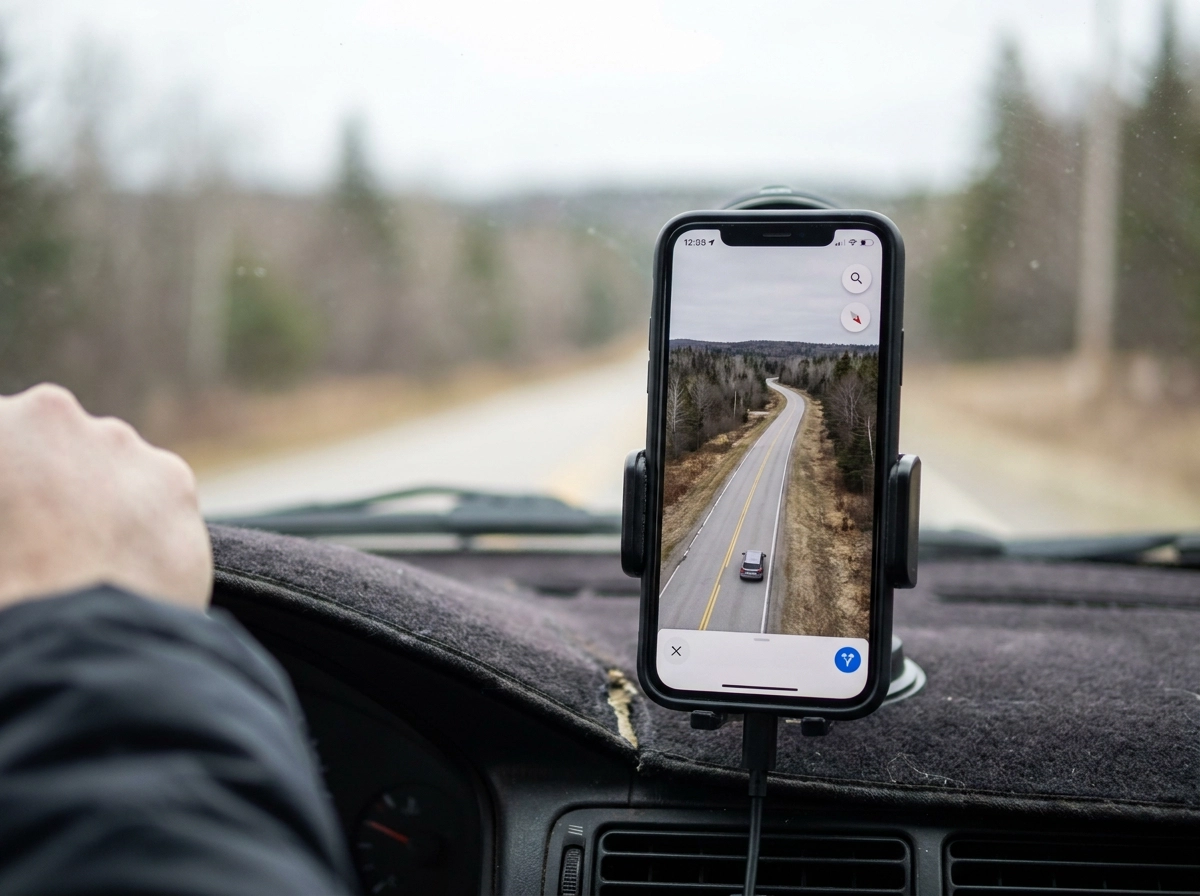
Most consumer speed camera detector apps are built on a crowdsourcing model: drivers report cameras, pins appear on a map, and other users receive alerts. The problem is structural. Alert quality scales directly with how many active users are driving a given road at any given time. In Canada, population density outside major urban centres drops sharply; provinces like Saskatchewan, Manitoba, and Newfoundland average under 2.2 people per square kilometre. Beyond Toronto, Vancouver, Calgary, and Ottawa, crowd-only coverage becomes genuinely unreliable.
The reactive nature of crowdsourced alerts compounds this problem. A camera must be encountered and reported before the data point exists. On an unfamiliar route, that lag eliminates the advance warning entirely, which is the only thing that makes an alert useful.
Fixed enforcement infrastructure, including automated speed cameras, red-light cameras, and ALPR installations, does not move. A curated, maintained database of verified fixed locations can deliver consistent advance warning without requiring any real-time user participation. The camera is in the database whether ten drivers or ten thousand travel that corridor each day.
Most drivers searching for a speed camera app or relying on navigation app alerts are unaware this architectural distinction exists. Crowdsourced pins and a verified fixed-camera database are not equivalent products. If you want the full picture of what separates these approaches, the Frequently Asked Questions on the DriveSight resource page covers the comparison in plain terms.
ALPR Cameras in Canada: What Is Actually on the Road
Understanding what ALPR cameras are clarifies why the database architecture behind a speed camera app matters so much.
Automated Licence Plate Recognition technology has been part of Canadian law enforcement for many years, originally built around stolen vehicle recovery and outstanding warrant checks. Then Ontario changed the equation.
When the provincial government eliminated physical licence plate stickers in 2022, it paired that decision with direct ALPR grants to police services. The Ontario Information and Privacy Commissioner's December 2024 guidance documents the result plainly: some services were able to equip every fleet vehicle with the technology, and services that previously had no ALPR capability acquired it for the first time. That guidance signals that deployment scale crossed a threshold requiring regulatory attention.
ALPR infrastructure does not follow a single template. Government patrol vehicles carry mobile units. Fixed installations mount on telephone poles and highway overpasses. Flock Safety cameras, deployed by municipalities and private communities, represent a separate category entirely; they operate outside government enforcement databases and require their own database entries and alert logic to surface correctly in any speed camera detector app.
For a speed camera app to provide genuine coverage, its database must account for each distinct category: fixed automated speed cameras, red-light cameras, mobile enforcement zones, Flock installations, and ALPR-equipped patrol patterns. Covering only one or two leaves meaningful gaps.
What DriveSight's 336,000-Alert Database Actually Contains
DriveSight's database addresses precisely those categories: fixed automated speed enforcement cameras, red-light cameras, Flock Safety ALPR installations, and mobile enforcement zones. Each category demands different sourcing methods, because a fixed speed camera on a school-zone corridor involves entirely different data than a Flock installation outside a municipal facility. Treating them as a single data type is where many speed camera detector apps fall short.
Unlike crowd-only apps (whose structural gap the opening section describes), each entry is AI-verified before it enters the database.
The result is a database exceeding 336,000 alerts, large enough that Canadian geography, even outside major corridors, is meaningfully covered.
Coordinate precision is equally important. Each alert is tied to location data accurate enough to trigger a warning at a meaningful distance ahead of the camera, not a vague zone flag that fires too late to be useful.
The database is also actively maintained. New installations are added; decommissioned units are removed. A static database degrades the moment enforcement infrastructure changes, and in provinces where camera deployment has accelerated recently, that degradation happens fast.
Speed Camera Detector App vs. Radar Hardware: An Honest Comparison
Knowing what's in the database matters only if the detection method can reach every camera type on the road. This is where hardware radar detectors reveal a fundamental limitation.
A traditional radar detector senses radio frequency signals emitted by speed guns. Fixed automated speed cameras, red-light cameras, and ALPR installations emit no such signal; they use laser, inductive loop, or optical technology. A hardware detector is completely silent when you pass one. Given that ALPR technology has been part of law enforcement's toolkit for over two decades and fixed camera infrastructure continues to expand across Canadian municipalities, this blind spot covers an increasingly large share of real-world enforcement.
A speed camera detector app sidesteps the signal problem entirely. GPS proximity to a known database entry triggers the alert, so it works identically for every camera technology. The detection mechanism is geography, not physics.
Hardware detectors carry additional friction: physical installation, a single-purpose footprint on your windshield, and map or firmware purchases to stay current. Each update cycle is a recurring cost with no guarantee of completeness.
DriveSight runs on the Android phone already mounted in your vehicle. Speed camera alerts are one layer within an app simultaneously recording dashcam footage, tracking your trip, and monitoring weather. For a full breakdown of why camera apps beat hardware radar detectors for fixed infrastructure, the architecture differences go deeper than this comparison covers. No extra hardware, no separate update purchases, no second device to manage.
Province-by-Province Coverage: What Canadian Drivers Should Expect
How much alert activity a driver sees depends heavily on which province they're in, and setting realistic expectations matters.
Ontario generates the most alerts of any province. The post-2022 provincial ALPR grants enabled police services to deploy the technology fleet-wide, layered on top of an established automated speed enforcement program targeting school and community safety zones. Drivers in the Greater Toronto Area, Ottawa, and Hamilton will see the highest alert frequency in DriveSight's database.
British Columbia operates fixed and mobile speed enforcement on major highway corridors and urban arterials. DriveSight's database covers the fixed infrastructure in this province, providing useful advance warning on Metro Vancouver routes and interior highway stretches.
Alberta has a history of photo radar enforcement in Edmonton and Calgary. DriveSight's database covers fixed and known mobile camera locations in those urban corridors.
Quebec, Manitoba, and Saskatchewan operate red-light and automated enforcement programs. Coverage in these provinces is genuine; alert frequency reflects infrastructure that is less expansive than Ontario or BC.
In less densely populated provinces and territories, fixed-camera database entries are fewer by necessity. This is where DriveSight's Pro tier provides the most meaningful uplift; the real-time police location layer covers ground that static camera data cannot. Check the New This Month section for database updates relevant to your region.
The Pro Tier Difference: Real-Time Police Locations and Aircraft Alerts
Where fixed-camera coverage thins out, the gap is filled not by a better database but by a different data layer entirely.
DriveSight's Pro tier surfaces active patrol positions on-screen in real time, providing enforcement awareness that no standalone radar hardware can replicate. Radar detectors respond to signals; they cannot tell you where a patrol vehicle is sitting. Pro surfaces that information directly within the same Android interface already running your dashcam and live speedometer, with no need to switch apps or glance at a second device.
Police aircraft alerts are the feature most drivers don't know they're missing. Aerial speed enforcement has been used on Canadian highway corridors, and by design, radar hardware detects only RF signals and cannot flag aircraft-based enforcement. DriveSight Pro tracks enforcement aircraft and delivers on-screen alerts through the same interface as every other layer. For a deeper look at how that capability works, see how the police aircraft tracker works.
Together, the fixed-camera database and the real-time police location layer cover the full enforcement picture. Known fixed infrastructure is handled by the database; active patrol presence is handled by the live layer. Neither alone is sufficient.
DriveSight vs. Crowd-Only Speed Camera Apps: Where the Gap Shows
The fixed-camera database and live police layer address known infrastructure and active patrols, but a third comparison matters to Canadian drivers evaluating any speed camera app: how does a curated database stack up against the crowd-sourced model built into general navigation apps?
That user-density ceiling is the core limitation, but it also produces a secondary problem: noise.
Crowd-only systems generate more noise than a curated database. A user-submitted report of a police vehicle at a specific intersection has a short shelf life and no verification pathway. Stale or inaccurate pins accumulate, and drivers who act on them repeatedly without result stop trusting the system. That erosion of trust is the practical cost of unverified data.
For drivers using a speed camera detector app as a genuine safety tool, rather than a background feature they ignore, the reliability gap surfaces quickly on any route outside a major urban corridor. DriveSight's approach is described in full within the app's terms and usage disclaimers, which clarify how database alerts differ from user-contributed reports.
How to Activate the Right Alert Types in DriveSight
Getting this right is straightforward. Search DriveSight on the Google Play Store and install it on your Android device. The app is Android-native and consolidates dashcam recording, GPS tracking, and all alert layers within a single interface. For a full picture of what runs under the hood, see what DriveSight does before diving into settings.
On first launch, grant precise location permissions when prompted. This is non-negotiable for the database to function correctly; approximate location is insufficient to calculate the right warning distance ahead of an upcoming camera.
Inside the alert settings panel, you will find individual toggles for each enforcement category:
Fixed speed cameras
Red-light cameras
Flock ALPR installations
Mobile enforcement zones
Enable all four to draw on the full 336,000-plus alert database. Leaving any category off creates a blind spot in your coverage, particularly relevant in Ontario and British Columbia where multiple camera types operate on the same corridors.
Real-time police location alerts and aircraft tracking are Pro tier features. They are separate from the fixed-camera database alerts available at the base level. Activate the Pro subscription within the app to unlock both live layers.
Finally, mount your phone in a stable, forward-facing position using a windshield or dashboard mount. DriveSight records and delivers alerts simultaneously, so consistent placement keeps the camera field of view clear and the on-screen alerts visible while driving.
The Bottom Line for Canadian Drivers
Once the app is configured, the full picture comes into focus.
A 336,000-alert database covering fixed speed cameras, red-light cameras, Flock ALPR installations, and mobile enforcement zones operates on fundamentally different logic than crowdsourced pins or radar hardware. The alerts exist because the cameras are verified and catalogued, not because enough users happened to drive a given stretch and report something. That architectural difference is what makes this a meaningful tool rather than a background noise generator.
Province-by-province alert frequency tracks the coverage expectations laid out above.
All of this runs inside an Android dashcam app that is already recording your drive. No separate device to mount, no hardware subscription, no manual map imports. The alert layer and the dashcam function operate simultaneously, and the database updates without driver involvement.
The setup barrier is low, a few taps in the settings panel, no technical knowledge required. Better enforcement awareness on Canadian roads is closer than most drivers assume.
Conclusion
Canadian drivers now have a clearer picture of what serious enforcement awareness actually looks like.
The scepticism many drivers carry toward speed camera apps was earned by inferior products, and DriveSight's architecture is the reason to revisit that judgement.
If you drive regularly in Canada and want enforcement awareness you can actually rely on, the next step is straightforward: download DriveSight, enable the full alert stack in a few taps, and let a database built for Canadian roads work in the background of every drive. Better awareness starts with your next trip.